The Beginner’s Blueprint: Low-Cost User Onboarding Strategies
You don’t need a $50k budget to welcome new users effectively. Learn how to build a high-converting onboarding flow using free tools, psychology, and data-driven optimizations.
Why “Free” and “Simple” Wins in 2026
The digital landscape of 2026 is fiercely competitive. When launching a new digital product, the overwhelming temptation is to over-engineer the onboarding process. We see startups investing in complex interactive walkthroughs, heavy video production, and expensive third-party tools before they even have product-market fit. However, data consistently suggests that simplicity often drives higher completion rates, especially for new sites relying on organic traffic.
This comprehensive guide focuses on strategies that prioritize clarity over flashiness. We will explore how to reduce friction, measure feature adoption effectively, and utilize email onboarding—all without breaking the bank. Whether you are building a niche directory, a SaaS tool, or a content platform, these principles are designed to help you compete for organic traffic by providing genuine value immediately.
The Core of Effective Onboarding
Before diving into specific tactics, it is important to understand that user onboarding isn’t just a “tutorial.” It is the bridge between your user’s problem and your solution. In the context of new sites aiming for organic growth, this bridge must be short, sturdy, and well-lit.
Effective onboarding answers three fundamental questions for the user within the first minute:
- Where am I? (Context and Expectation Setting)
- What can I do here? (Value Proposition and Capability)
- Why should I care? (Immediate Benefit and “Aha!” Moment)
1. The “Intent-Driven” Approach
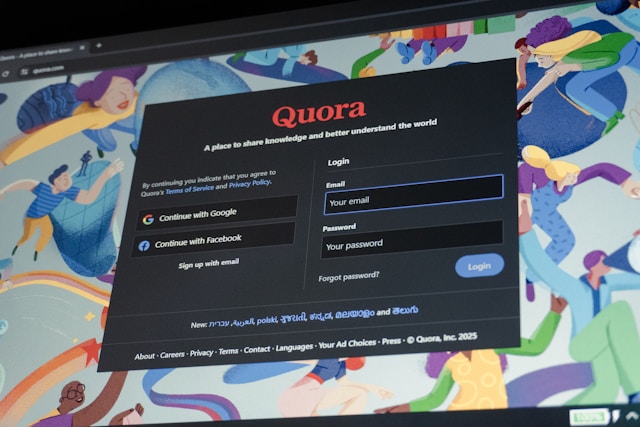
Users arrive with specific intent, similar to how users interact with platforms like Quora or Reddit. If they are searching for answers, your onboarding should facilitate that immediately, not block them with a signup wall.
Just as we’ve seen in the structural analysis of Quora’s advertising, respecting the user’s journey and context leads to higher engagement. Allow users to experience value (the “Aha! moment”) before demanding commitment.
2. Reducing Cognitive Load
New users have limited cognitive bandwidth. Every form field, button, or instruction adds “friction.” High-friction sites lose users to competitors who offer a smoother path.
This is particularly crucial in B2B scenarios. When comparing channels for acquisition, as explored in the comparison of Quora and Reddit for B2B lead generation, the platforms that simplify the path to value typically capture higher quality leads.
Is your site leaking users?
The first step to optimization is measurement. You can’t fix what you don’t measure. Use our free tool to identify exactly where your users are dropping off.
Calculate Your Onboarding Friction Score →This tool analyzes your signup steps to pinpoint bottlenecks.
Step-by-Step: Building the Flow
Phase 1: The Landing (The Anti-Friction Zone)
Your landing page is the first step of onboarding. If a user clicks through from an ad or a search result, the promise made must be kept immediately. In 2026, users are skeptical of marketing fluff; they want utility.
1. Headline Alignment: Ensure your H1 matches the search intent or ad copy exactly. If your ad says “Free SEO Audit,” the H1 should not say “The Best Marketing Platform.” It should say “Get Your Free SEO Audit.” Discontinuity here creates immediate friction.
2. Call to Action (CTA) Clarity: Avoid generic “Get Started” buttons. Use action-oriented text that describes the outcome, such as “Find My Answer” or “Calculate Savings.” This sets the expectation that clicking the button results in action, not just another form.
3. Social Proof Placement: Place testimonials or trust signals near the CTA, not at the bottom of the page. Users look for validation *before* they commit to clicking. A simple “Trusted by 500+ marketers” next to the button can lift conversion significantly.
Phase 2: The “Skeleton Key” Signup
Data shows that for every additional field in a signup form, conversion drops significantly. The “Skeleton Key” method involves asking for the absolute minimum to unlock value. Think of it as a VIP pass—you get in the door, and you show your ID (details) later.
The Psychology of “Magic Links”: One of the most effective free strategies in 2026 is the “Magic Link” login. Instead of asking users to create and remember a password, you email them a link that logs them in instantly. This eliminates the friction of password fatigue and “forgot password” flows.
Social Login: Implement “Continue with Google” or “Continue with Apple.” It reduces the signup process to two clicks. While this requires some technical setup, the ROI in user acquisition is immediate.
| Data Point | Required? | Strategy & Reasoning |
|---|---|---|
| Email Address | Yes | Essential for communication and account recovery. It is your primary key for identity. |
| Password | Conditional | Offer magic links or social login to bypass password creation. Only ask if strictly necessary for security policies. |
| Name | No | Ask for this inside the dashboard later. It blocks entry and feels intrusive before value is demonstrated. |
| Credit Card | No | Never gate a free trial behind payment info unless necessary for fraud prevention. It is the #1 cause of drop-off. |
Phase 3: Feature Adoption via Contextual Guidance
Once inside, don’t show a 10-step tour. Instead, use “Empty States” to guide the user. An empty state is what the user sees when they have no data yet (e.g., an empty inbox or dashboard).
The “Empty State” Design Pattern:
- Problem: “You have no projects.”
- Solution: “Create your first project to see your analytics.”
Design the empty state to look like the “Create” button itself. This turns a dead end into a call to action. Use micro-copy that explains the benefit, not just the action.
Interactive Hotspots: Use free tools like UserGuiding or Intro.js to add pulsating dots on specific UI elements. When clicked, a tooltip appears. This is less intrusive than a full tour and allows the user to explore at their own pace.
Measure Feature Adoption
Are users actually using the features you built? Feature adoption during onboarding is the leading indicator of long-term retention.
Analyze Feature Adoption Rates →The Unsung Hero: Email Onboarding
While in-app guidance is crucial, the email channel remains one of the most powerful tools for new sites. Why? Because you own the channel. Unlike algorithmic feeds (like Facebook or LinkedIn) which can throttle your reach at any moment, email allows you to control the narrative.
The “3-Touch” Email Sequence
For a low-cost strategy, automate a simple 3-email sequence. This sequence is designed to push the user through the activation curve.
Email 1: The Welcome (Immediate)
Goal: Deliver the first “Quick Win.”
Subject: “Welcome to [Product Name]! Let’s get you started.”
Content: Confirm account, reiterate the value proposition, and provide a single link to the most important action (e.g., “Complete your profile”). Keep it under 50 words. The goal is to get them back into the product immediately.
Psychology: Reinforce their decision to sign up. Reduce “buyer’s remorse” before it starts.
Email 2: The Educational (Day 2 or 3)
Goal: Teach a “Power User” trick.
Subject: “Did you know [Product Name] can do [Cool Feature]?”
Content: Highlight a feature that 80% of your active users use but 10% of new users find. This positions your product as deep and valuable. Use a GIF or short video if possible, but text works too.
Psychology: Deepen engagement. Move them from “tourist” to “resident.”
Email 3: The Feedback (Day 7)
Goal: Engage and learn.
Subject: “Quick question about your experience so far…”
Content: Ask a specific question, not “How is it going?” Ask “Did feature X help you achieve Y?” This shows you care about their specific success, not just their activity.
Pro Tip: Ask “What is the one thing we could do to make this better for you?” This often yields gold nugget feedback that months of user research wouldn’t uncover.
Optimize Your Email Strategy
Don’t guess if your emails are working. Calculate the effectiveness of your onboarding email sequences to improve open rates and click-throughs.
Check Email Effectiveness →Advanced Tactics for New Sites
Once you have the basics in place, you can start implementing slightly more advanced strategies that cost time but not money. These tactics separate “good” onboarding from “great” onboarding.
1. Progressive Profiling
Don’t ask for all user data at signup. Use the concept of “progressive profiling.” As the user engages with a feature, ask for a specific piece of data relevant to that feature.
Example: When they click “Settings,” ask for their time zone. When they click “Invite Team,” ask for their role. When they click “Export,” ask for their preferred file format.
Why this works: It feels like help, not interrogation. The user is already in the mindset of performing that action, so providing the data feels like a natural next step.
2. Behavior-Based Triggers (The “Nudge”)
Use free tools (or simple scripts) to trigger messages based on behavior. This moves away from time-based onboarding (e.g., “Day 1 do this”) to event-based onboarding (e.g., “When user does X, show Y”).
The “Rage Click” Nudge: If a user clicks a button multiple times rapidly without success, trigger a tooltip: “Looks like something went wrong. Try refreshing or contact support.”
The “Hover” Nudge: If a user hovers over the “Export” button three times but doesn’t click, trigger a tooltip: “Need to export your data? Click here to download your report.”
2.5x
more engagement with behavior-based nudges vs generic tours.
15%
uplift in conversion from progressive profiling.
3. Community Building & Social Loop
For niche sites, the product is often the community. Facilitate connections between users. A “New Member” post in your community forum can serve as social proof and an icebreaker, reducing the isolation felt by new users.
The “Welcome Wagon”: Encourage power users to welcome new members. This creates a sense of belonging immediately.
Public Profiles: Allow users to create a public profile early on. This gives them “skin in the game.” If they have spent time setting up a profile, they are less likely to churn.
4. Gamification (Done Right)
Gamification isn’t just badges; it’s progress. Implement a simple progress bar during setup.
The “Endowed Progress Effect”: Psychological research shows that if people feel they have already made some progress, they are more likely to finish a task.
Tactics: Start your progress bar at 10% instead of 0%. Or better yet, auto-fill the first step (e.g., “Account Created”) so they see a green checkmark immediately.
Measuring Success: The Metrics That Matter
You can’t improve what you don’t measure. For new sites, drowning in data is easy. Focus on these three North Star metrics.
1. Time-to-Value (TTV)
Definition: The time it takes for a new user to realize the value of your product (The “Aha!” Moment).
Goal: Reduce this to under 5 minutes.
How to measure: Define your “Aha!” event (e.g., “User creates a project”). Measure the time from signup to that event. If it takes 20 minutes, your onboarding is too long.
Scenario A: Bad TTV
Signup (0m) -> Confirm Email (5m) -> Fill Profile (10m) -> Invite Team (15m) -> Create Project (20m).
User churns at 12 minutes.
Scenario B: Good TTV
Signup (0m) -> Create Project (2m).
User sees value immediately, then fills profile later.
Scenario A: Bad TTV
Signup (0m) -> Confirm Email (5m) -> Fill Profile (10m) -> Invite Team (15m) -> Create Project (20m).
User churns at 12 minutes.
Scenario B: Good TTV
Signup (0m) -> Create Project (2m).
User sees value immediately, then fills profile later.
2. Activation Rate
Definition: The percentage of signups who perform your key action (The “Aha!” Event).
Goal: Aim for 40%+ activation for B2B SaaS and 60%+ for B2C apps.
Context: If 100 people sign up and only 10 use the product, you have a leaky bucket. Plugging the leak (onboarding) is cheaper than filling the bucket (ads).
3. Friction Score
Definition: A quantifiable score of how difficult your signup/onboarding process is.
Goal: Keep it low. High friction correlates directly with low conversion.
Stop Guessing Your Friction
Is your signup form too long? Are you asking for too much info? Get a data-backed answer.
Check Your Friction Score →Frequently Asked Questions
The biggest mistake is over-engineering the welcome flow. Many new sites create a 5-step modal tour that blocks the user from actually using the product. Users today are impatient; they want to “try before they buy” into the learning process. The best approach is to let them into the product immediately and use “empty states” to guide them naturally.
Big sites often suffer from bureaucracy and generic flows. As a new site, your advantage is speed and personalization. You can manually email your first 100 users. You can change your copy based on one piece of feedback instantly. By focusing on a specific niche and solving their problem better than a generic giant does, you win. Analyzing intent-driven pathways, similar to strategies seen in structural analyses of intent-based consumer pathways, shows that specificity beats breadth every time.
Yes. Friction is silent. It doesn’t always show up as a complaint; it usually shows up as a user leaving without saying a word. Calculating your friction score helps you quantify which specific steps are causing the most drop-offs, allowing you to fix the actual holes in your bucket rather than just pouring more water (traffic) in.
If your product is complex, you must hide the complexity initially. Use the “Wizard of Oz” technique or pre-set configurations. Give the user a “starter template” that is already filled out, so they can see results immediately. Let them edit the details later. The goal of onboarding is not to teach them every feature, but to get them to the first moment of success.
Onboarding should be a living document. As you add features, your onboarding must adapt to highlight them. A good rule of thumb is to review your flow quarterly, but watch your metrics weekly. If your feature adoption rates drop, it’s time to update the flow.
Understand Our Methodology
Our strategies and calculators are built on rigorous data analysis and modern UX principles. We continuously update our benchmarks to reflect the latest digital behaviors.
Read Our Full Methodology →Conclusion: Start Small, Iterate Fast
Effective onboarding for new sites isn’t about expensive software. It’s about empathy for the user’s time and clarity in your design. Start with a low-friction signup, guide them with context, and nurture them with email. Use the free calculators linked above to benchmark your progress, and remember: the best onboarding flow is the one that gets out of the user’s way.