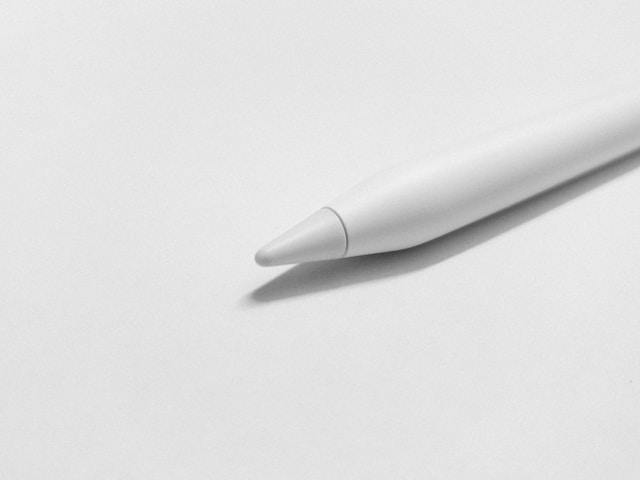
It’s frustrating when you invest in the latest “Pro” hardware, only to feel like your favorite apps are stuck in the past. I wanted to dig into the specific tension between Notability and the Apple Pencil Pro exploring why the support for these new features feels so elusive and what that silence actually tells us about the future of digital note-taking.
You shoud consider this very related post as well (for best note taking apps)
The Silent Gap: Why Notability Is Struggling to Catch Up to the Apple Pencil Pro
The iPad has evolved from a consumption device into a bona fide creative powerhouse. With the introduction of the Apple Pencil Pro, the hardware barrier between thought and digital canvas has become thinner than ever. We now have haptic feedback, barrel roll detection, and squeeze gestures. These features promise to revolutionize how we take notes, sketch, and annotate. Yet, for a significant portion of the productivity market, these features remain tantalizingly out of reach.
The Illusion of a Modern Workflow
A peculiar trend has emerged in the digital note-taking community. Users equip themselves with the latest M-series iPads and the brand-new Apple Pencil Pro, anticipating a seamless upgrade to their productivity. They unbox the stylus, pair it instantly, and prepare to revolutionize their lecture notes or meeting annotations. But then they open their go-to application, Notability, and find that the hardware feels muted.
The squeeze does not trigger a menu. The barrel roll does not angle the ink. The haptic engine remains silent. The experience feels identical to the first-generation stylus released nearly a decade ago. For a user who has invested heavily in the Pro ecosystem, this lack of responsiveness transforms excitement into immediate frustration. It is not that the app stops working. It is that the app fails to leverage the very tools designed to make it better.
A Widening Chasm Between Silicon and Software
This situation is not just a bug report. It is a case study in the growing disconnect between Apple’s aggressive hardware timeline and the slower, more complex reality of third-party software development. Apple releases new hardware on a strict annual cadence, often introducing proprietary APIs and sensors that developers must scramble to support. On the other side, app developers must balance new feature implementation with stability, legacy code maintenance, and cross-platform synchronization.
Why does it feel like the apps we rely on most are perpetually stuck in the past? The answer lies in the difficulty of rewriting the core engines that drive these applications. Supporting the Apple Pencil Pro is not a matter of ticking a box in settings. It requires a fundamental rethinking of how the app interprets touch, pressure, and orientation. The result is a painful lag where the hardware capabilities of the present far outstrip the software realities of the moment.
The Hardware Leap: What We Were Promised
To understand the frustration, we must first appreciate the leap in technology. The Apple Pencil Pro was not a simple iterative update. It fundamentally changed the physics of digital writing.
For years, digital artists and note-takers complained about the “dead” feeling of styli. You were drawing on glass; there was no friction, no response, no physical confirmation that your action had registered. The Apple Pencil Pro addressed this with haptic feedback. A tiny motor inside the stylus creates the sensation of texture. When you shade with a pencil tool, you feel a gritty vibration. When you snap to a shape, you feel a “click.”
Furthermore, the introduction of barrel roll (rotating the pen to change the orientation of shaped pen and brush tools) and the squeeze gesture (a quick access menu for tools, line weight, and colors) was designed to keep your eyes on the canvas and your hands off the screen.
In theory, this is the Holy Grail of productivity. In apps that support it, the workflow becomes fluid. You write, you squeeze to change color, you roll the pen to shade, and you feel the paper beneath your tip. You never break your train of thought.
The Notability Problem: A Features Desert
When users search for “Notability Apple Pencil Pro support,” they are often met with silence or ambiguous forum threads. This is because the integration has been painfully slow and, in many specific areas, non-existent.
Notability is a titan in the note-taking world. It built its reputation on audio syncing the ability to record a lecture while taking notes and have the audio playback timed perfectly to your handwriting. It is the app of choice for students, medical professionals, and journalists. Because of this, users expect it to be on the bleeding edge of input technology.
The reality is stark. For a long time after the Pencil Pro’s release, Notability treated the expensive hardware like a standard dumb stylus.
- The Missing Squeeze: The squeeze gesture, which should bring up a contextual menu, is often absent. This forces users to revert to the old workflow: stopping, reaching for the eraser tool on the interface, erasing, and going back to the pen. It kills the “flow state” that the hardware was designed to preserve.
- The Barrel Roll Blind Spot: While drawing apps have quickly adopted rotation awareness to change brush angles, note-taking apps like Notability have lagged. For calligraphy enthusiasts or those who sketch diagrams, the pen remains a fixed, rigid tool, ignoring the natural rotation of the hand.
- Haptic Silence: Perhaps the most glaring omission is the lack of haptic feedback. When you are writing furiously during a fast-paced lecture, the lack of sensory feedback creates a disconnect. You are writing on ice, not paper.
The “Subscription Trap” and Prioritization
Why is this happening? Why is one of the most popular apps on the App Store struggling to implement the flagship features of the platform?
The answer likely lies in the economics of modern app development. Notability, like many of its peers, shifted to a subscription model. This was promised to fund continued development and innovation. However, users often feel a disconnect between the monthly fee and the pace of updates.
Developing for these new hardware features is not a simple “flip a switch” scenario. It requires rewriting the rendering engine of the app. The digital ink engine the code that decides how pixels appear when the tip touches the glass must be fundamentally overhauled to accept input data for rotation, pressure, and squeeze simultaneously.
For a company like Ginger Labs (the creators of Notability), resources are finite. They are often split between maintaining the massive server infrastructure required for cloud syncing, handling legacy bugs, updating the user interface for new iPadOS versions, and implementing new features. The “pro” features of the stylus likely sit lower on the priority list because the majority of their user base consists of students who may not own the absolute latest $129 stylus.
This creates a cycle of mediocrity: Developers wait for adoption rates to rise before coding features, but power users (the ones who buy the Pro hardware) refuse to adopt the app until the features are coded.
The Competitive Landscape: Looking Elsewhere
The frustration with Notability has driven many users to a sobering realization: The best app for the Apple Pencil Pro might not be their favorite app anymore.
Apple’s native Freeform and Notes apps, which are free and deeply integrated into the OS, often support these features on day one. If you squeeze the Pencil Pro in Apple Notes, the palette appears instantly. If you roll the pencil, the marker tip rotates. This proves that the hardware works flawlessly; the limitation is purely software-side.
Competitors like GoodNotes and Procreate have been aggressive in their updates. Procreate, specifically, released a version optimized for the Pencil Pro that creates a tangible, tactile experience that feels like a different medium. When users see this level of polish in one app and then switch to Notability, the contrast is jarring. It feels like stepping out of a sports car and into a horse and buggy.
This comparison fuels the negativity. Users feel held hostage by the app’s proprietary file formats and audio-sync features. They want to use Notability because of its unique toolset, but they feel penalized for owning premium hardware.
The Curse of “Works Good Enough”
There is a psychological aspect to this dissatisfaction that extends beyond just missing buttons or technical specifications. It cuts deeper than that. It is the quiet, nagging fear of stagnation.
The Anxiety of Falling Behind
When a tool we rely on daily fails to evolve with the hardware, we begin to question its longevity. We start to lose trust. If Notability cannot or will not implement the Apple Pencil Pro core features, what happens next? What happens when Apple releases the next input innovation, or the one after that? Will we be stuck with a legacy app while the rest of the world moves forward? This anxiety creates a heavy mental load for users. We invest time in learning an app, organizing our libraries, and building workflows around it. To see that app stand still while the hardware sprints ahead feels like a betrayal of that investment. It forces us to wonder if we need to start over with a new platform, which is a daunting prospect for anyone with years of digital notes.
The Trap of Mediocrity
The “works good enough” mentality is dangerous for productivity software. It breeds complacency. Yes, you can take notes in Notability with the Pencil Pro. It writes. It records audio. It syncs to the cloud. Technically, the job gets done. But “writing” is not the same as “creating.” The Apple Pencil Pro represents a massive shift from simple input to genuine expression. It is about flow and feeling. By ignoring the nuances of the stylus, the app reduces a precision instrument to a simple pointing device. It wastes the potential of the hardware.
For a user who spent upwards of $1,500 on their tablet and stylus setup, this inefficiency is maddening. You did not pay premium prices for a “good enough” experience. You paid for the best. Every time the app fails to register a squeeze or ignores a barrel roll, it serves as a stinging reminder that the software ecosystem is failing to keep pace with the hardware ecosystem. It turns a tool that should be invisible into a source of constant friction.
A Waiting Game with No Finish Line
So, what is the state of affairs? It is a standoff.
On one side, we have Apple, pushing the boundaries of what a stylus can do, adding sensors, motors, and gestures that mimic real-world art tools. On the other side, we have the app developers, caught in a struggle to modernize their codebases while satisfying a demanding subscription-based user base.
And in the middle? The users. The students in lecture halls, the architects on construction sites, and the writers in coffee shops. They are stuck in a limbo, paying for software that feels dated and using hardware that feels handicapped.
The sad reality of the Notability vs. Apple Pencil Pro saga is that there is no immediate fix. Software development takes time. But in the fast-moving world of tech, time is the one thing power users don’t feel they have. As long as the app treats the Pencil Pro like a basic stylus, the “Support” queries will continue to flood search consoles, representing a collective cry for a tool that finally lives up to its promise.

Angel Cee is a Full stack LAMP and webapps developer, solo founder of ROIpad a product onboarding and pitch tool.
ROIpad is owned by Adewumi Abake LTD, incoporated in Nigeria on July, 2023 under the companies and allied matters act 2020. Company registration number: 7035318
Angel Cee has worked as a systems and software developer in a few large organizations both in Nigeria and Russia. Most notable of which was his position as a software product developer at Altan I.T. school, I.T. Park, Yakutsk, Russia.