
 SaaS Metrics
LectureNotes Android One-Time Purchase in 2026: A Deep Dive
In 2026, the digital-busines world have evolved so much, the demand for robust and reliable note-taking applications on Android devices continues to grow. Students, professionals, and creatives alike seek tools that offer both powerful functionality and a sustainable pricing model. Among the myriad of options, LectureNotes stands out, particularly for its steadfast commitment to a LectureNotes Android one-time purchase model. This approach offers a refreshing alternative to the pervasive subscription economy, allowing users to own their software outright. But what does this mean for the modern user in 2026? Is this one-time investment still a smart choice amidst a sea of AI-powered and cloud-centric competitors? This comprehensive product analysis will explore LectureNotes' features, value proposition, and how it stacks up against its rivals, helping you make an informed decision for your digital note-taking needs. My name is Angel Cee, founder, ROIpad.com and alongside my partners, we have put this article together. We hope you love reading it as much as we love making it.
Understanding the LectureNotes Android One-Time Purchase Model
The concept of a one-time purchase, often referred to as a perpetual license, is increasingly rare in the app market. Many developers have shifted to subscription services, citing continuous development costs, server maintenance, and predictable revenue streams. LectureNotes, however, has maintained its commitment to allowing users to acquire the app with a single payment. This model for a LectureNotes Android one-time purchase means you pay once and own the version of the app you purchased indefinitely, typically receiving major updates and bug fixes within that version cycle without further cost. Future major version upgrades might require another one-time purchase, but this is clearly communicated and distinct from recurring subscriptions.
For many users, the appeal of a one-time payment is significant. It eliminates the anxiety of recurring monthly or annual fees, providing a clear, upfront cost. This is particularly attractive for those on a tight budget or who prefer a sense of ownership over their digital tools. In an era where even basic productivity suites often demand ongoing subscriptions, LectureNotes offers financial predictability and long-term savings for dedicated users. As of April 2026, this model positions LectureNotes as a strong contender for users prioritizing cost control and ownership in their app portfolio.
Core Features and User Experience in 2026
LectureNotes isn't just about its pricing model; it's a feature-rich application designed for serious note-takers. Its primary strength lies in its exceptional stylus support, making it a favorite among users of Android tablets and foldables. Whether you're sketching diagrams, annotating PDFs, or simply taking handwritten notes, LectureNotes provides a fluid and responsive experience. Indeed, when considering our comprehensive analysis of the best note-taking apps for Android with stylus support in 2026, LectureNotes consistently earns high marks for its precision and customization options.
- Handwriting Excellence: The app offers a highly customizable pen experience, allowing users to adjust thickness, color, and pressure sensitivity. This level of detail ensures that your digital handwriting feels as natural as writing on paper.
- PDF Annotation: Importing and annotating PDF documents is seamless. You can highlight, underline, add comments, and draw directly onto lecture slides, textbooks, or research papers. This feature is particularly useful for students and professionals who frequently work with digital documents.
- Robust Organization: LectureNotes provides powerful tools for organizing your notes. You can create multiple notebooks, categorize pages, and use tags for easy retrieval. The ability to embed images, record audio, and insert web pages directly into your notes further enhances its utility.
- Customization and Flexibility: From paper backgrounds and grid styles to toolbars and gestures, nearly every aspect of LectureNotes can be tailored to your preferences. This flexibility ensures that the app adapts to your workflow, rather than forcing you into a rigid structure.
- Performance on Modern Android Devices: As Android tablets and foldables continue to evolve, with Google updating Chrome to be more like the desktop version by adding the bookmarks bar (as reported in March 2026), the overall Android tablet experience is becoming more robust. LectureNotes capitalizes on these improvements, offering smooth performance even with complex notes or large PDF files on devices like the Huion Kamvas Slate 11, which combines full Android power with a paper-like display and a pro-grade stylus (according to Android Central).
LectureNotes vs. The Competition: A Comparative Analysis for Android Users
Choosing a note-taking app isn't just about individual features; it's about finding the right fit for your entire digital ecosystem and budget. While LectureNotes excels in its specific niche, it faces stiff competition from a diverse range of apps, each with its own strengths and pricing models. Understanding these alternatives is key to appreciating the value of the LectureNotes Android one-time purchase.
Pricing and Value: Is the One-Time Purchase Worth It?
The core appeal of LectureNotes lies in its one-time purchase model. For a single payment, typically in the range of $5-$10 USD (as of April 2026, though exact pricing can vary by region and promotions), users gain full access to the app's extensive features. When compared to subscription-based alternatives, this offers substantial long-term savings. For instance, a subscription app costing $2/month would cost $24/year, meaning LectureNotes pays for itself in just a few months. Over several years, the savings become considerable.
However, the value proposition extends beyond just cost. The one-time purchase fosters a sense of ownership. Users aren't beholden to ongoing payments to access their notes, which can be a psychological relief. This model is particularly beneficial for students or individuals who may have fluctuating incomes, ensuring consistent access to a vital tool without financial stress. The longevity of support and updates under this model is a common concern, but LectureNotes has historically provided stable updates and maintained compatibility across Android versions, giving users confidence in their investment.
Let's consider a comparison of LectureNotes with some other prominent Android note-taking solutions:
| Feature/App | LectureNotes | Google Keep | Microsoft OneNote | Google NotebookLM |
|---|---|---|---|---|
| Pricing Model | One-time purchase | Free | Free (with Microsoft 365 for advanced features) | Free (as of April 2026) |
| Stylus/Handwriting Support | Excellent, highly customizable | Basic sketching, limited | Good, integrates with Windows Ink | Not primary focus, more text-based AI |
| PDF Annotation | Comprehensive | No | Basic image/printout annotation | No |
| AI Features | None directly integrated | Basic text recognition | Some AI-powered search/organization | Core functionality, advanced summarization & Q&A |
| Cloud Sync | Manual/third-party (e.g., Dropbox, Google Drive) | Automatic (Google Cloud) | Automatic (OneDrive) | Automatic (Google Cloud) |
As the table illustrates, LectureNotes excels in dedicated handwriting and PDF annotation, a niche that many free or AI-focused apps don't fully address. While Google Keep is excellent for quick notes and reminders, and OneNote offers a robust, cross-platform experience, neither matches LectureNotes for its specialized stylus capabilities without a subscription or a more complex setup. Then there's Google NotebookLM, a powerful tool described as "one of the most compelling and completely flabbergasting demonstrations of AI’s potential yet" by The Wall Street Journal (as cited on its app store page). NotebookLM is a different beast entirely, focused on turning complexity into clarity through AI-powered summarization and Q&A from your source documents.
“NotebookLM Blew Our Mind” – Hard Fork
“One of the most compelling and completely flabbergasting demonstrations of AI’s potential yet.” – The Wall Street Journal
While NotebookLM is fantastic for research and learning, as highlighted by a user who was able to give a presentation on a complex treatise after using it (from an Apple App Store review), it doesn't replace the need for a dedicated, freehand note-taking tool like LectureNotes. For users whose primary need is to write, draw, and annotate with a stylus, LectureNotes remains a highly specialized and effective choice, especially given its one-time purchase model.
Device Compatibility and Performance
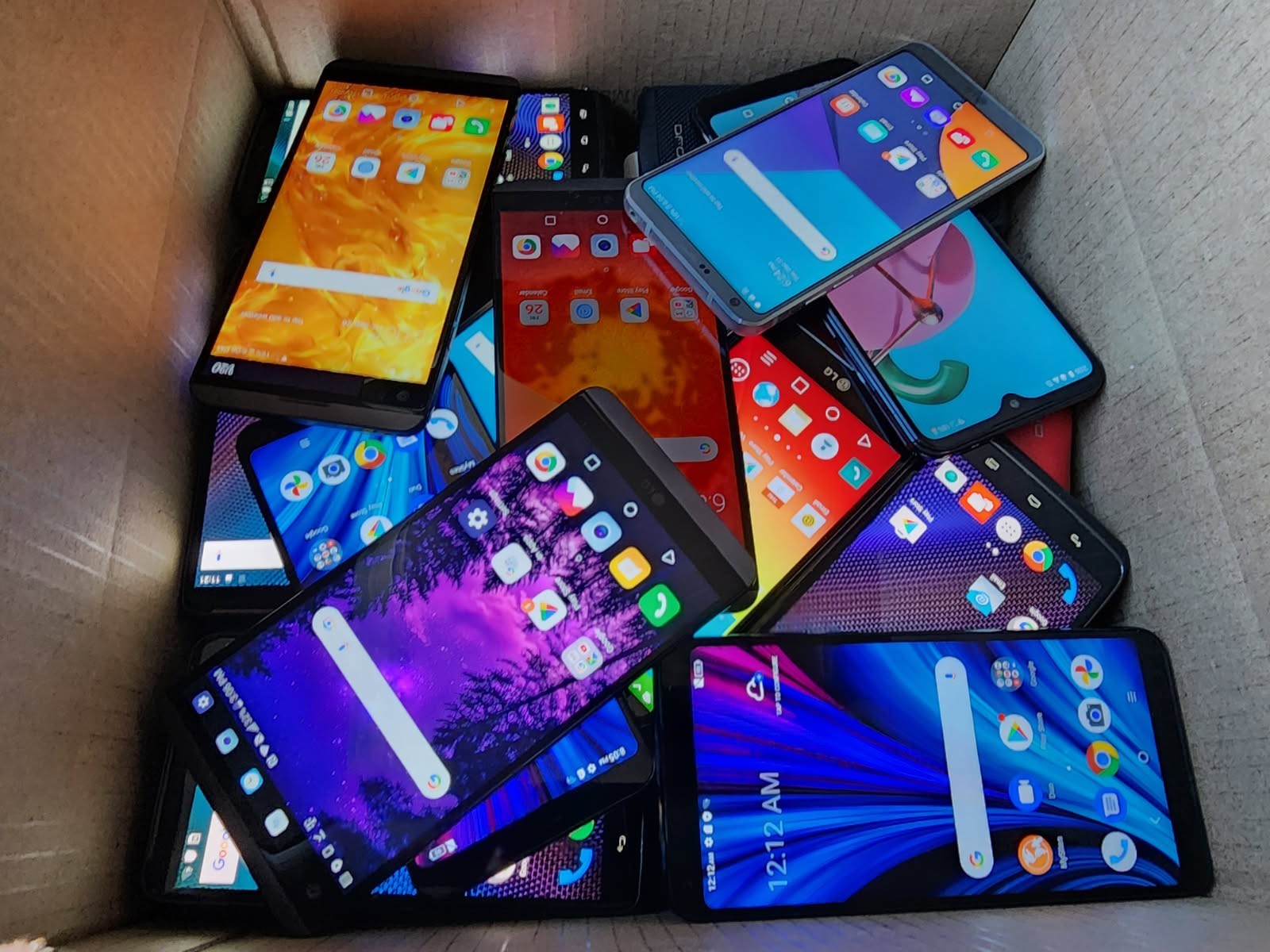
LectureNotes is designed to run efficiently across a wide spectrum of Android devices. From budget smartphones to high-end tablets and foldables, the app strives for consistent performance. Its lightweight design means it doesn't demand excessive system resources, making it a viable option even for older or less powerful devices. For example, a versatile UNLOCKED Android Smartphone, retailing at an accessible price point, could still provide a solid platform for using LectureNotes for quick notes and annotations on the go. The app's rendering engine is optimized for quick response times, which is essential for a fluid handwriting experience.
On larger screens, such as those found on modern Android tablets and foldables, LectureNotes truly shines. The expanded canvas allows for more extensive note-taking, complex diagrams, and multi-window multitasking. With Google making Chrome on Android tablets and foldables feel more like desktop with the new update, adding a desktop-style bookmarks bar (as Android Central reported in 2026), the overall productivity ecosystem for Android devices is maturing. This creates an even more conducive environment for apps like LectureNotes, which benefit from larger screens and improved multitasking capabilities. Users can have LectureNotes open alongside a browser or a research document, enhancing their workflow significantly.
Optimizing Your Workflow with LectureNotes and Android
Getting the most out of LectureNotes requires more than just knowing its features; it involves integrating it effectively into your broader Android workflow. In 2026, with Android's continuous enhancements, there are numerous ways to optimize your note-taking process.
Start by customizing your default tools within LectureNotes. Set up your favorite pens, highlighters, and eraser sizes for quick access. Utilize the app's extensive template library for different note types – whether it's lined paper for lectures, grid paper for math, or blank canvases for brainstorming. Take advantage of the app's robust organization system by creating dedicated notebooks for different subjects or projects. Use tags liberally to categorize pages, making it easy to search and retrieve specific information later. The search functionality within LectureNotes is powerful, capable of finding text in handwritten notes (if you've enabled handwriting recognition) and typed content.
Integration with other Android apps is also key. While LectureNotes handles local storage and manual cloud sync with services like Google Drive or Dropbox, you can leverage Android's share sheet to send notes or sections to other productivity apps, email, or messaging services. For example, you might export a diagram created in LectureNotes to a presentation app or share a set of meeting notes directly with colleagues. The flexibility of the Android operating system allows for this kind of interoperability, making LectureNotes a central hub for your handwritten digital content.
Backup strategies are paramount. Given the one-time purchase model, ensuring your notes are safe is your responsibility. Regularly backing up your notebooks to a cloud service prevents data loss. LectureNotes supports exporting notebooks in various formats, including PDF, which is ideal for archival and sharing. Creating a routine for these backups, perhaps weekly or after significant work sessions, is a smart practice. The improving multitasking capabilities on Android tablets and foldables, as Google continues to refine the user experience, mean you can manage these backups more efficiently without interrupting your primary note-taking tasks.
The Future of Digital Note-Taking on Android
The digital note-taking space is far from stagnant. Looking ahead from April 2026, several trends are poised to shape the future, influencing even a focused app like LectureNotes. AI integration is undoubtedly the biggest driver of innovation. While LectureNotes currently focuses on providing a pure, unassisted handwriting experience, future iterations of note-taking tools are likely to incorporate more AI for features like automatic summarization, smart organization, and even real-time transcription of spoken lectures. The success of tools like Google NotebookLM demonstrates the immense potential of AI in transforming how we interact with information, turning raw data into actionable insights.
Hardware advancements will also play a significant role. Stylus technology continues to improve, offering greater sensitivity, lower latency, and new input methods. Foldable phones and tablets are becoming more mainstream, providing versatile form factors that blur the lines between traditional notebooks and advanced computing devices. These larger, adaptive screens offer an ideal canvas for handwritten notes and complex annotations. Furthermore, the ongoing development of Android itself, with features like enhanced multi-window support and desktop modes, will continue to create a more powerful and seamless environment for productivity apps.
User expectations are also evolving. As people become more accustomed to intelligent assistants and personalized experiences, note-taking apps will need to offer more than just a digital pen and paper. The demand for seamless integration across devices, robust cloud synchronization, and smart features that anticipate user needs will only grow. For developers, this means balancing core functionality with innovative new capabilities. For organizations looking to leverage these advancements, understanding top AI project management solutions for large development teams becomes increasingly important to manage the complex development cycles of such sophisticated tools.
Conclusion
The LectureNotes Android one-time purchase model remains a compelling proposition in April 2026. For users who prioritize a dedicated, highly customizable handwriting experience, robust PDF annotation, and a clear, upfront cost, LectureNotes stands as an excellent choice. It avoids the subscription fatigue common in the app market, offering long-term value and ownership. While it may not offer the advanced AI-driven insights of newer tools like Google NotebookLM, its focus on core note-taking functionality with exceptional stylus support makes it indispensable for students, educators, and professionals who rely heavily on digital ink.
As the Android ecosystem continues to mature, especially for tablets and foldables, LectureNotes is well-positioned to remain a go-to application. Its commitment to performance, user control, and a sustainable pricing model ensures that your investment in digital note-taking is both effective and economical. For those seeking a powerful, pen-first note-taking app without the recurring fees, LectureNotes offers a tried-and-true solution that continues to deliver results in the dynamic digital world of 2026.
