
 SaaS Metrics

Best Android Note Taking App with Stylus (2026 Guide)
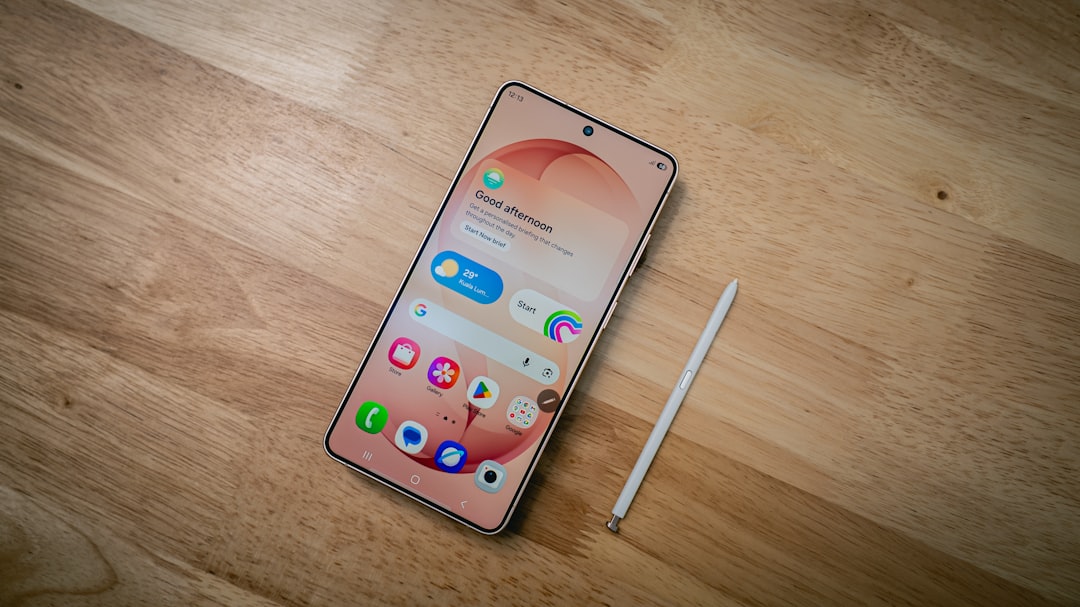
In 2026, the convergence of powerful Android devices and advanced styluses has transformed how we capture ideas, sketch concepts, and manage information. For students, artists, professionals, and everyday users alike, finding the best Android note taking app with stylus compatibility is more critical than ever. The right application can elevate your Android tablet or phone into a versatile digital canvas and an indispensable productivity tool. This comprehensive guide will explore the top contenders, key features, and emerging trends to help you make an informed choice.
While the digital note-taking arena is constantly evolving, our previous analysis on the best note-taking apps for Android with stylus provided a solid foundation. This year, we're diving even deeper, examining how AI integration, cross-platform synergy, and enhanced stylus functionalities are shaping the user experience. Whether you prioritize precision, organization, creative freedom, or smart features, there's an Android app perfectly suited to your needs.
Why Stylus Note-Taking on Android Matters in 2026
The tactile experience of writing by hand offers cognitive benefits that typing often cannot replicate. For many, the ability to jot down thoughts, draw diagrams, or annotate documents directly on a screen with a stylus feels natural and intuitive. Android's open ecosystem supports a wide array of devices, from Samsung's S Pen-equipped Galaxy Tabs to various other tablets and phones compatible with active styluses. This flexibility makes Android a prime platform for digital handwriting.
The Advantages of Digital Ink
- Precision and Detail: A stylus allows for fine lines, intricate drawings, and accurate annotations that finger input simply can't match. This is particularly valuable for architects, designers, and students dealing with complex equations or diagrams.
- Enhanced Creativity: Digital pens offer various brushes, colors, and textures, enabling artistic expression directly within your notes.
- Seamless Editing: Unlike physical paper, digital notes can be easily edited, moved, resized, and duplicated without messy erasures or re-writes.
- Organization and Searchability: With good note-taking apps, handwritten notes can be tagged, categorized, and even made searchable via Optical Character Recognition (OCR), turning jumbled thoughts into an organized database.
- Reduced Paper Waste: Embracing digital note-taking is an environmentally conscious choice, minimizing the need for physical notebooks and printed materials.
Key Features to Seek in the Best Android Note Taking App with Stylus
Not all note-taking apps are created equal, especially when stylus support is a core requirement. Here are the essential features to consider when evaluating your options in 2026:
Stylus-Specific Functionality
- Palm Rejection: This is non-negotiable. An effective app will ignore your resting hand on the screen while you write, preventing accidental marks.
- Pressure Sensitivity: For a natural writing or drawing experience, the app should respond to varying pressure, allowing for thicker or thinner lines, much like a real pen.
- Low Latency: The delay between your stylus touching the screen and the ink appearing should be minimal. High latency can make writing feel unnatural and frustrating.
- Customizable Pen Tools: Access to various pen types (ballpoint, fountain, highlighter), colors, and thicknesses is fundamental.
- Stylus Shortcut Integration: Some apps leverage stylus buttons for quick actions like erasing, switching tools, or opening specific menus.
General Note-Taking Capabilities
- Intuitive Interface: The app should be easy to learn and use, with a clean layout that doesn't distract from your work.
- Organization Tools: Features like notebooks, folders, tags, and search functions are vital for managing a growing library of notes.
- PDF Annotation: The ability to import PDFs and directly write, highlight, and comment on them is a major productivity booster.
- Cloud Synchronization: Seamless sync across your Android devices and other platforms ensures your notes are always accessible and backed up. This also ties into the broader discussion of best cross-platform note taking apps 2026, which often offer superior sync capabilities.
- OCR (Optical Character Recognition): This feature converts your handwriting into searchable text, making it easier to find specific information later.
- Multimedia Integration: Support for embedding images, audio recordings, and even videos within your notes can enrich your content significantly.
Top Contenders: The Best Android Note Taking Apps with Stylus in 2026
Based on performance, feature sets, user reviews, and ongoing development as of April 2026, here are the leading applications for stylus-based note-taking on Android.
1. Samsung Notes (Pre-installed on Samsung Devices)
For users with Samsung Galaxy tablets or phones, Samsung Notes remains the gold standard. Deeply integrated with the S Pen, it offers an exceptionally smooth and responsive writing experience with virtually zero latency. Its palm rejection is among the best, making it a joy to use for extended periods.
Key Strengths:
- S Pen Optimization: Unparalleled integration with Samsung's S Pen features, including Air Command, screen-off memo, and pressure sensitivity.
- Versatile Tools: A rich selection of pens, brushes, and highlighters, coupled with robust shape recognition and vector drawing capabilities.
- PDF Annotation: Excellent PDF import and annotation features, allowing direct handwriting on documents.
- Multimedia Support: Easily embed images, voice recordings, and even draw on top of videos.
- Organization: Supports folders, tags, and a robust search function for both typed and handwritten notes.
Considerations:
- Ecosystem Locked: While it syncs across Samsung devices and Windows, its full feature set is best experienced within the Samsung ecosystem.
- Learning Curve for Advanced Features: Some of its more powerful tools can take a little time to master.
2. Microsoft OneNote
OneNote is a titan in the note-taking world, offering immense flexibility and integration with the broader Microsoft 365 ecosystem. Its freeform canvas approach means you can place text, images, and handwriting anywhere on a page, making it ideal for visual thinkers and those who prefer an unstructured layout.
Key Strengths:
- Freeform Canvas: Infinite canvas allows for sprawling notes, mind maps, and diagrams without page boundaries.
- Cross-Platform: Available on virtually every platform, ensuring seamless synchronization and access to your notes everywhere.
- Powerful Organization: Notebooks, sections, and pages provide a hierarchical structure, complemented by strong search capabilities, including OCR for handwritten notes.
- Rich Features: Supports text, images, audio, and web clippings. Excellent for research and collaborative projects.
Considerations:
- Stylus Performance: While good, it may not feel as fluid or low-latency as Samsung Notes on non-Samsung devices.
- Interface: Can sometimes feel cluttered due to its extensive feature set, potentially overwhelming new users.
3. Nebo
Nebo stands out for its industry-leading handwriting recognition and conversion capabilities. It's designed specifically for stylus users who want to convert their handwritten notes into editable, searchable text with remarkable accuracy. This makes it a powerful tool for students and professionals who need to digitize their thoughts quickly.
Key Strengths:
- MyScript Interactive Ink: The core technology behind Nebo, allowing users to write, draw, edit, and convert handwritten notes into typed text in real time.
- Smart Layout: Automatically reflows text and objects as you edit, maintaining a clean and readable document.
- Diagram Conversion: Can recognize and convert hand-drawn diagrams, shapes, and equations into editable digital objects.
- PDF Annotation: Excellent for annotating PDFs with handwritten notes and highlights that can also be converted.
Considerations:
- Cost: A premium app that requires a one-time purchase, unlike many freemium alternatives.
- Focus on Conversion: While great for handwriting, its primary strength lies in conversion, which might not be needed by all users.
4. Squid (formerly Papyrus)
Squid offers a straightforward yet powerful vector-based note-taking experience. Its strength lies in its simplicity and focus on natural handwriting. Because it's vector-based, your notes remain crisp and scalable regardless of zoom level, which is a significant advantage for detailed work.
Key Strengths:
- Vector Graphics: Notes are infinitely scalable without pixelation, perfect for zooming in on details.
- Natural Writing: Provides a very smooth and responsive writing experience, feeling much like pen on paper.
- PDF Markup: Robust features for importing, marking up, and signing PDFs.
- Google Drive Integration: Easy backup and export to Google Drive.
- Wireless Presenting: Mirror your notes to a TV or projector for presentations.
Considerations:
- Organization: While it has notebooks, its organizational structure is less complex than OneNote.
- Advanced Features: Lacks some of the AI-powered capabilities found in newer apps.
5. Flexcil
Flexcil has gained popularity for its innovative gesture-based controls and powerful PDF annotation features. It's particularly well-suited for students and researchers who spend a lot of time reading and annotating academic papers or textbooks.
Key Strengths:
- Gesture Actions: Unique gestures allow for quick selection, copying, and pasting of text or images from PDFs into your notes.
- Two-Page View: Efficiently view a PDF on one side and take notes on the other, or view two PDFs simultaneously.
- Highly Customizable Pens: Extensive options for pen types, colors, and sizes.
- Hyperlink Support: Create internal links within your notes or to specific sections of PDFs.
Considerations:
- Learning Curve: The gesture system, while powerful, might take some time to get used to.
- General Note-Taking: While excellent for PDFs, its general note-taking features are solid but not as expansive as some competitors.
6. Google Keep
While often overlooked for serious stylus work, Google Keep offers a surprisingly capable and incredibly fast note-taking experience for quick captures. Its strength lies in its simplicity, speed, and deep integration with the Google ecosystem.
Key Strengths:
- Simplicity and Speed: Ideal for quick sketches, handwritten memos, and checklists.
- Google Integration: Seamlessly syncs across all your Google-connected devices.
- OCR: Can extract text from images and handwritten notes, making them searchable.
- Collaboration: Easy to share notes and collaborate in real-time.
Considerations:
- Limited Features: Lacks advanced features like complex organizational structures, PDF annotation, or diverse brush options found in dedicated handwriting apps.
- Not for Long-Form: Better suited for short notes and quick ideas rather than extensive documents or detailed drawings.
7. Concepts
Concepts is less of a traditional note-taking app and more of an infinite canvas for sketching, drawing, and visual thinking. If your primary use for a stylus involves brainstorming, design, or detailed illustrations, Concepts is an outstanding choice. It's a vector-based app, meaning your artwork can be scaled infinitely without loss of quality.
Key Strengths:
- Infinite Canvas: Never run out of space for your ideas.
- Vector Engine: All strokes are vector-based, allowing for unparalleled editing flexibility and scalability.
- Advanced Brush Engine: A vast array of customizable brushes, pens, and tools with incredible control over texture, opacity, and pressure.
- Layer Support: Essential for complex drawings and designs.
Considerations:
- Not for Text-Heavy Notes: While you can write, it's not optimized for traditional text-based note-taking or OCR.
- Subscription Model: Many advanced features are locked behind a subscription.
The Rise of AI in Note-Taking Apps (2026 Trends)
Artificial intelligence is rapidly transforming the note-taking experience, moving beyond simple OCR to offer intelligent assistance that saves time and enhances understanding. As of April 2026, we're seeing more apps integrate AI for summarization, content generation, and smart organization.
One notable example of this evolution comes from the insights shared about apps like Google NotebookLM. A user review highlights, "Google NotebookLM has been fantastic for taking long lessons and succinctly explaining the concepts and theories contained therein. It’s also very useful at combining multiple texts and file types into a cohesive and comprehensive study guide." This demonstrates how AI can process vast amounts of information, distill key points, and even create study materials, making it a powerful ally for students and researchers.
Similarly, specialized apps are leveraging AI for niche applications. Reviews for the Bible Note Taker & Recorder app, for instance, praise its ability to turn verses into flashcards and accurately record sermons. One user called it "the neatest thing, since sliced bread," noting its capacity to "record every single word of the sermon." Another review stated, "This is a very intuitive and easy-to-use app which produces surprisingly accurate notes. I particularly like the life applications and study helps that it produces." These examples, while from the Apple ecosystem, illustrate a broader trend of AI-powered transcription, summarization, and content generation that is increasingly finding its way into Android applications. The ability to automatically generate study aids or summaries from spoken or written input is a game-changer for productivity.
"The integration of AI into note-taking apps is no longer a futuristic concept; it's a present-day reality offering capabilities that traditional methods simply cannot match. From intelligent summarization to context-aware organization, AI is redefining what a note-taking app can be, making our digital thoughts more manageable and insightful."
Expect more Android note-taking apps to incorporate AI features like:
- Smart Summarization: Automatically condense long notes or documents into key bullet points.
- Action Item Extraction: Identify tasks and follow-ups from meeting notes.
- Contextual Search: More intelligent search that understands the meaning behind your words, not just keywords.
- Generative AI: Help flesh out ideas, suggest related concepts, or even draft initial content based on your notes.
Your Priorities
Adjust the sliders to reflect how important each feature is for your workflow (0 = Not Important, 10 = Essential).
Top Recommended Apps
Comparison Table: Best Android Note Taking Apps with Stylus (2026)
Here's a quick overview of how the top apps stack up against each other:
| App Name | Best For | Stylus Fluidity | AI Features (2026) | Cross-Platform Sync | PDF Annotation |
|---|---|---|---|---|---|
| Samsung Notes | Samsung Device Owners, General Use | Excellent (S Pen) | Basic OCR, Smart Select | Samsung/Windows | Excellent |
| Microsoft OneNote | Microsoft Ecosystem Users, Freeform Note-Takers | Good | Advanced OCR, Search | Excellent | Good |
| Nebo | Handwriting-to-Text Conversion | Excellent | Interactive Ink, Equation/Diagram Conversion | Good | Excellent |
| Squid | Natural Handwriting, Vector Graphics | Excellent | Limited | Basic (Google Drive) | Excellent |
| Flexcil | Students, PDF Annotation & Research | Very Good | Limited | Good | Excellent |
| Google Keep | Quick Notes, Google Ecosystem Users | Good | OCR, Search | Excellent | Limited |
| Concepts | Artists, Designers, Visual Thinkers | Excellent | Limited | Basic | Basic |
Choosing Your Ideal Android Note Taking App with Stylus
Selecting the right app depends heavily on your personal workflow and priorities. Consider these factors:
1. Your Device Ecosystem
If you own a Samsung Galaxy device, Samsung Notes is an obvious first choice due to its deep integration with the S Pen. For those heavily invested in Microsoft 365, OneNote will offer seamless connectivity. Google Keep is a natural fit for Google Photos and Drive users. Thinking about your broader digital environment is key to a smooth experience, and understanding the Best Device Ecosystem Integration Setup Guide 2026 can provide further insights.
2. Primary Use Case
- Students: Look for robust PDF annotation (Flexcil, Nebo, Samsung Notes), handwriting-to-text conversion (Nebo), and strong organization (OneNote).
- Professionals: Prioritize cross-platform sync (OneNote), meeting note features, and document markup. AI summarization is increasingly valuable here.
- Artists/Designers: Infinite canvas, advanced brush engines, and vector capabilities are essential (Concepts).
- Quick Notes/Brainstorming: Simplicity, speed, and reliable sync (Google Keep, Samsung Notes).
3. Budget
Many excellent apps offer free tiers with core functionality, while others require a one-time purchase or a subscription for advanced features. Nebo is a premium one-time purchase, while Concepts relies on a subscription for its full toolkit. Evaluate whether the paid features justify the cost for your specific needs.
4. AI Integration Needs
If you're eager to leverage the latest in AI for summarization, smart organization, or content generation, keep an eye on apps that are actively developing these capabilities. Google NotebookLM, for instance, showcases the transformative power of AI in study and research, a trend that is extending across the mobile note-taking market.
Optimizing Your Android Stylus Experience
The app is only one part of the equation. To truly get the most out of your stylus note-taking, consider these tips:
- Choose the Right Stylus: While many Android devices come with a stylus (like the S Pen), consider third-party alternatives if your device doesn't, or if you seek specific features like better ergonomics or a finer tip. Ensure compatibility with your device.
- Screen Protector: A matte screen protector can add a slight texture, mimicking the feel of paper and reducing glare, enhancing the writing experience.
- Practice: Like any new tool, digital handwriting takes practice. Experiment with different pen types, pressures, and writing styles within your chosen app.
- Device Performance: A powerful Android tablet or phone with a responsive display will significantly impact the smoothness and latency of your stylus input.
The Future of Android Note-Taking (Beyond 2026)
Looking ahead, the note-taking landscape on Android is set for even greater innovation. We anticipate deeper integration of AI, moving towards truly intelligent digital assistants that not only transcribe but also understand, organize, and even generate content based on your notes. Cross-device and ecosystem integration will become even more seamless, allowing notes to flow effortlessly between your phone, tablet, desktop, and even smart displays. The emphasis will be on creating a cohesive digital workspace where every thought and idea is instantly accessible, searchable, and actionable.
The principles of effective user experience and product growth, as highlighted in analyses like the Userpilot Product Analysis 2026: The Growth Engine, will continue to drive app development. Expect note-taking apps to become even more intuitive, personalized, and robust, responding to user feedback and market trends to deliver ever-improving functionality.
Conclusion
Choosing the best Android note taking app with stylus functionality in 2026 involves more than just picking a popular option; it requires understanding your specific needs and aligning them with an app's core strengths. Whether you're a Samsung loyalist, a Microsoft 365 power user, a student drowning in PDFs, or an artist seeking a digital canvas, there's an app designed for you.
Samsung Notes offers unparalleled S Pen integration, OneNote provides a flexible cross-platform canvas, and Nebo leads the pack in handwriting conversion. For specialized tasks, Flexcil excels in PDF annotation, Squid offers vector-based precision, Google Keep provides quick captures, and Concepts is the go-to for visual creativity. As AI continues to evolve, these apps will only become more powerful, transforming how we interact with our digital notes and ideas.
Take the time to experiment with a few options, leveraging free trials where available. The perfect app will enhance your productivity, creativity, and overall digital workflow, making your Android device a truly powerful companion for all your note-taking endeavors.
