1. Why AI Website Builders Are Changing the Digital Ecosystem
For over a decade, website creation followed a predictable trajectory: you either hired a developer for a custom build or compromised on a rigid, template-based drag-and-drop builder. Today, Artificial Intelligence has entirely shattered that dichotomy. We are no longer simply “building” websites; we are generating them based on pure intent.
The rapid rise of AI website builders represents one of the most significant shifts in web development history, fundamentally altering how agencies, solopreneurs, and small businesses establish their digital footprints.

The Shift from Manual Assembly to Intent-Based Generation
Traditional platforms require users to manually manipulate grids, adjust padding, and write copy to fit predefined boxes. Modern AI website builders flip this workflow. By combining large language models for instant copywriting, diffusion models for image generation, and semantic layout engines that write clean HTML and CSS, these platforms allow you to simply describe your business and watch a fully structured site materialize. According to industry insights from Elementor, this automated pipeline eliminates the “blank canvas” phase entirely, reducing the initial wireframing and design process by an astonishing 60% to 80%.
Unprecedented Market Adoption
The data surrounding this shift is staggering. The global AI website builder market is accelerating at a massive compound annual growth rate (CAGR), projected to reach $3.24 billion as early as 2026 and surge toward $17.43 billion by the next decade.
This growth is not driven by hype, but by actual utility and massive adoption among small and medium-sized enterprises (SMEs). Recent data shows that over 58% of small businesses now actively utilize generative AI tools. More tellingly, roughly 35% of newly published websites are now AI-generated or AI-assisted—a figure that was virtually zero just a few years ago.
The Speed to Market Advantage
In business, time to deployment is a critical metric. Historically, a small business owner might spend weeks tweaking a template before finally hitting “publish.” Today, AI has compressed that timeline exponentially. According to deployment statistics, the average time to publish a first website using AI tools has dropped to just 0.8 days—a massive 2.5x improvement over traditional drag-and-drop platforms.
Furthermore, AI-driven layouts do not just guess where buttons should go; they utilize predictive models trained on millions of high-converting examples to automatically optimize the user experience. Sites leveraging AI for dynamic layout personalization frequently see a 15% to 20% increase in conversion rates out of the box.
Ultimately, AI website builders are democratizing the internet. They are providing enterprise-grade aesthetics and functionality to independent creators and local businesses who simply cannot afford a $5,000 agency build, proving that the future of web design is faster, smarter, and highly accessible.
2. Essential Features to Look For in a No-Code AI Builder
Choosing an AI website builder in 2027 requires more scrutiny than simply comparing attractive templates or counting the number of features advertised on a pricing page. Many platforms now offer some form of artificial intelligence, but the depth of that technology varies considerably. Some can generate an entire website from a brief description, while others primarily use AI to write headlines, recommend images, or rearrange existing design elements.
The distinction matters because building a website is only the beginning. A business also needs the flexibility to update its content, accommodate growing traffic, maintain a consistent brand identity, and turn visitors into customers.
The most useful AI website builders combine creative assistance with practical website management capabilities. They reduce the technical workload without taking away your control over the finished product.
Here are five important capabilities to examine before committing to a platform.
1. Natural Language Website Creation and Editing
One of the most valuable developments in AI website design is the ability to describe what you want in ordinary language instead of configuring every element manually.
Rather than selecting a template and modifying dozens of individual settings, you might explain that you need a professional consulting website with a minimalist appearance, a service comparison section, customer testimonials, and a prominent appointment booking option.
A capable AI builder should translate those instructions into a coherent initial design, with appropriate page sections, navigation, typography, and content suggestions.
However, generating the first version is only part of the experience. The real test is how easily you can improve it.
For example, you should be able to request a more restrained color palette, shorten an introductory section, reorganize the navigation, or change the emphasis of a call to action without rebuilding the page.
Some platforms are also introducing more autonomous workflows in which AI can carry out several related design tasks from a single instruction. These capabilities are often described as agentic AI, although the term does not guarantee that a product can independently manage an entire website.
What to look for: An AI builder that understands detailed instructions, supports successive revisions, preserves changes you have already approved, and gives you a reliable way to correct its mistakes.
2. Code Quality, Ownership, and the Freedom to Migrate
It is easy to overlook website ownership when a platform promises to publish your business online within minutes. Yet the ability to move your website elsewhere may become one of the most important considerations as your business grows.
Many hosted website builders use proprietary systems to manage their templates, content, and design components. This is not necessarily a disadvantage. A managed platform can simplify security, maintenance, hosting, and software updates.
The limitation arises when you want to leave.
Some services allow you to export content but not the complete website design. Others provide access to generated code, while certain platforms require you to recreate significant portions of your website when migrating to another provider.
Before subscribing, investigate exactly what you own and what you can take with you.
If source code export is important, check whether the platform provides usable HTML, CSS, JavaScript, or framework files. Also examine whether the exported project depends on proprietary services to function.
Code export alone is not proof of quality. A technically accessible website can still contain unnecessary scripts, inefficient assets, accessibility problems, or poorly organized components.
What to look for: Clear ownership terms, accessible backups, practical content export options, and source code portability where required. Consider how difficult it would be to move your domain, content, forms, and essential functionality to another provider.
3. Responsive Design That Works Across Devices
A website can look excellent on a desktop monitor and still deliver a frustrating experience on a smartphone.
Visitors may encounter navigation menus that are difficult to open, buttons positioned too closely together, text that requires excessive zooming, or important content pushed far down the screen.
A reliable AI website builder should account for different screen sizes from the beginning rather than treating mobile compatibility as an afterthought.
Modern responsive design uses flexible layouts, adaptable typography, responsive images, and CSS media queries to accommodate different devices and viewport widths. Some AI builders can generate these arrangements automatically, reducing the amount of manual work required.
Nevertheless, an automatically responsive design is not necessarily a usable one.
A three column pricing comparison may need to become a vertically arranged set of cards on a narrow screen. A desktop navigation menu may require a different interaction pattern on mobile. Large images may need different cropping or positioning to keep the most important visual information visible.
These decisions affect usability, particularly for visitors completing forms, comparing products, or making purchases.
What to look for: Separate desktop, tablet, and mobile previews, editable responsive layouts, readable typography, accessible navigation, and controls that remain comfortable to use on touchscreens.
4. Search Engine Optimization and Structured Data Support
Search visibility should be part of your website planning process, not something you consider only after publishing.
An AI builder can help establish a technically sound foundation by generating descriptive page titles, organizing headings, suggesting relevant meta descriptions, and supporting image descriptions.
More capable platforms may also provide tools for managing canonical URLs, XML sitemaps, redirects, robots directives, and structured data.
Structured data, commonly implemented using Schema.org vocabulary, gives search engines additional machine readable information about eligible content. Depending on the website, this might include details about an organization, products, articles, or business locations.
However, structured data does not guarantee higher rankings, faster indexing, or the appearance of enhanced search results. Search engines still evaluate content quality, relevance, accessibility, and numerous other factors.
This distinction is particularly important when assessing marketing claims. A platform that automatically generates metadata is not necessarily providing a complete SEO strategy.
For businesses targeting customers in specific locations, local search visibility also depends on factors beyond the website itself, including accurate business information and an appropriately maintained Google Business Profile.
What to look for: Editable SEO settings, crawlable page content, clean URL structures, sitemap generation, structured data support, and the ability to connect tools such as Google Search Console.
5. Analytics, Conversion Testing, and Visitor Personalization
Publishing a website does not tell you whether it is achieving its intended purpose.
A business website might receive hundreds of visits without generating a single meaningful inquiry. An online store might attract interested shoppers who abandon the checkout process. A service provider might discover that visitors consistently overlook the appointment booking button.
Understanding these patterns is essential for improving performance.
Some AI website platforms offer built in analytics or integrations that help you examine traffic sources, popular pages, visitor interactions, and conversion events. More advanced systems may provide automated recommendations based on observed behavior.
These recommendations can be useful, but they should not be mistaken for guaranteed improvements.
For instance, an AI tool might suggest moving a contact form higher on the page after identifying limited engagement with the existing layout. Whether that change increases inquiries depends on the audience, the offer, and the quality of the overall experience.
Experimentation matters. Look for platforms that support controlled testing or integrate with tools that can compare different page versions.
Personalization can also be valuable when used appropriately. A website might display different content based on a visitor’s selected language, referral campaign, or relevant customer segment. Such features should be implemented with attention to privacy, consent requirements, and accessibility.
What to look for: Clear conversion tracking, analytics integrations, meaningful experimentation capabilities, and personalization controls that remain transparent and manageable.
What Matters Most When Choosing an AI Website Builder in 2027
The strongest AI website builder is not necessarily the one with the most automated features. It is the one that gives you enough creative freedom to build something distinctive, enough technical control to avoid unnecessary restrictions, and enough visibility into performance to make informed improvements.
Before making a long term commitment, build a sample page, test it on several devices, inspect the available SEO controls, and investigate what happens if you decide to migrate.
These checks are more revealing than promotional demonstrations because they show how the platform performs beyond its initial website generation process.
The research also supports several important distinctions. Webflow’s official export documentation confirms that even platforms offering source code export can exclude important functionality such as content management, ecommerce, and form processing. Google’s structured data guidelines make clear that valid markup does not guarantee enhanced search appearances. And Google’s responsive design guidance emphasizes adapting layouts to content rather than relying exclusively on preset device categories.
The goal is to choose a platform that makes building easier today without limiting what your website can become tomorrow.
3. The Design Heavyweights: Wix vs. Framer
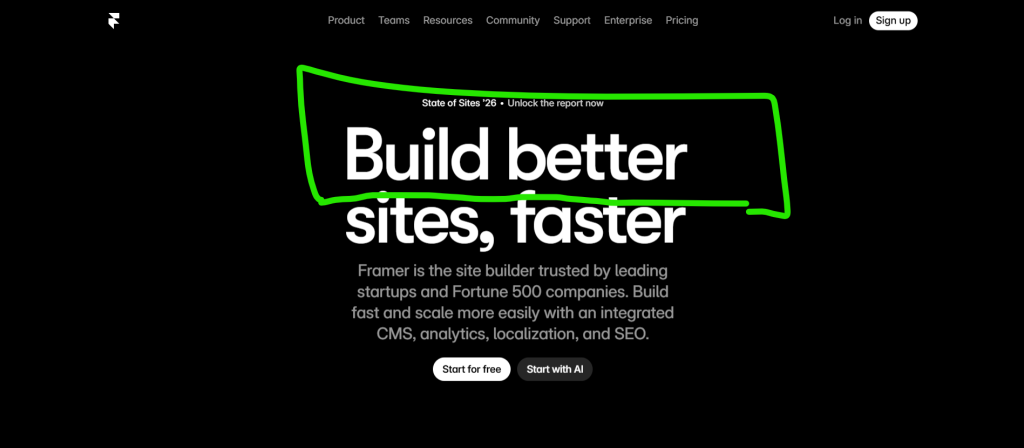
When it comes to mainstream AI website creation in 2026, the conversation inevitably centers on two massive platforms: Wix and Framer. Both have integrated deep artificial intelligence into their core infrastructure, yet they approach web design from entirely different philosophies.
Choosing between Wix and Framer comes down to one fundamental question: Are you building a complex, feature-heavy business engine, or a high-fidelity, visually stunning digital experience?
The Core Difference: The “All-in-One” vs. The “Designer’s Canvas”
Wix is built as an ecosystem. Its AI is designed to automate the entire business lifecycle—from generating a website layout to configuring a backend e-commerce store, setting up booking calendars, and writing SEO descriptions. It is a true “business-in-a-box” solution.
Framer, on the other hand, is a precision design tool. Often described as “Figma for the web,” Framer’s AI is hyper-focused on aesthetics, layout generation, and flawless, no-code animations. It does not try to be a CRM or a complex e-commerce backend; it exists to generate the most beautiful, fastest-loading frontend web pages possible.
How Their AI Generation Actually Works
The way you interact with these platforms highlights their different target audiences:
- Wix’s Conversational AI: Wix uses a chatbot-style interface (often powered by its “Aria” system) to onboard users. You answer a series of plain-English questions about your business goals, target audience, and style preferences. Within roughly 30 to 60 minutes, the AI generates a fully functional site with the necessary backend apps (like a store or blog) pre-installed.
- Framer’s Single-Prompt Generation: Framer prioritizes pure speed and visual impact. You provide a single, detailed text prompt (e.g., “A dark-mode landing page for a boutique coffee roaster in Brooklyn, featuring a 3-column benefit section and smooth scroll animations”). In under 60 seconds, Framer generates a multi-page, fully responsive layout complete with initial copy, color palettes, and structural components.
Customization and Learning Curve
While both use AI to eliminate the “blank page,” what happens after the initial generation is crucial.
Wix relies on a highly intuitive, structured drag-and-drop editor. It is incredibly friendly for beginners and small business owners who want to swap out an image or change text without breaking the site’s layout. However, if you are a professional designer seeking pixel-perfect, granular control over CSS parameters, Wix can occasionally feel restrictive.
Conversely, Framer’s editor is an open canvas that looks and feels like professional UI/UX software. Once the AI generates the initial layout, designers have absolute control over breakpoints, component states, and complex scroll animations. Because there are no rigid “blocks” to confine you, the design freedom is unmatched. However, this comes with a notoriously steep learning curve for non-designers. If you have never used tools like Figma, modifying a Framer site can quickly become overwhelming.
The Verdict
If you are a local business owner, an e-commerce merchant, or a service provider who needs a functional, all-in-one website with built-in booking, payments, and marketing tools—and you want an AI to hold your hand through the process Wix is the undisputed champion.
If you are an agency, a startup founder, or a creative professional who needs a blazing-fast, highly animated, and visually breathtaking landing page or portfolio and you want absolute design control over the final product Framer is the superior choice.
4. Wix: The Ultimate All-in-One AI Website Builder
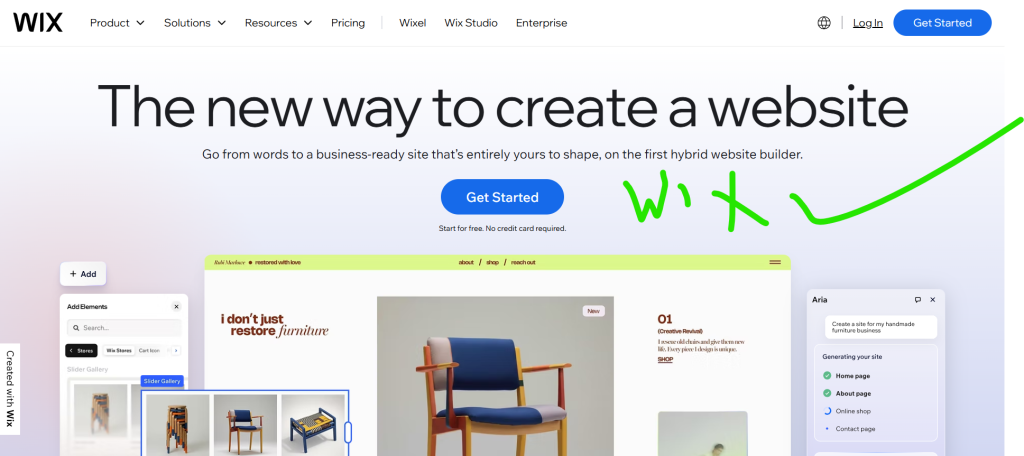
When discussing the practical application of AI in web development, Wix stands out not just as a design tool, but as a comprehensive digital ecosystem. Having retired its older ADI (Artificial Design Intelligence) system, Wix has introduced a next-generation AI builder that leverages natural language processing to create a completely bespoke, production-ready website in a matter of minutes.
The Conversational Onboarding Experience
The most defining feature of the new Wix AI builder is its onboarding process, which abandons traditional questionnaires in favor of a conversational chatbot interface powered by an AI assistant named “Aria.” You simply chat with the bot, explaining your business, your target demographic, your specific service offerings, and your desired aesthetic.
Because the AI is deeply integrated with Wix’s backend infrastructure, it does not just generate a visual mockup; it understands intent. If you tell the AI you run a local yoga studio, it will automatically install a class scheduling app, integrate a payment gateway, and draft a tailored “About the Instructors” page. According to a recent 2026 hands-on review, the system provides a structured “Site Brief” based on your chat, which you can adjust conversationally before the platform generates the final code.
The Hybrid Editing Environment
Where many AI builders fail is the “Day 2” experience. Often, once the AI generates the site, you are either locked into that exact layout or forced into a clunky editor to make changes. Wix solves this by operating as a hybrid platform.
Once your site is generated, you are seamlessly transitioned into the classic Wix drag-and-drop editor. This means you get the blazing-fast generation speed of AI, but retain the absolute granular control of a traditional builder. If you want to move a button five pixels to the left, swap out an image, or rewrite a headline, you can do so intuitively. Furthermore, AI tools are baked directly into the editor; you can highlight any text block and use the built-in AI text generator to adjust the tone, length, or SEO focus of the copy instantly.
An App Ecosystem Built for Scale
Wix’s greatest advantage over newer, leaner AI builders is its maturity. It boasts an App Market with over 800 native and third-party integrations. Whether you need advanced email marketing via Mailchimp, dropshipping fulfillment, or a complex customer CRM, the infrastructure is already there.
The platform also includes an impressive suite of secondary AI features:
- AI SEO Assistant: Automatically generates search-optimized title tags, meta descriptions, and structured data tailored to your content.
- AI eCommerce Optimization: Generates optimized product descriptions and sets up automated workflows for abandoned cart recovery.
- Wix Studio AI: For agencies and advanced designers, this higher-tier feature generates complex, cascading responsive layouts that scale perfectly across all device sizes without manual breakpoint adjustments.
The Drawbacks
Because Wix is an all-in-one ecosystem, it is not immune to platform lock-in. You cannot export your Wix site’s source code to host it independently on AWS or a private server. Additionally, while the initial generation is incredibly fast, the sheer volume of options and apps in the Wix dashboard can sometimes feel overwhelming for absolute beginners who simply want a single-page landing site.
The Verdict
Wix is the definitive choice for service providers, local businesses, and e-commerce merchants who need a powerful, feature-rich website that can handle transactions, scheduling, and marketing from day one. It perfectly bridges the gap between conversational AI generation and traditional drag-and-drop flexibility.
Watch a detailed Wix AI Website Builder Review to see the conversational generation process in action.
5. Framer: The Best AI Builder for High-Fidelity Web Design
For years, the gold standard for high-fidelity UI/UX design has been Figma. However, transitioning a beautiful Figma file into a functioning website historically required a developer to rebuild the entire design in code or a complex platform like Webflow. Framer completely disrupted this workflow by merging a professional-grade design canvas with a powerful AI generator, allowing you to design and publish simultaneously.
Wireframer: Instant Prompt-to-Publish Speeds
Framer’s primary AI feature is “Wireframer.” Unlike drag-and-drop builders that assemble generic blocks, Wireframer allows you to input a single text prompt describing your brand, tone, and desired layout. In under 60 seconds, the AI generates a responsive, multi-page website complete with structural wireframes, an initial color palette, and draft copy.
While the initial output is rarely a finished product, it completely bypasses the blank canvas phase. From there, designers can use Framer’s intuitive styling tools to shuffle through AI-generated color themes and font pairings instantly, rapidly prototyping different aesthetic directions before committing to the final look.
Workshop: Vibe-Coding Custom Components
One of Framer’s most interesting capabilities is Framer Workshop, an AI tool that makes creating custom website components considerably easier, even for users without extensive programming experience. Instead of searching through templates or writing code manually, you can describe the interactive element you want, and Workshop generates a functional component based on your instructions. Whether you need an animated progress indicator, a pricing calculator, a customizable clock, or a distinctive visual interaction, the tool can help translate your idea into an editable website element. Behind the scenes, Framer uses React to power these components, allowing you to introduce functionality that goes beyond conventional website templates. For businesses exploring AI website builders in 2027, this offers a practical advantage: greater freedom to create distinctive digital experiences without having to develop every feature from scratch.
Unmatched Animations and Performance
What truly separates Framer from basic AI site generators is its animation engine. Built on the highly respected React framework (specifically the framer-motion library), Framer allows you to add complex scroll effects, hover states, and parallax animations without writing a single line of code.
Furthermore, despite the heavy visual fidelity, Framer heavily optimizes site speed behind the scenes. It automatically converts all uploaded images to next-generation WebP formats, serves sites through a global Content Delivery Network (CDN), and intelligently utilizes React Suspense to hydrate interactive elements, ensuring sites load incredibly fast and score highly on Google’s Core Web Vitals.
The Drawbacks: The Learning Curve and Pricing Structure
Framer is unashamedly a tool built for designers. Because the interface is modeled after professional vector design software (with concepts like flexbox, absolute positioning, and nested components), absolute beginners often find the learning curve overwhelmingly steep. It is not as simple as clicking a block and typing text; you must understand basic web layout principles to manipulate the AI’s output effectively.
Additionally, while the starting price is reasonable, pricing can escalate rapidly. The “Basic” paid plan only includes a single CMS (Content Management System) collection, making it difficult to host a site that requires both a blog and a portfolio. To unlock multiple CMS collections and complex routing, you are quickly pushed into the higher-tier Pro or Scale plans.
The Verdict
Framer is not the best choice for a local plumber who just wants a basic contact page, nor is it meant for a heavy e-commerce store with thousands of SKUs. However, if you are a creative agency, a SaaS startup, or a designer who demands pixel-perfect precision, breathtaking scroll animations, and lightning-fast AI generation, Framer is arguably the most powerful visual web builder in the world today.
For a deeper look into maximizing these generation tools, you can watch My Framer AI Complete Workflow (Guide) which visually demonstrates how to leverage features like Workshop and AI translation for faster deployments.
But wait! There’s a gem we’ve actually found and it’s worth mentioning! Design.com
When evaluating no-code solutions, our team found Design.com to be less of a standalone site builder and more of an integrated brand engine. While many platforms in this space focus purely on layout mechanics, Design.com leverages AI to align your entire visual identity from the moment you enter a prompt. It generates not just the website, but cohesive logos, social media assets, and digital business cards in one fluid motion. For startups and businesses trying to quickly nail down their market positioning without juggling multiple design subscriptions, this unified ecosystem offers a significant operational advantage by keeping all creative assets under one roof.
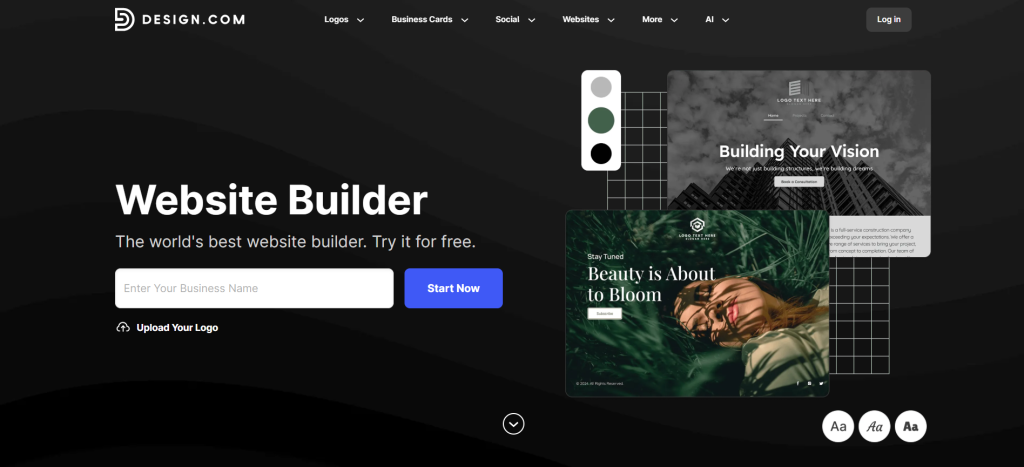
The platform relies heavily on a massive library of over 3,000 templates, which allows for lightning-fast deployment complete with built-in hosting, contact forms, and payment gateways. While teams with highly complex, custom software requirements might eventually outgrow its framework in favor of bespoke stacks, it serves as an incredibly effective launchpad. It strips away the friction of initial brand creation and deployment, allowing creators to focus entirely on product validation and user acquisition rather than agonizing over CSS tweaks or third-party integrations.
In our view, the true value of Design.com lies in how aggressively it accelerates the path to market. When you are deep into refining product positioning or trying to get a B2B SaaS concept in front of early adopters, the last thing you want is a design bottleneck. By auto-generating a cohesive visual identity from the landing page to the social assets this platform acts as a force multiplier. It takes the heavy lifting out of the initial brand rollout, allowing a small team to look like an established enterprise on day one.
Startups and individual creators should seriously consider it if their primary goal is rapid validation rather than intricate backend customization. Because the platform handles the hosting and responsive design automatically, it frees up critical bandwidth to focus on what actually drives growth. Instead of burning hours tweaking CSS or wrestling with third-party plugins, users can immediately pivot their attention to monitoring web analytics, optimizing SEO performance, and tracking the user engagement metrics that will ultimately dictate the product’s success. It is a highly practical tool for getting out of the sandbox and into the market.
6. The CMS Titans: Webflow vs. WordPress.com
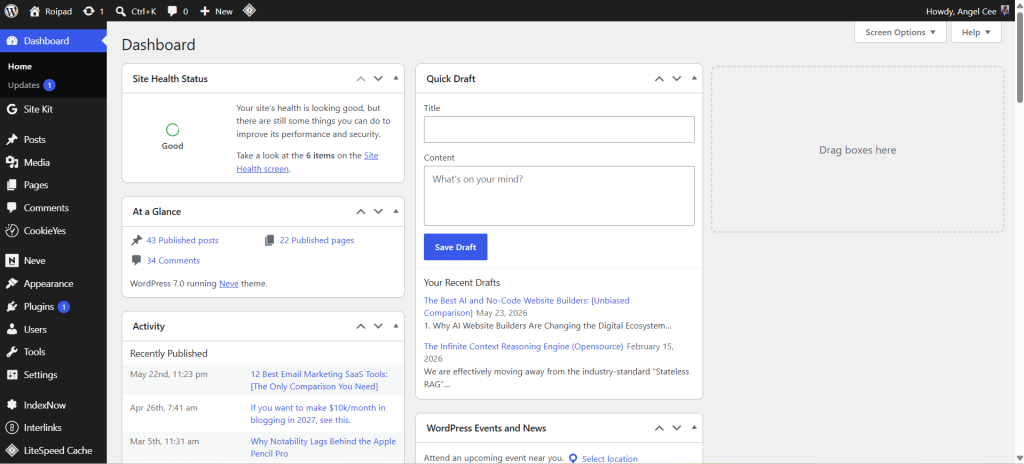
When building a website that requires a complex, highly structured Content Management System (CMS)—such as a massive media blog, a real estate directory, or a programmatic SEO network—simple one-page AI builders inevitably fall short. In the realm of enterprise-grade CMS platforms, Webflow and WordPress.com are the undisputed titans. Both platforms have aggressively integrated artificial intelligence to automate their most complex workflows, but they target entirely different types of creators.
The Core Difference: Visual Programming vs. The Open-Source Ecosystem
Webflow is fundamentally a “visual code” platform. It does not hide the complexities of HTML, CSS, and JavaScript; rather, it translates them into a professional visual UI. Its AI tools are engineered to accelerate the workflows of professional developers and designers who want complete control over the DOM (Document Object Model) without writing syntax manually.
WordPress.com (the hosted, managed version of the open-source WordPress software) represents the ultimate plugin ecosystem. Powering over 40% of the internet, its true strength lies in its infinite modularity. The new WordPress.com AI builder is designed to bypass the historically clunky initial setup phase, instantly generating a fully structured site that can then be extended with tens of thousands of powerful third-party plugins.
How They Utilize AI for Content Management
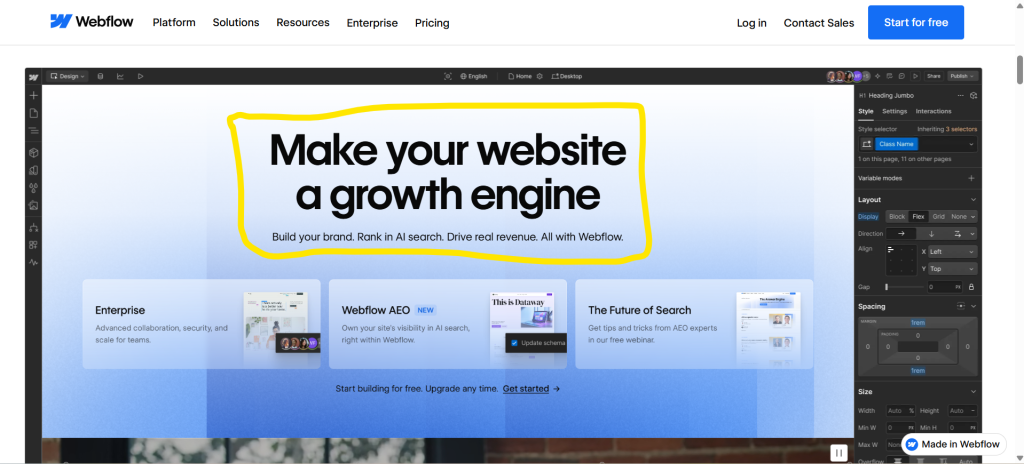
- Webflow’s Native AI Layer: Webflow has deeply integrated AI across its entire canvas. Instead of just generating a generic page, Webflow’s generative AI actually respects your existing design system. If you ask it to generate a new pricing table, it automatically utilizes your site’s predefined CSS classes, global color variables, and typography rules to maintain visual consistency. Furthermore, Webflow has introduced robust AI-driven AEO (Answer Engine Optimization) and SEO tools. According to recent platform updates, the AI can instantly audit your CMS, generate localized translated content at scale, and automatically inject structured data to ensure your site ranks highly on emerging AI search engines like Perplexity.
- WordPress.com’s Conversational Builder: WordPress.com has completely overhauled its onboarding experience with a powerful AI Website Builder. You simply describe your project in natural language (e.g., “A tattoo studio website with a dark color scheme and a portfolio grid”), and within seconds, the AI generates a complete site utilizing the block editor and flexible foundational themes. While the initial AI layouts can occasionally feel slightly rigid compared to Webflow’s custom canvas, the true power unlocks after generation. Because you are built on WordPress, you instantly have access to the massive plugin repository, allowing you to easily integrate WooCommerce or complex membership portals—functionality that takes significantly more effort to build in Webflow.
The Verdict on CMS Builders
If you are an agency, a frontend developer, or a design-first marketing team that demands strict visual control, native AEO optimization, and the ability to export clean semantic HTML code, Webflow is unmatched. Its AI features drastically reduce the time spent building out CMS collections and styling components.
If you are a content publisher, an e-commerce merchant, or a business owner who prioritizes future-proof scalability within the world’s largest open-source ecosystem, WordPress.com is the clear winner. Its new AI tools successfully eliminate the friction of starting a WordPress site, getting you to a professional baseline before you dive into its vast plugin library.
This video below is highly relevant because it breaks down the latest features introduced to Webflow, specifically highlighting how its new AI capabilities handle App Generation and Answer Engine Optimization.
7. Webflow: Advanced AI Capabilities for Pixel-Perfect Control
Webflow has always been the platform of choice for professional developers and agencies who want the visual ease of a no-code builder without sacrificing clean, semantic code. Rather than building a generic “click to generate site” button, Webflow has deeply integrated AI across its entire UI to act as an advanced developer assistant, accelerating complex workflows while maintaining absolute pixel-perfect control.
AI Code Components: Native React Generation
Historically, building complex, stateful interactive elements—such as a dynamic pricing calculator, a multi-step onboarding form, or a custom 3D image gallery—required leaving Webflow, writing custom JavaScript or React code, and embedding it via an iframe. With Webflow’s newly introduced AI Code Components, this workflow is completely revolutionized.
You can now open the components panel, type a prompt (e.g., “Build an interactive FAQ accordion”), and the Webflow AI Assistant will generate a fully configurable, custom React component directly on your canvas. Crucially, the AI reads your site’s existing CSS classes and variables, ensuring the new component instantly aligns with your global design system. Furthermore, developers can click “View Code” to manually edit the underlying React code, or use natural language prompts to ask the AI to add new properties and interactive states.
Context-Aware Section Generation
When building standard pages, the “blank canvas” phase can still slow down experienced designers. Webflow addresses this with its context-aware AI Assistant. If you need a new hero section or testimonial grid, you do not have to start from scratch.
By utilizing the AI Assistant, you describe the section you need, and the AI generates multiple layout options. Unlike basic builders that drop in generic, unstyled blocks, Webflow’s AI applies your existing classes and design system variables to the new layout. If it needs a new style, it creates a structured, correctly named CSS class for it. This allows teams to scale designs rapidly without creating a messy, unmanageable stylesheet.
Automated CMS Content and AEO Integration
Managing a large CMS (Content Management System) database is incredibly tedious during the initial build phase. Webflow AI allows you to instantly generate sample CMS Collection items (like blog posts, team member profiles, or real estate listings) to populate your database with context-relevant content. This allows designers to style dynamic templates accurately before the final copywriting is finished.
Additionally, Webflow is pioneering Answer Engine Optimization (AEO) alongside traditional SEO. The platform features an AI audit tool that scans your entire site to identify missing schema markup, image alt text, and meta descriptions. It can then automatically generate highly optimized content to ensure your pages rank well on AI search engines like Perplexity, as well as traditional Google search.
The Drawbacks
Webflow is an enterprise-grade professional tool, and its AI features reflect that complexity. It does not hold your hand to build a complete website from a single sentence. If you do not understand basic web architecture (CSS grids, flexbox, and semantic HTML), Webflow’s interface will be overwhelming. Furthermore, generating AI code components and running advanced SEO/AEO audits require a premium paid workspace plan.
Who is it for?
Webflow is the definitive choice for professional designers, web agencies, and SaaS marketing teams who want to leverage AI to drastically speed up their component building and CMS management, without surrendering an ounce of control over their final source code.
Two Ways to Generate Webflow Code Components
This official tutorial practically demonstrates how to use Webflow’s new AI code components feature to generate interactive React elements directly on the canvas without manual coding.
8. WordPress.com: Harnessing AI Within the World’s Most Popular CMS
WordPress powers over 40% of the internet, but historically, its massive open-source ecosystem came with a steep learning curve. Setting up a new site meant choosing hosting, installing a theme, configuring a database, and manually assembling plugins. Today, WordPress.com has completely eliminated this friction by integrating native AI tools that build your foundation instantly, while still allowing you to scale using the world’s largest plugin repository.
The Conversational Site Generator
The WordPress.com AI Website Builder utilizes a conversational interface to bypass the “blank page” problem. You simply describe your project in plain English (e.g., “A modern portfolio for a freelance graphic designer featuring a dark mode aesthetic and a contact form”). In roughly 60 seconds, the AI generates a complete, multi-page website using a specialized foundational theme (the “Assembler” theme). This includes proper heading hierarchies, mobile-responsive layouts, placeholder images, and contextually relevant copy.
While the initial output is simpler than what a bespoke agency might build, it gets you to a professional baseline immediately, bypassing days of manual setup.
The Model Context Protocol (MCP) Revolution
Where WordPress.com truly separates itself from closed-ecosystem AI builders is its backend infrastructure. In an industry-defining update in early 2026, Automattic launched “write” capabilities for its Model Context Protocol (MCP) integration.
This allows external AI agents—like Claude, ChatGPT, or Cursor—to securely connect to your WordPress.com site and manage it through natural language commands. From a single prompt, you can instruct an AI agent to draft and publish a blog post, reorganize your category structure, reply to user comments, or bulk-update missing alt-text across your entire media library. Because it enforces your specific user role permissions and asks for human confirmation before publishing, it acts as a fully automated site manager rather than just a design tool.
Jetpack AI: The Native Block Copilot
Once your site is generated, content creation is managed by the deeply integrated Jetpack AI Assistant. This tool lives directly inside the Gutenberg block editor. If you are writing a blog post, you can highlight a paragraph and ask the AI to summarize it, expand upon it, or change the tone. Notably, the Jetpack AI Assistant supports [instant translation and tone adjustment across 12 different languages](), allowing publishers to easily localize their content for global audiences.
The Ecosystem Advantage
The ultimate advantage of using WordPress.com’s AI is that you are not locked into a proprietary “AI only” platform. Once the AI builds your site, you are on real WordPress. If you upgrade to a Business or Commerce plan, you unlock the ability to install any of the [60,000+ plugins available in the WordPress repository](). Need a complex booking system? Install Amelia. Need advanced e-commerce? Install WooCommerce. You get the immediate speed of an AI builder combined with the limitless scalability of open-source software.
The Drawbacks
The AI Website Builder currently only works for new site creations; you cannot use it to completely redesign an existing WordPress site with a single prompt. Furthermore, the AI’s design capabilities are heavily tied to its specific block patterns. If you want hyper-custom, complex scroll animations or non-standard layouts out of the box, you will still need to manually configure them using advanced plugins like Elementor or shift to a visual builder like Webflow.
Who is it for?
WordPress.com is the definitive choice for bloggers, publishers, and businesses that want the rapid deployment speed of AI but refuse to sacrifice the ownership, scalability, and plugin ecosystem of the world’s most proven CMS.
9. The Fastest No-Code Builders for Instant Site Generation
When speed is the absolute highest priority—perhaps you need to launch a proof-of-concept for an investor meeting, or you run a local service business and just need a functional digital business card immediately—complex platforms like Webflow or WordPress are overkill. In these scenarios, you need a builder optimized purely for “Time-to-Live” (TTL).
These instant-generation platforms prioritize raw speed, utilizing rigid but highly optimized AI templates to bypass the entire design and setup process. In 2026, two platforms dominate the ultra-fast generation space: Durable and Hostinger AI.
Durable: The 30-Second Website
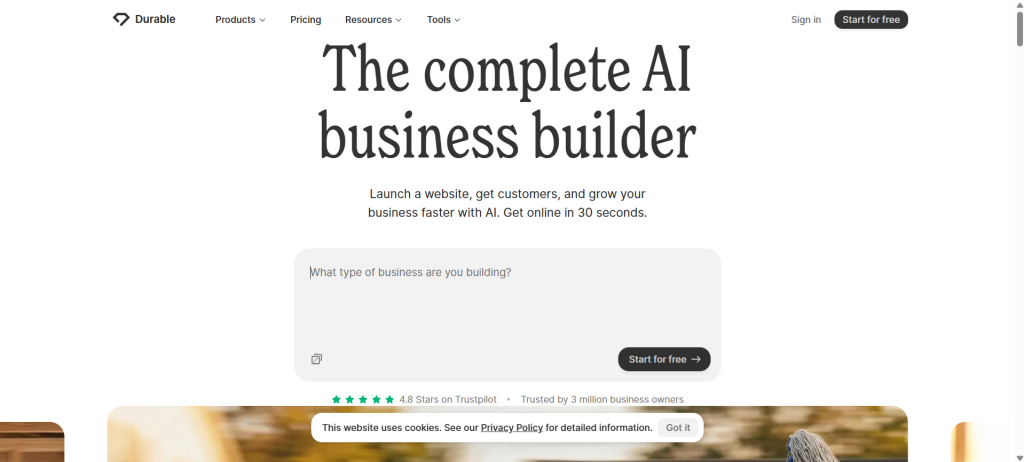
If you want the absolute fastest path from a blank screen to a published URL, Durable holds the undisputed speed record. Its entire marketing premise is built around generating a site in under 30 seconds, and in practical testing, it actually delivers on this claim.
The process requires zero design input. You simply enter your business type, business name, and location. Durable’s AI instantly cross-references this data with local search trends and generates a complete, mobile-responsive layout. This includes AI-written copy localized to your area, relevant stock photography from Unsplash, a functional contact form, and embedded maps.
Crucially, Durable is not just a website builder; it generates a mini-business ecosystem instantly. Every site comes with a built-in lightweight CRM (Customer Relationship Management) tool and an invoicing system. For a freelance consultant, cleaner, or personal trainer, you can generate the site, connect a custom domain, and send your first professional invoice in under 10 minutes.
The trade-off for this extreme speed is customization. Durable relies heavily on pre-structured templates. While you can regenerate sections or swap colors, you do not have the granular drag-and-drop freedom of Wix or Framer.
Hostinger AI: The Budget-Friendly Speed Champion
While Durable focuses on small service businesses, Hostinger AI Website Builder (which absorbed the Zyro platform) is the best instant generator for general-purpose sites, especially for those on a strict budget.
Hostinger’s AI requires slightly more input than Durable—asking for a brand name, site type, and a short text description of your project—but still generates a complete, SEO-friendly site in under 60 seconds. What sets Hostinger apart in the “instant” category is its integration with traditional web hosting. Because the builder is bundled directly into Hostinger’s standard hosting packages, it is arguably the most cost-effective AI builder on the market, often costing less than $3 a month during promotional periods.
Furthermore, Hostinger includes a suite of instant AI utility tools directly in the dashboard, including an AI Logo Maker, an AI Writer for generating blog posts, and an AI Heatmap tool that predicts where visitors’ eyes will naturally gravitate on your generated layout, allowing you to optimize button placements before you even launch.
The Verdict on Speed
If you are a solopreneur or local tradesperson who needs a professional web presence, a CRM, and an invoicing tool deployed in the time it takes to brew a cup of coffee, Durable is the unmatched leader.
If you are a blogger, small business owner, or affiliate marketer looking for the most affordable way to generate and host a complete, SEO-ready website instantly, Hostinger AI provides the best balance of speed and long-term value.
10. Best AI Website Builders Specifically for E-commerce
When building a standard brochure website, an AI only needs to generate a pretty layout and some compelling copy. E-commerce, however, is a fundamentally different beast. An AI e-commerce builder must handle product databases, configure secure checkout flows, integrate shipping logic, and construct high-converting product detail pages (PDPs).
If you try to use a standard visual AI builder for a massive online store, you will quickly hit a wall when it comes to inventory management. For e-commerce, you need platforms built explicitly around transactions. In 2026, three platforms lead the AI e-commerce space, each serving a distinct type of merchant.
Shopify Magic & Sidekick: The Native E-commerce Giant
While Shopify is not traditionally categorized as a “website builder” in the same vein as Wix, its recent integration of “Shopify Magic” and its AI assistant, “Sidekick,” has transformed it into the most powerful AI commerce engine on the internet.
Shopify does not generate your entire store from a single text prompt; instead, it uses AI as a highly competent co-pilot. If you upload a raw, unedited photo of a t-shirt, Shopify Magic can instantly remove the background, place the shirt on an AI-generated model in a lifestyle setting, and write a conversion-optimized product description based on a few bullet points.
More impressively, Shopify Sidekick acts as an AI developer and data analyst built directly into your dashboard. You can ask it to “Set up a 20% off Black Friday discount for all products in the winter collection and update the hero banner to match,” and it will execute the entire multi-step backend process for you. It is the best choice for serious merchants who want AI to assist with operations rather than just initial design.
DropMagic: The Ultimate AI Generator for Dropshippers
For entrepreneurs looking to launch and test products at breakneck speed, DropMagic has emerged as the definitive AI store builder in 2026. Unlike generic builders, DropMagic is purpose-built for e-commerce.
The workflow is remarkably efficient: you paste a product link from a supplier (like AliExpress or Amazon), and DropMagic generates an entire, multi-page Shopify store around that single product. What separates DropMagic from its competitors is its “persona-based copywriting.” You can tell the AI exactly who your target demographic is (e.g., “Mothers of toddlers who care about organic materials”), and the AI will tailor every headline, product benefit, and call-to-action specifically for that buyer persona. It is the premier choice for fast-testing one-product stores.
Manus: The Solution for Complex, Custom Commerce Logic
Standard AI templates fail when a business requires complex, rule-based selling. If you are selling custom-measured blinds, tiered software subscriptions, or products that require a multi-step configuration, you need Manus.
Manus stands out because it doesn’t just build the visual storefront; it acts as an AI agent capable of generating custom interactive tools. You can prompt Manus to build a “custom pricing calculator that adds 15% to the base price if the customer selects expedited shipping, and offers a bulk discount if they order more than 50 units.” The AI will write the complex business logic, build the interactive calculator, and embed it directly into your live site. It bridges the gap between a standard template and a custom-coded web application.
The E-commerce Verdict
- If you are building a long-term, multi-SKU brand and need an AI assistant to help run the backend operations, stick with the native tools inside Shopify.
- If you are dropshipping and need to instantly generate a highly optimized, persona-driven store from a single supplier link, use DropMagic.
- If your product requires custom pricing calculators, interactive configurators, or complex logic, Manus is the only AI builder capable of generating those custom applications without a developer.
11. Top Platforms for Digital Portfolios and Creator Hubs
For independent creators, freelancers, and job seekers, a website serves a very different purpose than a corporate brochure or a massive e-commerce store. A digital portfolio must be highly personalized, visually striking, and laser-focused on converting visitors into clients or employers.
Until recently, building a premium portfolio required hours of meticulous layout work. Now, specialized AI tools have emerged that specifically target the creator economy, turning static resumes and scattered work samples into high-fidelity, interactive digital hubs.
Manus: The Premium, Conversion-Focused Portfolio
If you are a senior designer, consultant, or executive whose portfolio needs to communicate high-caliber expertise, Manus has quickly become the premier AI solution. Manus differentiates itself by acting less like a template engine and more like a senior product designer.
Instead of just dropping your text into a grid, Manus uses agentic AI to research design principles relevant to your specific industry before building. It generates portfolios that prioritize conversions—adding trust indicators, compelling hero sections, and strategic “hire me” call-to-actions based on current UX best practices. It is the tool of choice when first impressions dictate high-ticket opportunities.
Replit Agent: The Developer’s Portfolio Generator
For software engineers and technical professionals, a standard drag-and-drop builder often fails to communicate technical craft. Replit’s new AI Agent builder allows developers to generate and deploy custom, functional portfolios using natural language.
Because Replit is fundamentally a coding environment, its AI does not just fake interactivity; it writes real, functional React or HTML/CSS code. If you want your portfolio to include a live API integration, a custom sorting algorithm for your projects, or an interactive terminal emulator, you simply ask the Replit Agent to build it. It provides the perfect balance: the speed of an AI builder, with the limitless technical ceiling of a raw coding environment.
Butternut AI: The Resume-to-Website Engine
For professionals who despise the web design process entirely, Butternut AI offers one of the most frictionless workflows on the market. It is specifically engineered to bridge the gap between a static PDF and a live URL.
You simply upload your existing resume or type a few paragraphs about your career. Butternut’s AI parses your work history, skills, and education, and instantly structures that data into a responsive, modern web layout. It automatically generates the necessary sections (Experience, Projects, Testimonials) and allows you to use a built-in AI assistant to refine the tone of the generated copy. It is the fastest way to turn a LinkedIn profile into a standalone, SEO-optimized personal brand asset.
Canva Magic Studio: The Visual Creator Hub
While Canva is known primarily for graphic design, its Magic Studio AI website builder has become a massive force in the creator economy, particularly for visual artists, photographers, and social media influencers.
Canva allows creators to use AI to generate aesthetic one-page websites or “link-in-bio” creator hubs. Because it is deeply tied to Canva’s massive asset library, you can use AI to remove backgrounds from your photos, generate custom illustrations, and perfectly match your portfolio’s color palette to your Instagram feed in seconds. Once designed, Canva allows you to publish the site directly to a free subdomain or your own custom URL, making it the ultimate low-barrier entry point for visual creators.
The Verdict for Creators
- For premium, high-ticket positioning: Use Manus.
- For functional, custom code environments: Use Replit.
- For instantly converting a CV to a website: Use Butternut AI.
- For visual artists seeking a beautiful, simple hub: Use Canva.
12. AI-Driven SEO: Which Builders Actually Help You Rank?
Historically, website builders treated Search Engine Optimization (SEO) as an afterthought—usually just providing a few blank boxes for title tags and meta descriptions at the bottom of a page. However, in 2026, the landscape of search has fundamentally shifted. With the rise of AI-powered search tools like Perplexity and ChatGPT Search, traditional SEO is no longer enough. Your website must now be optimized for both search engines and answer engines.
The best AI website builders have adapted to this shift, integrating generative tools that handle technical architecture, semantic data, and context-aware optimization automatically.
The Shift from SEO to AEO (Answer Engine Optimization)
Answer engines do not just index links; they synthesize information to answer user prompts directly. To ensure your brand is cited in these AI responses, your website needs highly structured, semantic data.
Webflow is currently the pioneer in native AEO tools. In 2026, Webflow introduced dedicated “AEO Analytics” and “AEO Agents” directly into its platform. Instead of just tracking Google clicks, Webflow’s dashboard allows you to track “Prompt Insights”—showing you exactly how your brand appears when users ask ChatGPT specific questions. Furthermore, Webflow’s AI agent can automatically scan your site and write custom Schema markup. Schema is the invisible code that tells AI exactly what your business does, and Webflow generates it flawlessly without requiring you to hire a technical SEO expert.
Wix: The Best for Automated On-Page Fundamentals
While Webflow handles advanced AEO, Wix offers the most robust, user-friendly AI SEO suite for small businesses.
Wix’s AI Text Creator completely eliminates the tedious task of writing meta tags. When you build a page, the AI reads your content and automatically generates highly optimized title tags, meta descriptions, and image alt-text. Beyond basic tags, Wix’s infrastructure inherently supports advanced technical SEO. It automatically configures server-side rendering (SSR), dynamic XML sitemaps, and automated image compression (WebP). If you run a local business and simply want to ensure you rank on Google Maps and local search without taking a course in SEO, Wix’s automated backend is the safest bet.
Elementor AI (WordPress): Code-Level Technical Optimization
For those building on WordPress, Elementor’s native AI features offer incredible SEO advantages. Because Elementor sits on top of open-source WordPress, its AI has access to the raw HTML.
Elementor AI excels at context-aware content generation and internal linking strategies. Its “AI Site Planner” can analyze your niche and suggest the optimal sitemap (e.g., suggesting you need specific pages for “Services,” “Pricing,” and “Case Studies” to build topical authority) before you even start designing. Furthermore, it includes a native AI accessibility scanner that ensures your site meets WCAG guidelines—a metric that Google increasingly uses to rank sites in 2026.
Instant Generators (Durable/Hostinger): Fast, but Basic
It is important to set expectations for ultra-fast builders like Durable and Hostinger. While they aggressively market their “SEO-ready” AI generation, their capabilities are generally limited to the basics: injecting keywords into headings, generating generic meta descriptions, and ensuring mobile responsiveness. They will help your business name appear in search, but they lack the deep Schema generation and AEO analytics required to compete in highly saturated, competitive niches.
The SEO Verdict
- If you want to future-proof your site for AI search engines like ChatGPT and Perplexity, Webflow is the undisputed leader in AEO.
- If you want a platform that handles all technical SEO automatically so you can focus on running your business, choose Wix.
- If you are an SEO professional who wants AI to assist with site architecture and complex WordPress optimizations, Elementor AI is your best tool.
13. Mobile Responsiveness: Platforms with the Best Auto-Layouts
With over 60% of all global web traffic originating from mobile devices in 2026, mobile responsiveness is no longer a “nice-to-have” feature—it is the baseline for digital survival. Historically, building a responsive website meant designing a desktop version and then painstakingly pushing pixels, hiding elements, and resizing fonts for tablet and mobile breakpoints.
Today, the best AI website builders utilize advanced “auto-layout” engines and responsive AI to handle this heavy lifting automatically. However, how they execute this adaptation varies significantly across platforms.
Wix Studio: The Magic of “Responsive AI”
For agencies and freelancers building client sites, Wix Studio currently offers the most powerful automated solution on the market with its proprietary “Responsive AI” feature.
When you design a complex section on a desktop viewport complete with overlapping images, text blocks, and decorative elements you no longer have to manually rebuild it for smaller screens. By clicking the “Responsive AI” button, the system analyzes the visual hierarchy and automatically creates intricate structural relationships (using CSS grid and flexbox logic behind the scenes). It instantly optimizes the layout across tablet and mobile breakpoints, resizing and reordering elements to ensure nothing breaks. You can then tweak the AI’s output, giving you a massive head start on multi-device design.
Framer: Auto Layout and Breakpoint Variants
Framer takes a design focused approach to responsive websites, offering layout controls that will feel familiar to anyone who has worked with Figma. At the center of this experience is its Stack layout system, which helps designers organize content into flexible arrangements that adapt to different screen sizes. Rather than positioning every element independently, you can group text, images, buttons, and other components into stacks that manage spacing, alignment, and content flow. As the available screen width changes, these layouts can adjust to accommodate smaller displays, reducing the need to reposition individual elements manually. Framer also supports responsive breakpoints, allowing you to customize how a website appears on desktop computers, tablets, and smartphones. For example, a spacious desktop navigation bar can be replaced with a compact mobile menu, while a multicolumn content section can be reorganized into a vertical layout. Although some responsive adjustments still require manual refinement, these tools make it considerably easier to maintain visual consistency across devices. For anyone evaluating AI website builders in 2027, Framer’s combination of visual design controls and responsive layout features makes it particularly appealing for creating polished websites that remain practical and accessible on different screens.
Webflow: Granular Control Over Relative Units
While Wix Studio and Framer try to automate the responsive process for you, Webflow’s AI takes a different approach: it writes perfectly structured, responsive code that developers can then manipulate.
Webflow focuses heavily on relative units (like vw, vh, rem, and em) rather than fixed pixels. When Webflow’s AI Assistant generates a new section, it automatically sets the layout using these flexible units and CSS grids. This means the design scales fluidly between breakpoints, not just at them. While Webflow requires you to manually check and adjust your max-width settings across the canvas, its AI-generated base ensures you are not wrestling with broken absolute positioning on mobile screens.
The Verdict on Responsiveness
- For effortless automation: If you want an AI to analyze your desktop design and instantly make it mobile-friendly with one click, Wix Studio’s Responsive AI is unrivaled.
- For design system fluidity: If you are a designer who wants your elements to naturally stack and scale using intuitive flexbox rules, Framer offers the smoothest workflow.
- For absolute technical precision: If you need exact pixel-level control over how CSS media queries behave on specific viewports, Webflow remains the industry standard.
14. Scalability: Which AI Builders Can Handle High-Traffic Sites?
When you graduate from a “startup MVP” phase to a high-traffic production environment, the definition of a “website builder” changes. You are no longer looking for tools that help you design fast; you are looking for platforms that can handle thousands of concurrent users, complex database queries, and global traffic spikes without crashing.
Not all AI website builders are built with this “enterprise-grade” stability. Understanding which platforms can actually scale is the difference between a successful launch and a site that goes down when you finally hit your marketing goals.
The Scalability Hierarchy
In 2026, we categorize scalability into three distinct tiers: Managed SaaS (Wix/Squarespace), Visual-Code Platforms (Webflow/Framer), and Open-Source Architectures (WordPress/Custom).
- Managed SaaS (High Stability, Lower Flexibility): Platforms like Wix Studio handle the heavy lifting for you. You don’t need to worry about server clusters, load balancing, or CDN configuration—it’s all abstracted away. They are highly reliable for high-traffic marketing sites. However, you are capped by their “platform limits.” If your traffic becomes truly massive, or if your functional requirements go beyond standard CMS and E-commerce (e.g., custom database-heavy applications), you may hit a ceiling.
- Visual-Code Platforms (High Design, High Scalability): Webflow is the standout here for high-traffic marketing sites. Because it exports optimized, clean, and semantic code, its hosting infrastructure—which relies on a world-class global CDN—is incredibly robust. It handles high-traffic surges exceptionally well, making it the preferred choice for major brands launching high-stakes marketing campaigns. Framer also scales well for visually complex, high-traffic pages, but it is primarily optimized for frontend interactivity rather than complex backend database scaling.
- Open-Source & Headless (The Unlimited Ceiling): For businesses anticipating millions of hits or requiring custom database architectures (like a proprietary social network or complex portal), the only true answer is WordPress or Headless solutions. Because you control the hosting, you can scale your infrastructure horizontally (adding more servers) and vertically (upgrading server specs). Tools like Angie by Elementor allow you to build these custom environments with the speed of AI while maintaining the “unlimited” scalability of open-source software.
Crucial Metrics for Scaling
When evaluating your builder for high-traffic potential, look for these three indicators of technical readiness:
- Global CDN Coverage: Does the builder automatically serve assets (images/scripts) from edge servers near your users? (Both Wix Studio and Webflow excel here).
- Database Decoupling: Can the platform handle dynamic content updates without requiring a full site republish? (Webflow’s CMS and WordPress’s database are superior to static-generation-only tools in this regard).
- Code Export Options: In a “worst-case scenario” (e.g., you outgrow the platform), can you export your work to a private server? Platforms like Playcode and Webflow allow for code export, providing an “exit strategy” that prevents you from being locked into a platform that can’t handle your growth.
The Scalability Verdict
- If you want “set it and forget it” reliability for a busy marketing site: Wix Studio is the safest, most stable enterprise-managed choice.
- If you need high-performance, high-traffic visual marketing experiences: Webflow is the industry leader.
- If you are building a complex, high-traffic web application that must scale indefinitely: You must move to an open-source or headless architecture using WordPress or a developer-centric tool like Playcode.
Webflow vs WordPress vs Framer vs Wix scalability review
This video provides a detailed breakdown of which platforms actually scale with your team and business growth, explicitly comparing the limitations of managed ecosystems versus the flexibility of open-source and professional visual-code tools.
15. Website Ownership and Vendor Lock In: What AI Website Builders Really Let You Keep in 2027
One of the most important questions to ask before choosing an AI website builder has little to do with artificial intelligence itself: What happens to your website if you decide to leave the platform?
A website may begin as a simple landing page, but over time it can become an essential business asset, containing years of content, customer inquiries, product information, search visibility, and integrations. Moving that website should not mean losing everything you have built.
This is where vendor lock in becomes a serious consideration. It describes a situation in which moving to another provider becomes difficult, expensive, or technically complicated because your website depends on proprietary software or infrastructure.
The issue is particularly relevant when evaluating AI website builders for 2027. Faster website creation does not necessarily mean greater ownership, and the ability to export a few files does not guarantee that an entire website can be transferred without complications.
Understanding Website Ownership: Three Different Approaches
Not all website builders give you the same level of control. Some prioritize convenience through fully managed hosting, others offer limited code export, and some provide access to the underlying software itself.
Here is how several popular platforms compare.
| Platform | Code portability | Important limitation |
|---|---|---|
| Wix | Limited | Sites built with Wix generally cannot be exported as complete independent websites for hosting elsewhere. |
| Squarespace | Limited | Certain content can be exported, but complete designs and functionality generally cannot be transferred intact. |
| Framer | Limited | Its managed publishing environment does not provide a general export path for an entire site as an independently hosted project. |
| Webflow | Partial | HTML, CSS, JavaScript, and assets can be exported on eligible plans, but important managed features are excluded. |
| WordPress.org | Extensive | Self hosted WordPress offers access to the software, files, and database, although plugins and hosting dependencies can complicate migration. |
| Webstudio | Extensive | Its open source architecture and export options provide greater control, subject to the dependencies of the specific project. |
| Manus | Verify by product and plan | Website creation, publishing, and export capabilities should be checked against its current documentation before assuming full portability. |
These distinctions reflect documented platform capabilities available before 2027. Features, export permissions, and plan restrictions may change during 2027.
Managed Website Builders: Convenience With Migration Limitations
Platforms such as Wix and Squarespace are designed to simplify website creation and ongoing maintenance. Hosting, visual editing, security infrastructure, and many technical updates are handled within their managed environments.
This approach can be attractive to entrepreneurs who would rather concentrate on running their businesses than maintaining servers.
However, the convenience comes with restrictions.
Wix does not provide a general method for exporting a complete Wix website as an independent collection of source files that can be hosted elsewhere. Squarespace supports exporting certain types of content, but its export functionality does not preserve every design element or integrated feature.
Framer also provides a managed website publishing experience. Although it supports custom code components and sophisticated visual design, that flexibility should not be confused with the ability to download and independently host an entire Framer website.
These restrictions do not mean that your domain, original writing, or brand identity automatically belong to the platform. Rather, the proprietary website implementation may be difficult to reproduce outside its original environment.
For a small business that values convenience over technical independence, this tradeoff may be perfectly reasonable. For a growing company anticipating complex integrations or a future migration, it deserves closer consideration.
Builders With Code Export: Greater Freedom, but Not Complete Independence
Webflow offers a different arrangement by allowing eligible users to export the front end code of their websites.
This can provide a practical route toward independent hosting, particularly for websites consisting primarily of static pages.
However, there is an important distinction between exporting a website’s visual structure and exporting everything required to operate the business behind it.
Webflow’s code export does not include the full functionality of its hosted content management system, ecommerce services, or native form processing. A website that depends on those features may require replacement services or additional development before it can operate independently.
Consequently, an exported Webflow website may preserve much of its appearance while losing important functionality.
This is why code export should be evaluated as a migration option rather than a promise that every feature will continue working unchanged.
The same caution applies to newer AI website creation platforms, including Manus. Before relying on a platform’s export capabilities, establish whether it provides complete project files, editable source code, content exports, or only selected assets.
Open Source Platforms: More Control and More Responsibility
For businesses that prioritize technical independence, WordPress and Webstudio offer a different ownership model.
WordPress is open source software that can be installed on compatible hosting infrastructure. With a self hosted WordPress website, you can generally access your application files, database, themes, and plugins, making it possible to migrate between hosting providers.
Webstudio similarly emphasizes an open source approach to visual website development, with options for greater control over deployment and project implementation.
These capabilities reduce dependence on a single website hosting company, but they do not eliminate every form of lock in.
A WordPress website built around a proprietary page builder, licensed plugin, or specialized hosting service may still require substantial work to migrate. Likewise, an open source website can depend on external APIs, commercial services, or infrastructure that is not included in its source code.
Greater ownership also brings additional responsibilities, including software maintenance, backups, security updates, and infrastructure management.
The advantage of open source is not that migration becomes effortless. It is that you have more options when deciding how your website should be maintained, extended, and hosted.
Why Code Export Matters for Your Business
The value of code export becomes clearer when a website grows beyond its original purpose.
A business might eventually need a specialized customer portal, a custom payment integration, or more sophisticated data processing. If its website can be maintained independently, developers have greater freedom to introduce these capabilities without waiting for the original platform to support them.
Independent hosting can also give businesses more control over infrastructure, deployment schedules, server configuration, and operating costs.
There are three particularly important benefits:
1. Greater development flexibility. Access to usable source code allows developers to modify the website and integrate additional services. However, exporting a static website does not automatically provide the backend systems required for complex functionality.
2. More hosting choices. A portable website can potentially run on infrastructure selected for its performance, geographic coverage, compliance requirements, or cost. The available options depend on the technologies used by the exported project.
3. Reduced exposure to pricing changes. If a platform increases its subscription fees, having an independent version of your website can make migration more practical. You may still incur costs for replacement hosting, development, maintenance, and third party services.
In other words, code portability gives your business more choices. It does not eliminate the work involved in exercising them.
The Important Limitation: Exporting Is Not the Same as Moving
One detail that deserves attention is what happens after you download your website’s source code.
In many visual website builders, exported files cannot simply be uploaded again to recreate the original editable project. Once developers begin changing those files independently, the exported version and the version inside the website builder may evolve separately.
This creates an important distinction between having a copy of your website and retaining the ability to manage that website through the original visual editor.
Before migrating, determine whether the export includes your content, images, interactions, forms, database connections, and other essential services. You should also verify that the new hosting environment supports the technologies your website requires.
A successful migration preserves more than the design. It should also account for important URLs, redirects, analytics, search engine accessibility, and the functionality visitors depend on.
Which Website Builder Offers the Best Ownership Model?
The right choice depends on how much independence your business actually needs.
For entrepreneurs who want a managed experience with minimal technical maintenance, Wix, Squarespace, and Framer remain reasonable options. Their limitations are most significant when independent hosting or extensive customization becomes a priority.
For designers and businesses that want visual development alongside a documented source code export option, Webflow offers a useful compromise. However, its export limitations make it more suitable for independently hosting static websites than transferring complex projects that depend heavily on Webflow’s managed services.
Manus is also worth evaluating. Its official website advertises full codebase export, but businesses should test whether their particular application’s database, authentication, and integrations remain functional after migration rather than relying solely on the export claim.
Source: Build full-stack web apps with Manus
For organizations that place the highest value on hosting independence, self hosted WordPress and Webstudio offer stronger foundations. Both provide substantial control, although the actual migration experience will still depend on the project’s architecture and external dependencies.
One notable development to watch is Framer’s portability documentation. Its September 2026 guidance describes options for retrieving published website output and CMS data, while another official help article continues to state that native HTML export for independent hosting is unsupported. This inconsistency makes it especially important to confirm the exact export workflow before purchasing.
Source: Framer
The conclusion for 2027 is straightforward: Website ownership should be measured by what you can actually transfer, operate, and maintain independently, not simply by whether a platform advertises code export or describes itself as open source.
A website builder should make it easier to establish your online presence without leaving your business unnecessarily dependent on a single provider.
16. Pricing Structures: Uncovering the Hidden Costs of No-Code
In 2026, the marketing for website builders is designed to make you feel like your project will cost $15–$30 per month. In reality, that “base price” is rarely what you end up paying. As your site grows, these platforms utilize “usage-based” pricing and “feature-gating” to turn a predictable expense into a variable, compounding tax on your business.
Understanding the actual total cost of ownership (TCO) is essential before you commit to a platform’s infrastructure.
1. The “Platform Tax”: Feature-Gating and Add-ons
The most common way builders inflate costs is by locking standard business features behind higher pricing tiers. You might sign up for a $15/month plan, only to realize that:
- Forms that actually integrate with your CRM require an “Advanced” or “Business” tier (often $40–$60+/month).
- Custom code injection—needed for pixel tracking or Google Tag Manager—is frequently gated behind professional plans.
- Third-party “App Store” fees: Many SaaS platforms lure you in with a low base price but force you to buy five or six $10–$30/month plugins to handle basic tasks like advanced search, reviews, or complex booking calendars. These recurring micro-transactions can quickly balloon a $30 site into a $180/month expense.
2. The E-commerce Hidden Drain
E-commerce platforms are notoriously aggressive with “hidden” revenue takes. Beyond your monthly subscription, be prepared for:
- Transaction Fees: Many builders charge a 1%–3% commission on every sale you make, in addition to the standard 2.9% credit card processing fee (like Stripe or PayPal). If you do $100,000 in annual revenue, those platform fees alone can cost you $1,000–$3,000 per year for literally no extra service.
- Revenue Caps: Some platforms automatically “upgrade” your tier the second your sales volume crosses a certain threshold, triggering an immediate monthly price jump.
3. Variable Infrastructure & Scale Costs
As you scale, the “all-in-one” convenience of SaaS starts to encounter limits.
- Database Limits: Platforms like Webflow or Framer limit the number of CMS items (blog posts, products, team members) you can have on a specific tier. Hitting the 2,000-item limit often forces a jump to a $100+/month Enterprise-level plan.
- Storage and Bandwidth Overages: High-traffic spikes—such as a successful viral post or a paid ad campaign—can trigger bandwidth overage charges that turn a predictable bill into a massive, unexpected expense.
4. The Hidden Costs of Professional Maintenance
While “no-code” implies you can do it all yourself, professional sites almost always require professional care. Budget for these often-overlooked maintenance costs:
- Backup Systems: Many builders offer basic backups, but enterprise-grade version history often costs extra.
- Security & SSL: While standard SSL is usually included, advanced security/DDoS protection for high-traffic sites is often an enterprise add-on.
- Professional Services: Even if you build it yourself, 10–20% of your annual budget should be set aside for freelance support. Whether it’s fixing a broken integration or performing a technical SEO audit, relying solely on DIY “support chats” is a recipe for long-term technical debt.
The Pricing Verdict
- Predictability: WordPress (open-source) offers the highest long-term predictability. Once you pay for your hosting and plugin licenses, your costs don’t scale up just because you sold more products or grew your database.
- Convenience: Wix or Squarespace are predictable only if your business needs never change. If you stay on their entry-level tiers, the cost is stable—but the moment you need to grow, the “add-on” pricing model will trigger.
- Transparency: Webflow and Shopify are transparent about their tiers, but they are expensive at scale. You are paying for the reliability of their managed infrastructure.
17. Final Verdict: Selecting the Right AI Website Builder for Your Needs
Choosing the “best” AI website builder is not about finding the platform with the most features; it is about finding the platform that matches your technical skill, your business stage, and your long-term goals.
The market has matured significantly in 2026. We are no longer limited to basic, one-size-fits-all generators. Instead, we have a specialized ecosystem where tools are built for specific “user personas.”
The 2026 Decision Matrix
| If your primary goal is… | You should choose… | Why? |
|---|---|---|
| Speed & Simplicity | Hostinger AI or Durable | These tools are built for “Time-to-Live.” If you need a functional, professional-looking site in under 10 minutes to test an idea or showcase a local service, nothing beats them. |
| Design & Visual Polish | Framer | For creators, agencies, and brands where aesthetics are the primary driver of conversion. It offers the best motion, animation, and high-fidelity design control. |
| All-in-One Business Power | Wix (Harmony) | The best “business-in-a-box.” If you need scheduling, payments, CRM, and marketing integrated from day one without managing multiple platforms, this is the gold standard. |
| Scalability & Control | Webflow | The professional’s choice. If you are an agency or a growing startup that needs to control the code, integrate complex CMS logic, and scale high-traffic campaigns, Webflow provides the necessary architecture. |
| Open-Source Ownership | WordPress | For those who refuse platform lock-in. With modern AI tools like Elementor and Jetpack AI, you get the speed of AI generation combined with the infinite scalability of the world’s most popular CMS. |
New Gem We’re Testing: BrandCrowd
While compiling this list, the Roipad team recently stumbled upon a new gem that we’ve just started testing out: BrandCrowd.
Though it isn’t a traditional website builder, it is an incredible AI-powered branding tool that perfectly complements the website builders on this list. Before you even drag-and-drop your first block, you need a visual identity. BrandCrowd uses AI to instantly generate thousands of professional, customizable logos, business cards, and social media kits based simply on your brand name.
We are currently putting it through its paces and plan to publish a more sophisticated, deep-dive review in the future. However, we already found it incredibly interesting and highly recommend it for users who are in the planning phases of their site. If you are looking to experiment with different visual identities, mockups, and branding options before committing to your final website design, BrandCrowd is an excellent, low-friction option to add to your no-code stack.
A Final Word on the “AI Myth”
As you prepare to build your website in 2027, one principle is worth remembering: artificial intelligence can accelerate the creative process, but it cannot replace the judgment, originality, and understanding that make a website genuinely effective.
The real advantage of AI website builders lies in their ability to remove much of the tedious groundwork. They can generate layouts, suggest content, organize page structures, and help transform an initial concept into a functional website within minutes. Yet a website that looks impressive at first glance is not necessarily one that earns visitors’ trust or persuades them to take action.
That responsibility still belongs to you. Understanding your audience, communicating what makes your business different, refining the user experience, and ensuring that every page serves a clear purpose require decisions that automated tools cannot always make reliably.
Looking ahead to 2027, the smartest approach is not to surrender the entire creative process to AI, but to use its capabilities where they deliver the greatest value. Let technology simplify execution while your knowledge of your customers shapes the final experience. Ultimately, the quality of your website will depend less on how much AI contributed to its creation and more on how effectively the finished product meets the needs of the people visiting it.
The Best Website Builder of 2026 (Most People Pick Wrong!)
This video is highly relevant as it breaks down the key categories of website builders, helping you avoid common mistakes like choosing a platform that limits your future growth or forces you to rebuild later.
Here is a professionally written, transparent disclosure block that you can place directly below your article’s title or main header. It establishes strong editorial independence, which boosts search engine E-E-A-T (Experience, Expertise, Authoritativeness, Trustworthiness) and builds immediate trust with your readers.
Editorial Independence & Transparency Notice
An Independent Evaluation by ROIpad.com
The software reviews, comparisons, and strategic analyses presented in this article represent the independent, data-backed opinions of the editorial team at ROIpad.com. To maintain absolute objectivity and ensure our readers receive unbiased recommendations, this post contains zero affiliate links, sponsored placements, or paid promotional content. We do not accept financial compensation to influence our rankings.
The SaaS landscape is constantly evolving. We remain entirely open to adjusting our evaluations should new performance data arise. If you are a platform developer and believe your software’s features or pricing structures have changed, or if you would like your product to be considered for future inclusion in this guide, please grant our team evaluation access by reaching out to us at support@roipad.com.

Angel Cee is a Full stack LAMP and webapps developer, solo founder of ROIpad a product positioning and market research tool.
ROIpad is owned by Adewumi Abake LTD, incoporated in Nigeria on July, 2023 under the companies and allied matters act 2020. Company registration number: 7035318
Angel Cee has worked as a systems and software developer in a few large organizations both in Nigeria and Russia. Most notable of which was his position as a software product developer at Altan I.T. school, I.T. Park, Yakutsk, Russia.


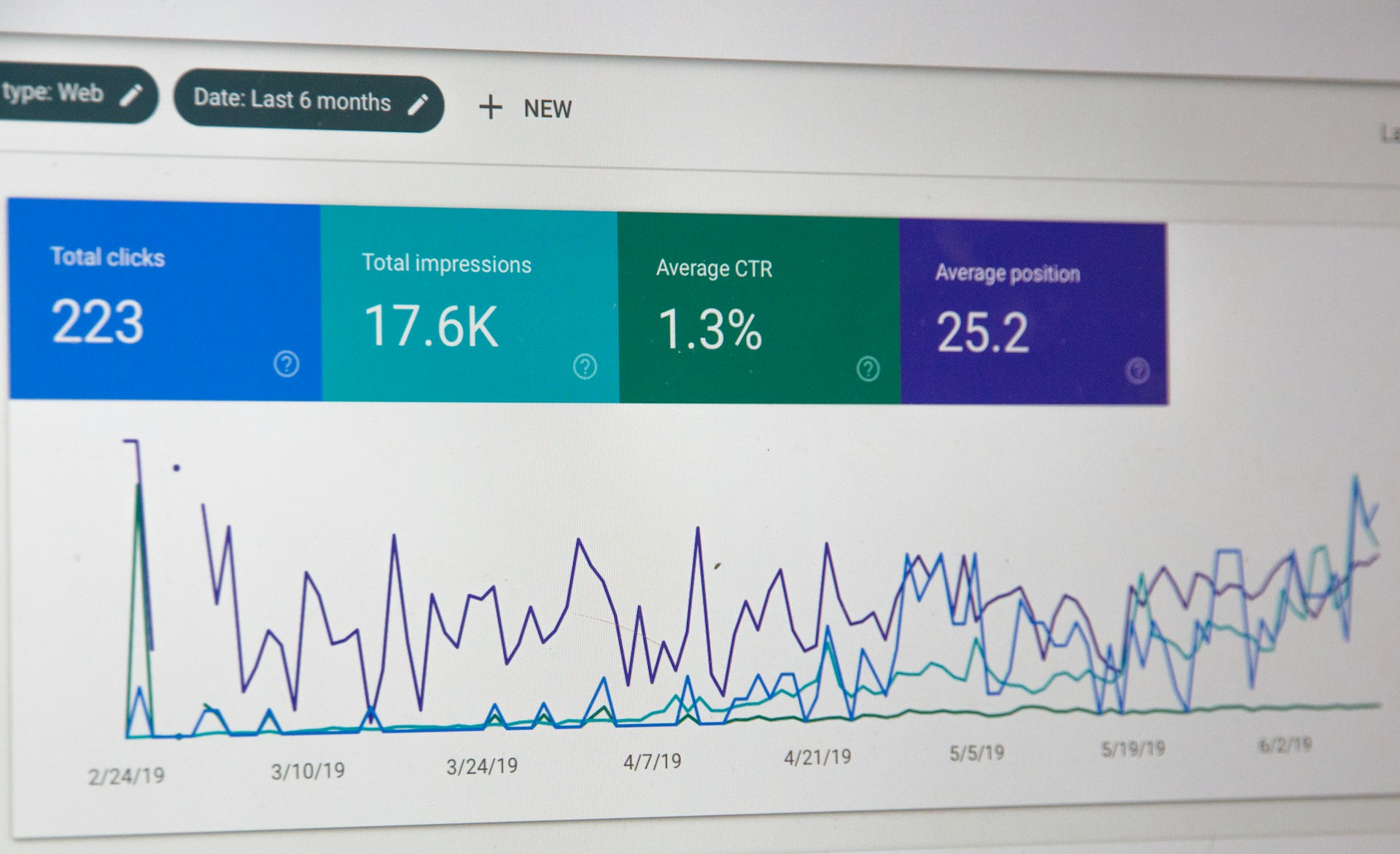
It is perfect time to make some plans for the future and it is time to be happy.
I’ve read this post and if I could I desire to
suggest you few interesting things or tips. Maybe you
can write next articles referring to this article. I wish to read
even more things about it!
I am open to your suggestions, please tell me about them or just connect with me directly on linkedin; https://www.linkedin.com/in/angel-cee-b30772160/
Hi there! Do you use Twitter? I’d like to follow you if that would be ok.
I’m absolutely enjoying your blog and look forward
to new updates.
Unfortunately I am not active on twitter. But you can connect with me on Linkedin or just feel free to email me directly anytime you want.
https://www.linkedin.com/in/angel-cee-b30772160/
The builder comparison caught my eye because most roundups like this read like affiliate lists. I liked that it weighed what you have to maintain after launch, not just how fast the first draft shows up. I watched a friend rebuild a site twice because the first pick looked quick and then got awkward once the page count grew.
My own week was less about launching a site and more about paperwork. I had to send a signed consent form and a stack of receipts through a portal with an upload cap. I took photos on my phone and ran them through LensUp document scanner to get a printable PDF, then set the compression toward the size the portal asked for. It can land a bit over, so I checked before hitting submit. The files are never uploaded and the processing happens in the browser tab, which mattered for the forms with personal details.