
 SaaS Metrics
Apple Notes vs GoodNotes vs Notability vs CollaNote 2026: The Definitive iPad Showdown
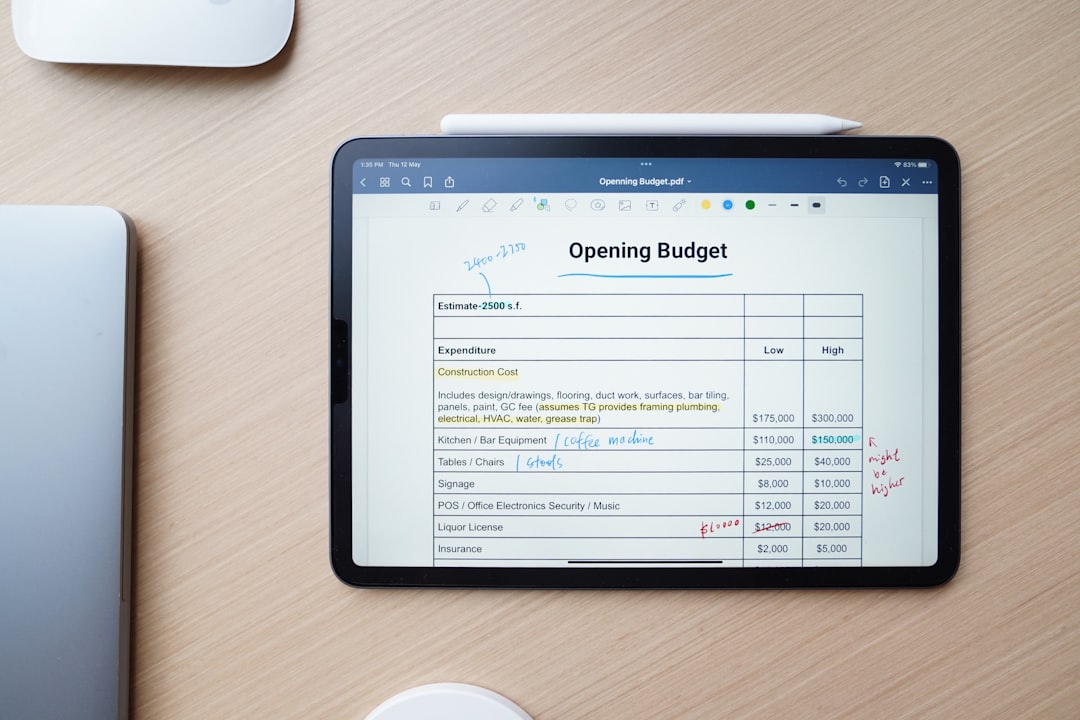
In 2026, the digital note-taking landscape for iPad users is more competitive and feature-rich than ever. For students, professionals, and creatives, choosing the right application can significantly impact productivity and workflow. This comprehensive analysis pits four leading contenders against each other: Apple Notes, GoodNotes, Notability, and CollaNote. We will dissect their features, performance, pricing, and overall user experience to help you make an informed decision for your specific needs in 2026. The question isn't just which app is good, but which is best for you when considering Apple Notes vs GoodNotes vs Notability vs CollaNote 2026.
The Evolving Note-Taking Ecosystem in 2026
The iPad, paired with the Apple Pencil, has cemented its position as a premier device for digital note-taking. This powerful combination allows for a natural, paper-like writing experience, augmented by the limitless possibilities of digital tools. As of April 2026, the market offers a diverse range of applications, each with its unique strengths and target audience. From Apple's native, deeply integrated solution to third-party powerhouses, the choices can feel overwhelming.
The apps under our microscope—Apple Notes, GoodNotes, Notability, and CollaNote—represent different philosophies in digital note-taking. Apple Notes offers seamless integration within the Apple ecosystem, appealing to those who prioritize simplicity and native functionality. GoodNotes and Notability have long been considered industry standards for their advanced handwriting capabilities and organizational tools, favored by students and academics. CollaNote, a relatively newer player, has carved out a niche with its strong emphasis on collaborative features and a free-to-use model.
Understanding the nuances of each app is key. While all four allow you to write, draw, and organize, their approaches to these core functions, as well as their advanced capabilities like AI integration, cloud synchronization, and collaboration, vary significantly. For a detailed feature comparison of various iPad note-taking apps in 2026, including some of these contenders, consult our existing analysis on the best note-taking apps for iPad with Apple Pencil.
Apple Notes vs GoodNotes vs Notability vs CollaNote 2026: A Feature-by-Feature Breakdown
Core Functionality: Handwriting and Typing
The foundation of any note-taking app lies in its ability to capture thoughts, whether through handwriting or typing. In 2026, all four apps excel in different ways.
- Apple Notes: Provides a straightforward, fluid handwriting experience with the Apple Pencil. Its strength lies in its simplicity and deep integration with iOS features like Quick Note. Text entry is robust, offering various formatting options and checklists.
- GoodNotes: Renowned for its vector ink engine, which produces incredibly smooth and scalable handwriting. This means your notes look crisp at any zoom level. Its powerful search function can even index handwritten text, making finding information effortless. GoodNotes also offers comprehensive typing tools, allowing for custom fonts, colors, and styles within notebooks.
- Notability: Offers a highly fluid and natural handwriting experience, often praised for its responsiveness. It focuses on a continuous scroll format, which some users prefer for uninterrupted note-taking. Text boxes are easily manipulated, and it supports text conversion from handwriting.
- CollaNote: Delivers a surprisingly good handwriting experience, especially considering its free-to-use nature. It aims for a realistic pen-on-paper feel and offers a decent range of pen types and colors. Its typing features are functional but less sophisticated than GoodNotes or Notability.
The quality of handwriting experience is often subjective, but third-party reviews consistently highlight the importance of fluidity and customization. For instance, an Apple App Store review for Inkflow Plus Visual Notebook, another highly-regarded app, states, "Excellent!! Best Notepad. Easy to use. Keeps hundreds of pages which are easy to find and reorganize on the go. Keep work personal and saves everything. So much better than standard notepad or other notepads that are too complicated. Colors are easy to change and pen size also. Would highly recommend. Well worth the money." Another review for Inkflow Plus praised its "Great quality simple well thought out creative note app with beautiful handwriting. Love the calligraphy pen's ability. The more I discover and everything works flawlessly. 👍 It’s been a keeper for years." These sentiments underscore the value users place on intuitive design and high-quality digital ink, qualities that GoodNotes and Notability particularly emphasize.
Organization and Management
Effective organization is paramount for long-term productivity.
- Apple Notes: Relies on a folder-based system, enhanced with tags and smart folders that automatically group notes based on criteria. It's simple but effective for many users, especially those deeply embedded in the Apple ecosystem.
- GoodNotes: Employs a notebook-centric approach within a folder hierarchy. Users can create custom covers and templates for notebooks, making organization visually appealing. Its robust search extends to titles, text, and even handwritten content, making information retrieval efficient.
- Notability: Organizes notes into "Subjects" and "Dividers," allowing for a structured yet flexible system. The continuous scroll format means notes within a subject flow seamlessly. Like GoodNotes, it offers powerful search capabilities, including handwritten text.
- CollaNote: Uses a simpler folder and label system. While functional, it lacks some of the advanced organizational features of its paid competitors, reflecting its focus on collaborative simplicity.
Multimedia Integration and Annotation
Modern note-taking extends beyond text and ink, incorporating various media types.
- Apple Notes: Supports embedding photos, videos, scanned documents, and web links directly into notes. Its PDF annotation tools are functional, allowing for markup and signatures.
- GoodNotes: Excels in PDF annotation, offering a wide array of tools for highlighting, underlining, and adding notes. It can also import images, type text boxes, and add stickers. Its ability to work with large PDFs without lag is a significant advantage for students and researchers.
- Notability: Also strong in PDF annotation, with tools for marking up documents, adding images, and typing. Its unique selling point here is the ability to record audio synced to your notes, which is invaluable for lectures and meetings.
- CollaNote: Allows for image insertion and basic PDF markup. While it doesn't offer the same depth of features as GoodNotes or Notability, its tools are sufficient for general use.
Collaboration and Sharing
Working with others is a growing demand in both academic and professional settings.
- Apple Notes: Offers basic collaboration features, allowing users to share notes and folders with others via iCloud, enabling real-time editing.
- GoodNotes: Has introduced collaborative features, allowing users to share and co-edit notebooks. While functional, it's still maturing compared to dedicated collaboration platforms.
- Notability: Provides sharing options but its real-time collaboration features are less prominent than CollaNote's. It focuses more on individual productivity with robust export options.
- CollaNote: This is where CollaNote truly shines. Its core design emphasizes real-time collaborative note-taking, making it an excellent choice for study groups or team projects. Multiple users can write and draw simultaneously on the same note, seeing changes happen live.
Advanced Features and AI Integration
The rise of artificial intelligence is reshaping digital tools, and note-taking apps are no exception in 2026.
- Apple Notes: Incorporates basic AI features such as handwriting recognition for search, shape snapping, and document scanning with text recognition. Smart Folders use AI to categorize notes based on tags and content.
- GoodNotes: Is actively integrating more AI capabilities. As of 2026, this includes enhanced handwriting recognition, AI-powered spellcheck for handwritten text, and tools for converting handwritten math equations into digital text.
- Notability: Also leverages AI for features like handwriting to text conversion and improved search accuracy. Its audio transcription capabilities are becoming more sophisticated, turning spoken words into searchable text.
- CollaNote: Offers basic handwriting recognition, but its AI features are less developed compared to the more established apps. Its focus remains on its collaborative core.
"Wow realmente no esperaba ni imaginaba la calidad y lo bueno que es," one Apple App Store review for Google NotebookLM noted, reflecting the growing appreciation for truly intelligent and high-quality AI integration in note-taking and productivity tools. This sentiment highlights the direction many developers are taking, pushing the boundaries of what a note-taking app can do with AI assistance. The integration of AI extends beyond simple note-taking, influencing broader productivity tools. For insights into how AI is transforming project management, particularly for complex software development, you might explore resources like AI Project Management for Large Development Teams in 2027, showcasing the pervasive impact of artificial intelligence across various digital workflows.
Performance, Stability, and User Experience in 2026
Interface Design and Ease of Use
An intuitive interface reduces the learning curve and enhances daily use.
- Apple Notes: The epitome of simplicity. Its interface is clean, familiar to iOS users, and highly intuitive. It prioritizes quick access and minimal distractions.
- GoodNotes: Features a well-designed, organized interface that balances power with usability. While it has many features, they are generally well-presented and easy to find, though new users might take a little time to master all its capabilities.
- Notability: Offers a streamlined interface with a focus on continuous scrolling, which some users find more natural for long documents. Its tools are accessible, but the overall design might feel a bit more utilitarian compared to GoodNotes.
- CollaNote: Boasts a user-friendly interface, especially given its feature set. Its design is clean and makes collaborative features easily accessible.
Speed and Responsiveness
Lag can be a significant productivity killer.
- Apple Notes: Extremely fast and responsive, benefiting from its native integration with iOS. It handles large notes and attachments with ease.
- GoodNotes: Generally very fast and stable, even with complex notebooks and large PDFs. Its vector ink ensures smooth drawing without noticeable lag, even on older iPad models.
- Notability: Also performs well, offering a fluid writing experience. Some users report occasional minor stutters with very large files, but these are infrequent in 2026.
- CollaNote: Performs admirably for a free app. While it might not match the absolute fluidity of GoodNotes on the most demanding tasks, it provides a very respectable experience for most users.
Reliability and Bug Reports
Stability is non-negotiable for important notes.
- Apple Notes: Highly reliable due to its native integration and Apple's rigorous testing. Bugs are rare and usually patched quickly.
- GoodNotes: Has a strong reputation for stability. Updates are frequent, addressing any minor issues promptly and introducing new features.
- Notability: Generally stable, though like any complex app, occasional minor bugs can appear. The development team is responsive to user feedback.
- CollaNote: As a smaller, independent app, it might have more intermittent bugs than the others, but its development community is active, and updates are regular.
Cross-Device Compatibility
Accessing notes across different devices is often a priority.
- Apple Notes: Seamlessly syncs across all Apple devices (iPhone, iPad, Mac, Apple Watch) via iCloud. This is its biggest advantage for users fully invested in the Apple ecosystem.
- GoodNotes: Syncs across Apple devices (iPad, iPhone, Mac) via iCloud. There is no official Android or Windows version, maintaining its focus on the Apple ecosystem.
- Notability: Also primarily an Apple-centric app, syncing across iPad, iPhone, and Mac via iCloud.
- CollaNote: Primarily an iPad/iOS app, but it does offer some experimental web-based access for collaboration, though it's not a full cross-platform solution like some other apps. For users seeking robust note-taking options outside the Apple ecosystem, particularly on Android, a dedicated solution like LectureNotes for Android with a one-time purchase in 2026 might be more appropriate.
Personalized iPad Note-Taking App Recommender (2026)
Adjust your priorities to find the best note-taking app for YOU, based on our 2026 data study.
| Feature | Apple Notes | GoodNotes | Notability | CollaNote |
|---|
Pricing Models and Value Proposition (2026 Update)
The cost of entry and ongoing expenses are significant factors.
- Apple Notes: Completely free. It's built into iOS and macOS, making it an incredibly high-value proposition for anyone with an Apple device. Its feature set continues to grow, reducing the need for many users to look elsewhere.
- GoodNotes: As of 2026, GoodNotes offers a flexible pricing model. It typically provides a one-time purchase option for lifetime access to major versions, alongside an optional subscription for premium features and cloud services. This hybrid approach appeals to users who prefer ownership while also allowing access to the latest innovations.
- Notability: Operates on a subscription model, offering access to all features and continuous updates for an annual fee. While this ensures ongoing development and support, it represents a recurring cost that some users might find less appealing than a one-time purchase.
- CollaNote: Remains largely free to use, supported by optional in-app purchases for additional features like custom paper templates or sticker packs. This makes it a highly attractive option for budget-conscious users or those who only need its core collaborative features.
| Feature | Apple Notes | GoodNotes 6 (as of 2026) | Notability (as of 2026) | CollaNote 2026 |
|---|---|---|---|---|
| Pricing Model | Free | One-time / Subscription | Subscription | Free (IAP) |
| Handwriting Quality | Good | Excellent (Vector Ink) | Excellent (Fluid) | Very Good |
| Handwriting Search | Basic | Advanced | Good | Limited |
| PDF Annotation | Good | Excellent | Excellent | Good |
| Audio Recording | No | No | Yes (Synced) | No |
| Real-time Collaboration | Basic (Shared Notes) | Limited (Shared Notebooks) | Limited (Sharing Only) | Excellent (Multi-user) |
| Organization | Folders, Tags | Notebooks, Folders | Subjects, Dividers | Folders, Labels |
| AI Features | Basic (Smart Folders, recognition) | Growing (Spellcheck, math conversion) | Growing (Text conversion) | Basic (Handwriting recognition) |
| Cross-Platform | Apple Ecosystem | Apple Ecosystem | Apple Ecosystem | Apple Ecosystem (limited web) |
User Personas: Who Benefits Most from Each App?
Choosing the right app often comes down to matching its strengths with your individual workflow and priorities.
The Apple Ecosystem Enthusiast
If you own an iPhone, iPad, and Mac, and prioritize seamless integration and simplicity, Apple Notes is likely your best bet. It’s free, deeply integrated, and surprisingly capable for general note-taking, quick sketches, and basic document management. Its continuous improvements mean it handles more complex tasks with each iOS update.
The Serious Student or Academic
For those who rely heavily on digital handwriting, PDF annotation, and robust organization for academic success, GoodNotes and Notability remain top contenders. GoodNotes excels with its superior vector ink, powerful search, and structured notebook system, ideal for meticulous note-takers and textbook annotators. Notability’s synced audio recording is a game-changer for lectures, allowing you to replay exactly what was said at the moment you wrote a specific note. The choice between these two often comes down to preference for continuous scroll (Notability) versus page-based notes (GoodNotes).
The Collaborative Creative
If you frequently work on projects with others, brainstorm digitally in real time, or simply enjoy a highly interactive note-taking environment, CollaNote stands out. Its real-time collaboration features are unmatched among these four, making it perfect for group study sessions, team meetings, or shared creative endeavors. The fact that it’s largely free is an added bonus for students and small teams.
The Professional Annotator
Professionals who regularly mark up contracts, reports, or presentations will find immense value in GoodNotes or Notability. Their advanced PDF annotation tools, precise ink, and robust organizational capabilities make managing and reviewing documents efficient. GoodNotes might have a slight edge for those dealing with very large, complex PDFs due to its performance with vector graphics. For a deeper dive into the overall capabilities of Apple's tablet offerings for note-takers, consider consulting an Apple iPad Note Taking Features Review 2026: The Ultimate Guide, which covers the hardware and software synergy.
The Future of Digital Note-Taking: Beyond 2026
The trajectory of digital note-taking suggests even more sophisticated features on the horizon. Expect further advancements in AI, including more intelligent summarization, automated organization, and predictive text for handwriting. Augmented reality (AR) could play a larger role, allowing notes to be layered onto real-world objects or environments. Haptic feedback in the Apple Pencil might become more nuanced, offering different "textures" for various pen types or surfaces. The competition will only intensify, pushing developers to innovate constantly.
The integration of note-taking with other productivity tools will also deepen. Imagine seamless transitions from a brainstorming session in CollaNote to a project plan in a dedicated management app, or AI-driven insights from your GoodNotes lectures automatically populating study guides. The goal remains to make the act of capturing and recalling information as effortless and powerful as possible, enhancing human intellect rather than merely mimicking paper.
Conclusion: Making Your Choice in 2026
In the dynamic world of iPad note-taking apps, the "best" choice for Apple Notes vs GoodNotes vs Notability vs CollaNote 2026 is highly subjective. It hinges entirely on your primary use case, budget, and preferred workflow. Apple Notes offers unparalleled integration and value for free. GoodNotes provides a premium, structured, and visually appealing experience with top-tier handwriting. Notability shines with its unique audio recording and fluid continuous scroll. CollaNote excels in real-time collaboration and offers great value as a free option.
Before committing, consider a trial period if available, or spend time with the free versions. Evaluate which app’s interface feels most intuitive and whose feature set aligns best with your daily tasks. Ultimately, the app that helps you capture, organize, and retrieve your thoughts most effectively is the right one for you in 2026. For a more focused comparison between two of the leading contenders, dive into our detailed analysis: Apple Notes vs GoodNotes 2026: The Ultimate iPad Showdown.
