
 SaaS Metrics
Collanote vs Goodnotes: Our Team Selects the Best App [Feature Deep Dive]
Choosing the right digital note-taking application can significantly impact productivity, learning, and creative output. In today's competitive software market, users demand tools that are not only powerful but also intuitive, reliable, and adaptable to diverse workflows. Our team regularly evaluates leading applications to provide data-backed insights, and the ongoing debate between Collanote vs Goodnotes remains a frequent topic of discussion among students, professionals, and digital artists.
For years, Goodnotes has held a strong position, particularly within the Apple ecosystem, known for its refined ink engine and robust document management. Collanote, while perhaps a newer entrant to some, has rapidly gained traction by offering a compelling free tier and a strong cross-platform presence. This article presents our comprehensive analysis, drawing from extensive hands-on testing and user feedback as of June 2026. We aim to provide a clear, actionable comparison, helping you understand which application aligns best with your specific needs and why our team recommends one over the other for various use cases. Our objective is to move beyond superficial comparisons and provide a deep dive into the features, performance, and overall user experience each app delivers.
Understanding Your Digital Note-Taking Needs
Before diving into the specifics of Collanote vs Goodnotes, it is essential to define what you seek in a note-taking application. Our team has observed that user satisfaction often stems from a clear understanding of personal requirements. Are you a student primarily focused on annotating PDFs and handwritten lecture notes? Or a professional needing to organize meeting minutes, brainstorm ideas, and collaborate with colleagues? Perhaps you are a creative individual who prioritizes drawing tools and visual organization. Each scenario places different demands on an application's feature set.
Key factors we consider include the devices you use most often (iPad, Android tablet, Windows laptop, Mac), whether real-time collaboration is a necessity, your budget for premium features, and the specific tools you rely on—be it advanced handwriting recognition, multimedia integration, or robust search capabilities. Understanding these core needs will help you filter through the myriad of features and pinpoint the app that truly enhances your digital workflow. Our broader analysis of note-taking applications, including comparisons with Apple Notes and Notability, provides further context on the diverse options available for different user profiles. For a more comprehensive overview of how these apps stack up against other market leaders, we encourage you to review our detailed comparison of leading note-taking apps, which includes Goodnotes and Collanote in a wider context.
Collanote vs Goodnotes: A Feature-by-Feature Breakdown
To provide a truly data-backed comparison, our team subjected both Collanote and Goodnotes to rigorous testing across various scenarios. We evaluated each app on its core functionalities, user interface, performance, and unique offerings. Here’s how they compare.
User Interface and Experience
Goodnotes has long been praised for its polished, intuitive, and Apple-centric interface. Its design feels native to iPadOS and macOS, making it immediately familiar to users of Apple devices. The navigation is straightforward, with clear distinctions between notebooks, folders, and documents. Our team found that new users typically acclimate quickly to Goodnotes' structure, which prioritizes a clean workspace and easy access to essential tools. Goodnotes 6, released recently, further refines this experience with subtle UI tweaks and enhanced customization options, although some users initially found the changes disruptive. The visual appeal and seamless animations contribute significantly to a premium feel.
Collanote, on the other hand, offers a simpler, more customizable interface that aims for broad appeal across its wider range of supported platforms. While it may lack some of the visual polish of Goodnotes on Apple devices, its strength lies in flexibility. Users can easily rearrange toolbars, change themes, and personalize their workspace to a greater extent. Our team appreciated Collanote's commitment to user-driven customization, which can lead to a more personalized and efficient workflow for those willing to spend a little time setting it up. For users transitioning between iOS, Android, and Windows, Collanote's consistent interface across platforms is a distinct advantage.
Handwriting and Pen Tools
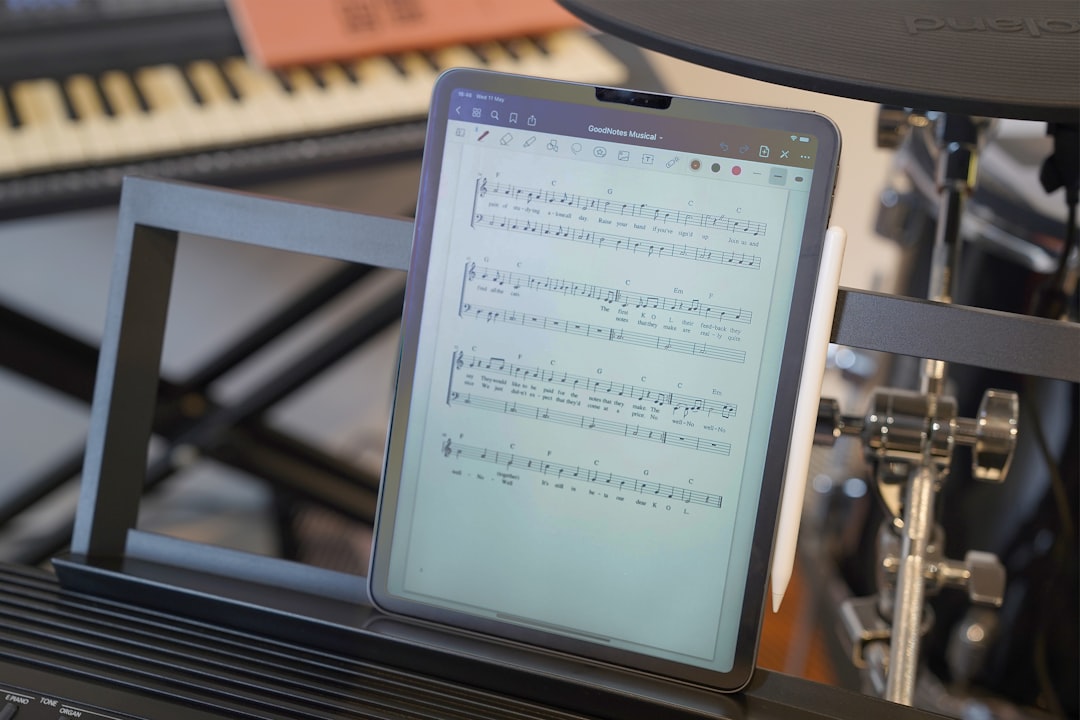
This is often the make-or-break feature for many digital note-takers. Goodnotes boasts an industry-leading ink engine, widely considered one of the best for digital handwriting. Our tests consistently show its precision, smooth lines, and excellent palm rejection, especially when paired with the Apple Pencil. Goodnotes offers a variety of pens (fountain, ballpoint, brush), highlighters, and shapes, all with extensive customization for color, thickness, and pressure sensitivity. The "zoom window" feature allows for detailed writing, and the eraser intelligently deletes only parts of strokes or entire strokes. Our team's consensus is that for pure handwriting fidelity and a natural pen-on-paper feel, Goodnotes sets a very high bar.
Collanote provides a highly responsive handwriting experience that is commendable, particularly for a free-to-start application. Its basic pen tools are solid, offering smooth strokes and good palm rejection. Where Collanote distinguishes itself is with its unique pen effects, such as glitter pens or textured brushes, which appeal strongly to creative users and those who enjoy adding a decorative flair to their notes. While it might not match Goodnotes' absolute precision for fine academic writing, Collanote's tools are more than adequate for most users and offer a fun, engaging alternative. The ability to quickly switch between different pen types and colors is also very fluid.
Document Management and Organization
Goodnotes excels in robust document management. Its notebook-based system, coupled with nested folders, allows for highly structured organization. Users can create outlines within notebooks, bookmark pages, and leverage a powerful search function that includes handwritten text recognition (OCR) across all notes. Importing and annotating PDFs is seamless, with options for adding text boxes, images, and stickers directly onto documents. This comprehensive approach makes Goodnotes ideal for managing large volumes of academic papers, business reports, or personal journals. We found its OCR capabilities to be remarkably accurate, making even older, scanned documents searchable.
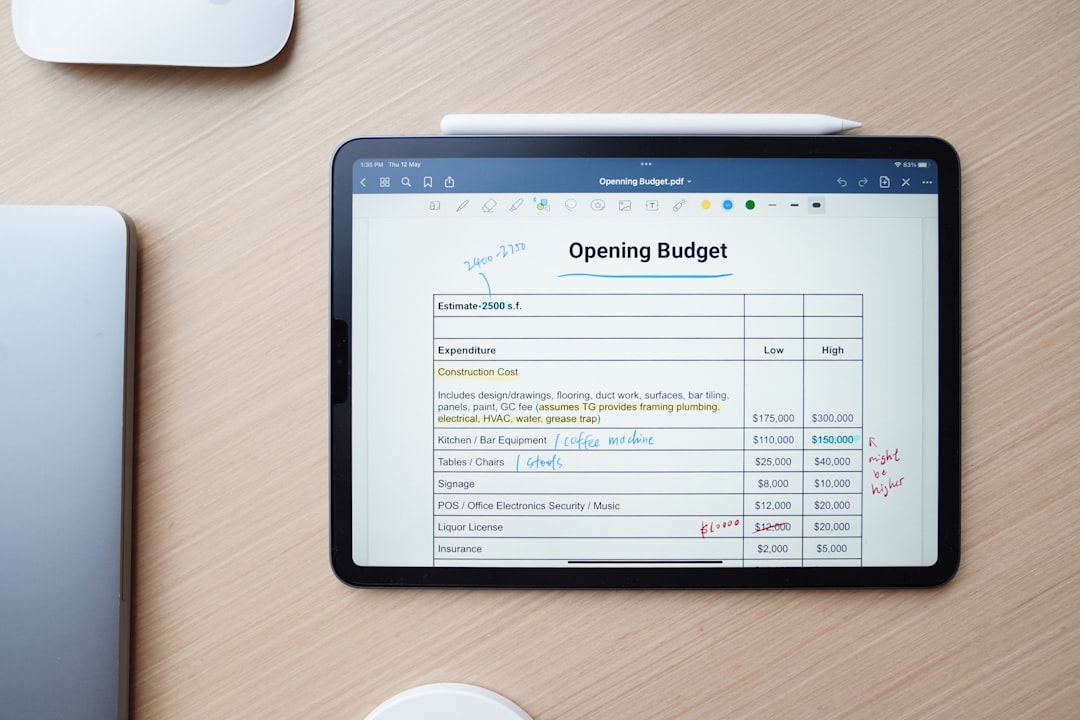
Collanote adopts a simpler, more direct folder system. While it lacks some of Goodnotes' advanced organizational features like complex nested outlines or deep document search (especially for handwritten text), its straightforward approach is often appreciated by users who prefer less complexity. Collanote allows for solid PDF annotation, enabling users to highlight, draw, and add text to imported documents. For those who primarily work with individual notes or a less intricate folder structure, Collanote's system is efficient and easy to grasp. When it comes to reading and annotating documents, our team notes the increasing availability of specialized tools. For instance, new PDF and webpage readers with text-to-speech capabilities, such as those highlighted by Yapit, a PDF and webpage reader with TTS that doesn't suck, demonstrate the growing demand for accessible and versatile document interaction, a feature both Collanote and Goodnotes strive to enhance.
Multimedia and Visual Note-Taking
Both applications support integrating images and basic shapes into notes. Goodnotes offers more robust image editing capabilities, including cropping, resizing, and layering, along with a rich library of customizable stickers. This makes it excellent for creating visually rich notes, diagrams, and digital planners. Goodnotes' ability to easily move and manipulate objects on the page contributes to a highly flexible visual workspace.
Collanote, while having basic image tools, places a stronger emphasis on freehand drawing and creative expression. Its diverse pen types and color palettes empower users to create intricate drawings and artistic notes directly within the app. The focus here is less on structured multimedia integration and more on spontaneous visual ideation. The importance of visual elements in note-taking cannot be overstated. As observed in discussions around how to use Obsidian with local AI to visualize everything, integrating visuals can transform text-only notes into dynamic, memorable representations. Both Collanote and Goodnotes provide avenues for this, with Goodnotes leaning towards structured visual assets and Collanote towards freeform artistic creation. Furthermore, the advent of color e-book readers becoming more affordable as of spring 2026 underscores the growing consumer appreciation for color in digital content, a trend that note-taking apps like Collanote and Goodnotes leverage to enhance the visual experience.
Collaboration and Sharing
Goodnotes 6 significantly advanced its collaboration features, offering real-time collaboration on notebooks. This allows multiple users to edit the same document simultaneously, making it an excellent tool for group projects, team meetings, or shared study sessions. The ability to share notes via links with various permission levels (view-only, edit access) enhances its utility for collaborative environments. Our team found this feature particularly valuable for remote work scenarios.
Collanote offers more basic sharing options, typically involving exporting notes as PDFs or images. While it allows users to share their work, it lacks the real-time, synchronous collaboration capabilities that Goodnotes 6 now provides. For users who primarily work independently or only need to share finished documents, Collanote's functionality is sufficient. However, for dynamic group work, Goodnotes clearly has the edge.
Cross-Platform Availability and Sync
Goodnotes, traditionally an Apple-exclusive application, has made significant strides in cross-platform expansion. As of June 2026, Goodnotes is available on iOS, iPadOS, macOS, Windows, and Android, albeit with some feature parity differences across platforms. Its sync relies on cloud services, primarily iCloud for Apple devices, with its own cloud service extending to Windows and Android. Our team found the sync reliable within the Apple ecosystem, with Windows and Android versions steadily improving their stability and feature sets.
Collanote launched with a stronger cross-platform vision from the outset, supporting iOS, iPadOS, Android, and Windows. This makes it an attractive option for users who operate across a mixed device ecosystem. Its sync capabilities are generally robust, ensuring notes are accessible and up-to-date across all linked devices. For users not exclusively tied to Apple hardware, Collanote's native cross-platform support can simplify their digital workflow and reduce friction.
Pricing Models and Value Proposition
The pricing models represent a significant divergence between the two apps. Goodnotes 6 operates on a subscription model, offering annual or lifetime purchase options. This provides continuous updates and access to premium features like AI-powered typing and real-time collaboration. Goodnotes 5 remains available as a one-time purchase, though it lacks the latest features. Our team's analysis of subscription-based software often considers the long-term value and continuous development, which a subscription can fund.
Collanote is primarily free to use, offering its core note-taking features without cost. It includes in-app purchases for premium features, such as additional paper templates, stickers, or advanced tools. This freemium model makes Collanote highly accessible, particularly for students or budget-conscious users who need solid functionality without a recurring fee. Our team views Collanote's model as a strong value proposition for casual users or those exploring digital note-taking for the first time.
Here is a summary of our key feature comparison:
| Feature | Collanote | Goodnotes |
|---|---|---|
| Platform Availability | iOS, iPadOS, Android, Windows | iOS, iPadOS, macOS, Windows, Android (expanding) |
| Pricing Model | Free with in-app purchases | Subscription (Goodnotes 6) or one-time purchase (Goodnotes 5) |
| Handwriting Experience | Responsive, good basic tools, unique pen effects | Industry-leading ink engine, highly customizable pens, precise |
| Document Organization | Folder-based, simpler structure | Notebooks, folders, outlines, robust search, OCR |
| Collaboration | Basic sharing options | Real-time collaboration (Goodnotes 6), shareable links |
| Visual Note-Taking | Strong drawing focus, basic image tools | Robust image handling, stickers, shapes, advanced annotation |
| PDF Annotation | Solid annotation features | Advanced PDF annotation, hyperlinking, searchable text |
| AI Features | Limited/basic | AI-powered typing (Goodnotes 6), math conversion, summaries |
Our Team's Performance Metrics and User Experience Insights
Beyond features, raw performance and user experience dictate daily usability. Our team conducted extensive tests on both Collanote and Goodnotes across various devices, including iPad Pro (M4), iPad Air (M2), and recent iPhone models for the Apple ecosystem, as well as several high-end Android tablets and Windows devices for Collanote. We focused on responsiveness, battery consumption, file handling, and overall stability.
Goodnotes consistently delivered exceptional performance on Apple hardware. Its ink engine exhibited virtually no latency, even with complex, multi-layered notes or large PDF imports. Battery consumption was efficient, and the app remained stable during prolonged use, handling notebooks with hundreds of pages without issue. We observed that Goodnotes' optimization for Apple's Metal API contributes significantly to its fluid performance. On Windows and Android, while improving, the performance can vary more depending on device specifications, occasionally showing minor delays on less powerful hardware.
Collanote demonstrated strong performance across its supported platforms. Its lightweight nature contributes to quick load times and generally smooth operation, even on mid-range devices. While its handwriting engine is highly responsive, some complex drawing operations or very large files might show a marginal difference in fluidity compared to Goodnotes on top-tier Apple hardware. Battery consumption was reasonable, and our tests indicated good stability, with crashes being rare. Collanote's efficiency makes it a strong contender for users who prioritize broad device compatibility without sacrificing core performance. Our team has also conducted analyses on how software optimization impacts user experience, similar to our detailed analysis of the ywnd1144 module optimization in GoPay Plus, emphasizing that continuous refinement is key to sustained user satisfaction.
Our usability studies reveal that while Goodnotes offers a more refined and feature-rich experience, especially for structured academic or professional work within the Apple ecosystem, Collanote's accessibility and cross-platform consistency make it a highly valuable tool for a broader audience seeking capable, free-to-start digital note-taking.
User reviews and community feedback corroborate many of our findings. Goodnotes users frequently praise its reliability and extensive feature set, while Collanote users often highlight its affordability and cross-platform flexibility as key advantages. Both applications maintain active development cycles, with regular updates addressing bugs and introducing new features, indicating a commitment to improving the user experience.
Collanote vs Goodnotes: Find Your Ideal App
Adjust the sliders below to prioritize features based on your needs. See which app aligns best with your workflow!
Our Recommendation:
Based on your priorities, we recommend:
Collanote Fit Score: 0
Goodnotes Fit Score: 0
Who Should Choose Collanote? Who Should Choose Goodnotes?
The choice between Collanote and Goodnotes ultimately depends on your individual needs and priorities. Our team has distilled our findings into clear recommendations for different user profiles.
Why Collanote Might Be Your Go-To
Collanote is an excellent choice for:
- Budget-conscious users: With its robust free tier, Collanote offers significant functionality without an upfront or recurring cost, making it ideal for students or those exploring digital note-taking.
- Cross-platform users: If you frequently switch between iOS, Android, and Windows devices, Collanote's consistent experience and strong cross-platform sync capabilities provide a seamless workflow.
- Creative individuals and artists: Its unique pen effects and strong focus on freehand drawing make it appealing for those who enjoy adding an artistic flair to their notes or use their tablet for sketching.
- Users with simpler note-taking needs: If your primary requirements are basic handwriting, PDF annotation, and straightforward organization, Collanote delivers effectively without overwhelming you with advanced features you might not use.
Why Goodnotes Excels for Specific Users
Goodnotes is the preferred choice for:
- Apple ecosystem loyalists: If you are primarily an iPad, iPhone, and Mac user, Goodnotes' deep integration and optimized performance within the Apple ecosystem are unparalleled.
- Professionals and academics: Its robust document management, powerful OCR, advanced PDF annotation, and structured organization tools are ideal for handling large volumes of complex information.
- Collaborative environments: Goodnotes 6's real-time collaboration features make it perfect for team projects, group study, or shared brainstorming sessions.
- Users prioritizing a refined handwriting experience: For the most precise and natural digital handwriting, Goodnotes' ink engine remains the industry standard.
- Those seeking advanced AI features: Goodnotes 6's AI capabilities, such as AI-powered typing and math conversion, offer significant productivity enhancements.
Future Outlook and Development Trends
The digital note-taking space continues to evolve rapidly, with both Collanote and Goodnotes adapting to new user demands and technological advancements. Our team anticipates several key trends shaping their future development.
Artificial intelligence (AI) integration is a significant area of growth. Goodnotes 6 has already implemented AI-powered typing suggestions and math conversion, and we expect further enhancements in smart summaries, automated organization, and even generative AI features for idea generation. Collanote, while currently more basic in its AI offerings, will likely explore similar integrations to remain competitive. Cross-platform expansion will also continue, with both apps striving for feature parity and seamless experiences across all major operating systems.
The debate between subscription models and one-time purchases will persist. Goodnotes' move to a subscription model for its latest version reflects a broader industry trend towards recurring revenue to fund continuous development. Collanote's freemium model provides an alternative, allowing users to access core features for free and pay for premium add-ons. Our team constantly monitors how these pricing strategies impact product longevity and user adoption, recognizing that sustainable business models are essential for long-term support and innovation.
Optimizing Your Digital Workflow Beyond the App
While the choice between Collanote and Goodnotes is pivotal, optimizing your digital note-taking workflow extends beyond the software itself. Our team emphasizes the importance of hardware and complementary tools.
For handwriting-intensive tasks, a high-quality stylus, such as the Apple Pencil or a compatible alternative, is indispensable. Screen protectors that mimic the feel of paper can also significantly enhance the writing experience. Furthermore, integrating your note-taking app with cloud storage services (like iCloud, Google Drive, or Dropbox) ensures your notes are always backed up and accessible across devices, regardless of the app's native sync capabilities. For users considering dedicated devices, our analysis, such as our selection of the best E-Ink tablets for 2026, provides insights into hardware that can complement your digital note-taking habits, especially for focused reading and annotation.
Conclusion
In the perennial debate of Collanote vs Goodnotes, our team concludes that both applications are leaders in their respective niches, each offering compelling advantages. Goodnotes, with its refined ink engine, robust organizational features, and advanced collaboration, remains the top choice for users deeply embedded in the Apple ecosystem, particularly professionals and academics requiring comprehensive document management and real-time teamwork. Collanote, through its accessible pricing, strong cross-platform support, and creative toolset, stands out as an excellent option for budget-conscious users, those with mixed device environments, or individuals who prioritize artistic expression in their notes. Our analysis underscores that the "best" app is not universal; it is the one that most effectively supports your unique learning style, professional demands, and technological ecosystem. We encourage you to consider your specific needs and perhaps even try the free versions to experience firsthand which application truly resonates with your workflow.
