
 SaaS Metrics
Codex's Linux Sandbox: Bubblewrap & User Namespaces
Encountering a system error message can be a frustrating experience, especially when it points to complex underlying mechanisms. One such message, often seen by developers and system administrators working with containerized environments, is: ⚠ codex's linux sandbox uses bubblewrap and needs access to create user namespaces. This warning signals a fundamental challenge in balancing application isolation with host system security policies. For users of tools like Codex CLI, particularly when deployed on specialized hardware like Synology Network Attached Storage (NAS) devices, understanding this message is the first step toward resolution.
The core of this issue lies in how modern Linux systems provide application sandboxing. Tools like Bubblewrap are designed to create highly isolated environments, preventing potentially malicious or misbehaving applications from affecting the host system. This isolation heavily relies on Linux kernel features, primarily user namespaces. However, not all Linux distributions or device kernels, especially those on consumer-grade appliances, enable these features by default or without specific configurations, leading to the “Operation not permitted” errors that halt application execution.
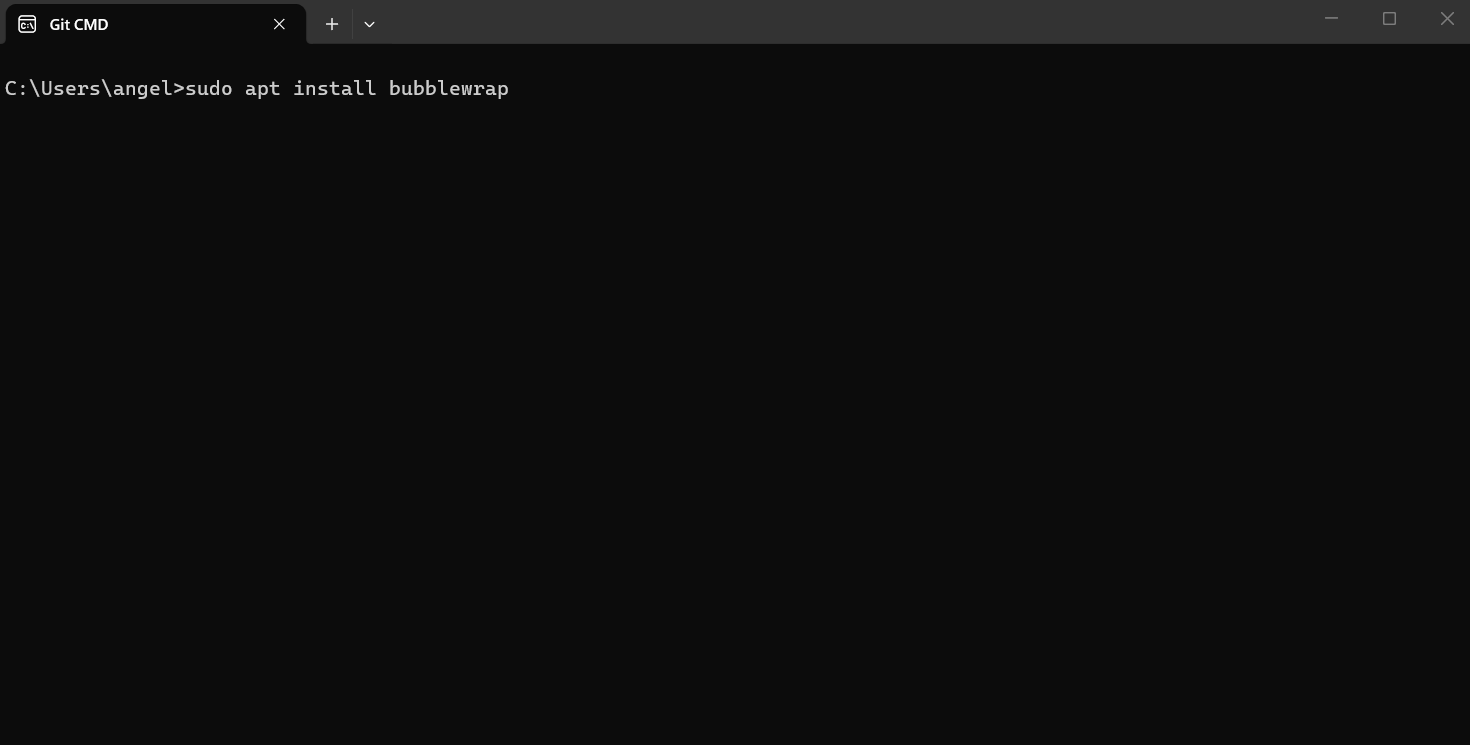
This article aims to provide a comprehensive analysis of this problem, dissecting the roles of Codex, Bubblewrap, and user namespaces. We will explore why this error occurs, particularly in environments like Synology NAS, and detail the various solutions and workarounds available as of April 2026. For those who have already encountered the specific issue of Codex CLI Bubblewrap (bwrap) sandbox failures on Synology NAS, this deep dive will offer clarity and actionable steps.
Understanding the Core Components: Codex, Bubblewrap, and User Namespaces
To effectively address the sandbox error, it is essential to first grasp the individual roles of the technologies involved.
What is Codex?
Codex, in this context, refers to a command-line interface (CLI) tool often associated with AI-powered development assistants, such as those integrated with large language models like ChatGPT Plus or Claude. These tools aim to streamline coding workflows by automating tasks, suggesting code, and even applying patches. For instance, the context refers to “Codex CLI inside HolyClaude,” indicating its use within a larger ecosystem designed to bring AI assistance to development tasks. The goal is to provide a powerful, portable development environment, often containerized, that can run on various hosts, from personal computers to servers and even NAS devices.
What is Bubblewrap (bwrap)?
Bubblewrap, often abbreviated as bwrap, is a lightweight sandboxing tool designed for Linux. It allows unprivileged users to run applications in a restricted environment, providing a strong security boundary between the application and the host system. Bubblewrap achieves this by creating a new, isolated environment for the application, complete with its own filesystem, network, and process space. It’s a fundamental component in many modern containerization and sandboxing solutions, including Flatpak, where it provides the low-level isolation. Its design prioritizes security and minimal overhead, making it an attractive choice for applications requiring robust sandboxing without the full complexity of a virtual machine.
What are User Namespaces?
User namespaces are a powerful Linux kernel feature that allows a process to have a distinct set of user and group IDs than the initial user and group IDs of the system. In simpler terms, a process running inside a user namespace can be root (UID 0) within that namespace, while being an unprivileged user outside of it. This capability is absolutely fundamental for tools like Bubblewrap because it enables unprivileged users to perform operations that would normally require root privileges, such as creating new mount points or network interfaces, all within their isolated sandbox. Without user namespaces, sandboxing tools would either require root privileges for setup (a security risk) or be severely limited in the types of isolation they could provide. They are a cornerstone of modern container security, allowing for robust isolation without granting excessive privileges to the container runtime or the contained application.
The Problem: “Operation Not Permitted” on Synology NAS
The error message “bwrap: Creating new namespace failed: Operation not permitted” is a direct indicator that the host system’s kernel is preventing Bubblewrap from creating the necessary user namespaces. This is a common occurrence on specific platforms, and the context data highlights Synology NAS devices as a prime example.
Synology’s Kernel Restrictions
Synology NAS devices, while running a Linux-based operating system (DiskStation Manager, or DSM), often employ highly customized and hardened kernels. These kernels are optimized for stability, security, and the specific hardware and software ecosystem of the NAS. As a result, certain advanced Linux kernel features, such as unprivileged user namespaces, might be disabled or restricted by default. This is often a deliberate security choice by device manufacturers to reduce the attack surface on systems that are designed to be “set and forget” appliances rather than general-purpose Linux servers. The GitHub issue “Codex CLI: bubblewrap (bwrap) sandbox fails on Synology NAS — apply_patch broken” clearly states: “This is caused by Synology’s kernel restricts [sic] user namespaces.”
The apply_patch Tool Failure
The specific failure observed in the context is related to the apply_patch tool within the Codex CLI. This tool likely attempts to perform file system operations or execute commands that require a sandboxed environment, which in turn depends on Bubblewrap and user namespaces. When Bubblewrap cannot create these namespaces, the apply_patch operation fails, rendering a core functionality of Codex inoperative. This highlights how deeply integrated these sandboxing mechanisms are with the application’s intended functionality.
“Thanks for the detailed report. This is a clear issue with bubblewrap needing user namespaces that Synology kernels restrict.” — A developer’s acknowledgment on the GitHub issue, confirming the root cause.
Solutions and Workarounds for ⚠ Codex's Linux Sandbox Uses Bubblewrap and Needs Access to Create User Namespaces
Addressing this issue requires understanding the trade-offs between security, convenience, and functionality. Several approaches exist, ranging from direct system modifications to application-level adjustments.
The Setuid Bit Fix for Bubblewrap
One of the most direct and commonly implemented solutions, particularly for environments where kernel modifications are impractical, is to enable the setuid bit on the bwrap executable. As detailed in the GitHub issue comments, the fix involves:
RUN apt-get install -y bubblewrap && chmod u+s /usr/bin/bwrap
This command does two things: first, it ensures Bubblewrap is installed (if not already present), and second, it sets the setuid (set user ID) bit on the /usr/bin/bwrap executable. When the setuid bit is set, the program runs with the effective user ID of the file’s owner, rather than the user executing it. In this case, if bwrap is owned by root, it will run with root privileges. This allows Bubblewrap to create user namespaces even if the kernel restricts unprivileged user namespace creation, because it is now running with the necessary elevated privileges.
Security Implications of Setuid: While effective, setting the setuid bit on any executable, especially one as powerful as Bubblewrap, introduces a security consideration. A compromised setuid binary could potentially be exploited to gain root access on the system. However, Bubblewrap itself is designed with security in mind and is regularly audited. The developer’s comment on the GitHub issue notes that “on standard linux hosts bwrap still uses namespaces normally so no behavior change there, the setuid bit only kicks in on r[estricted systems].” This implies a thoughtful implementation where the setuid bit acts as a fallback for specific environments, minimizing its impact on more permissive systems. This approach is often a pragmatic compromise for appliance-like systems where the user cannot easily modify kernel settings.
Kernel Configuration: Enabling unprivileged_userns_clone
For systems where kernel parameters can be modified, the underlying cause — the restriction on user namespaces — can be directly addressed. The relevant kernel parameter is typically kernel.unprivileged_userns_clone. Setting this parameter to 1 (e.g., via sysctl -w kernel.unprivileged_userns_clone=1 and making it persistent in /etc/sysctl.conf) explicitly allows unprivileged users to create user namespaces. This is the “proper” way to enable the feature without relying on setuid binaries. However, on Synology NAS or other embedded systems, modifying kernel parameters directly might be challenging, not officially supported, or even reverted after system updates.
Alternative Sandboxing Approaches
While Bubblewrap is excellent for lightweight sandboxing, other tools exist that might offer different compatibility profiles:
- Docker/Podman: These container runtimes offer their own robust sandboxing mechanisms. If Codex CLI is deployed within a Docker container, the container runtime itself handles much of the isolation. However, if the container *itself* then tries to run
bwrap, it might still hit the same kernel restrictions if the container isn’t sufficiently privileged or the host kernel is too restrictive. - chroot: A more rudimentary form of isolation,
chrootchanges the apparent root directory for the current running process and its children. It offers less isolation than namespaces but might work in very restricted environments if the application can be adapted. - Virtual Machines: For ultimate isolation and control over the kernel, running Codex within a full virtual machine (VM) would bypass host kernel restrictions entirely. However, VMs introduce significant overhead in terms of resources and management complexity.
Deep Dive into Linux Security and Sandboxing
The issue with Bubblewrap and user namespaces is a microcosm of broader Linux security principles. Understanding these principles helps in appreciating why such errors occur and why their solutions are designed the way they are.
Importance of Sandboxing
Applications often interact with untrusted data or execute arbitrary code, as is the case with AI coding assistants that might generate and execute code snippets. Sandboxing is a critical security measure that isolates these applications from the rest of the system. If an application is compromised, the sandbox limits the damage an attacker can inflict. This isolation is akin to a child playing in a designated playpen; they can interact with their toys, but cannot wander off and cause mischief in the rest of the house. For powerful tools like Codex, which can interact with system resources, robust sandboxing is not just a feature, but a necessity for secure operation.
Kernel Security Features: Namespaces, Cgroups, Seccomp
Modern Linux security relies on a suite of kernel features:
- Namespaces: As discussed, these isolate various system resources (processes, network, mount points, users, IPC, UTS) for different groups of processes. User namespaces are particularly important for enabling unprivileged containers.
- Control Groups (cgroups): Cgroups manage and limit the resources (CPU, memory, disk I/O, network) that processes can use. They prevent a single application from monopolizing system resources, ensuring system stability.
- Seccomp (Secure Computing Mode): Seccomp allows a process to restrict the system calls it can make to the kernel. This is a very fine-grained security mechanism that can prevent an application from performing dangerous operations, even if it has somehow gained elevated privileges within its sandbox.
- SELinux/AppArmor: These are mandatory access control (MAC) systems that enforce granular security policies, even for the root user. They provide an additional layer of defense by defining what processes can access based on predefined rules.
Bubblewrap leverages many of these features to construct its secure environment. When one piece, like user namespaces, is unavailable, the entire sandboxing chain can break.
The Role of User Namespaces in Modern Linux
User namespaces have been a transformative feature for Linux security, enabling a new generation of containerization technologies. Before user namespaces, achieving strong isolation often required privileged processes to set up containers, creating a larger attack surface. By allowing unprivileged users to create their own isolated environments, user namespaces have democratized containerization, making tools like Flatpak and unprivileged Docker containers possible. This shift has significantly improved the security posture of many Linux desktops and servers, allowing users to run potentially untrusted applications with reduced risk.
As of April 2026, the adoption of user namespaces is widespread across major Linux distributions, becoming a standard component for secure application deployment. However, specialized embedded systems or hardened enterprise kernels may still opt to restrict them for specific security profiles or compatibility reasons.
Your Priorities & Environment
Recommended Solution & Impact
Impact on Developers and System Administrators
The challenge posed by the “Operation not permitted” error extends beyond the immediate fix; it highlights broader considerations for developers and system administrators.
Challenges of Deploying Applications
Developers creating tools like Codex CLI, which rely on advanced kernel features for security, must contend with a fragmented Linux ecosystem. Different host operating systems, kernel versions, and configurations mean that a solution working perfectly on one system might fail on another. This requires careful testing, robust error handling, and often, the implementation of fallback mechanisms, such as the setuid Bubblewrap fix. The need for cross-device compatibility is also a growing concern, as users expect applications to function seamlessly across their various electronics. For insights into broader device integration, consider exploring the Best Cross-Device Ecosystem Premium Electronics in 2026.
Best Practices for Containerized Environments
System administrators deploying applications in containerized environments need to be aware of the host system’s capabilities and limitations. Best practices include:
- Understanding Kernel Features: Verify that the host kernel supports the necessary features (e.g., user namespaces, cgroups) for the intended container runtime and applications.
- Principle of Least Privilege: Grant containers only the permissions they absolutely need. Avoid running containers as root unless strictly necessary.
- Regular Updates: Keep the host OS, kernel, and container runtime up to date to benefit from the latest security patches and feature enhancements.
- Security Auditing: Periodically audit container configurations and host security settings to identify and mitigate potential vulnerabilities.
Strategies for Managing Security and Functionality Trade-offs
The choice between enabling user namespaces, using a setuid binary, or opting for a different sandboxing method is fundamentally a trade-off. Enabling user namespaces broadly might expand the attack surface, albeit minimally if the kernel is well-maintained. Using a setuid binary introduces a specific point of privilege escalation risk. Limiting functionality by not sandboxing at all is generally unacceptable for security-sensitive applications.
The optimal strategy depends on the deployment environment’s specific security requirements, the level of trust in the application, and the administrative control available over the host system. For consumer-grade devices like NAS, where direct kernel modification is difficult, the setuid fix offers a pragmatic balance.
Case Study: Codex CLI on Synology NAS (2026 Perspective)
The specific issue with Codex CLI and Bubblewrap on Synology NAS provides a valuable real-world case study for these sandboxing challenges.
HolyClaude and Codex CLI Deployment
The context describes HolyClaude as a platform where Codex CLI is used, often deployed via Docker Compose behind Traefik and Authentik on a Synology NAS. This setup represents a sophisticated home or small business server environment, where users leverage NAS capabilities for more than just file storage. The desire to run advanced AI tools like Codex on such a device underscores the increasing demand for powerful, local computing capabilities.
The initial failure of the apply_patch tool — “bwrap: Creating new namespace failed: Operation not permitted” — was a showstopper for core functionality. This highlights the importance of compatibility testing across diverse Linux environments, even those based on the same kernel.
User Experience and Community Response
The GitHub issue comments reveal a responsive developer and an engaged community. One user noted the cumbersome experience of repeated permissions on a phone while interacting with tools like Node, asking if these limitations could be addressed. This points to the broader challenge of making powerful developer tools accessible and user-friendly across different form factors, including mobile devices. While not directly related to the sandboxing issue, it highlights the user experience considerations for such tools. For similar discussions on device interaction, one might look at the Best E-Ink Tablet 2026: Expert Choices for Reading & Notes, which explores how different devices handle user input and application interaction.
The developer’s quick action to implement the setuid fix and release it in v1.1.6 demonstrates the agility required in modern software development to address platform-specific challenges. The appreciation from the first supporter, who offered a €5 donation, further underscores the value users place on functional and well-supported tools.
Future Outlook for Tools on Restricted Hardware (April 2026)
As of April 2026, the trend for consumer-grade appliances like NAS devices is to become more capable, often supporting containerized applications. However, their core kernels are likely to remain conservative in enabling potentially risky features by default. This means that solutions like the setuid Bubblewrap fix will continue to be relevant for the foreseeable future. Developers targeting these platforms must continue to anticipate and provide workarounds for such kernel restrictions, or offer alternative deployment methods that do not rely on these specific features. The balance between offering advanced functionality and maintaining system security on these devices remains a key challenge.
Beyond Synology: Broader Implications for Linux Systems
The Synology NAS case is a specific instance of a general problem. The way different Linux systems handle user namespaces varies, impacting application deployment everywhere.
How Different Distributions Handle User Namespaces
Mainstream Linux distributions like Ubuntu, Fedora, Debian, and Arch Linux generally enable unprivileged user namespaces by default. This is because they are seen as a vital component for modern desktop and server security, enabling Flatpak, Snap, and unprivileged containerization. However, enterprise distributions (e.g., RHEL, CentOS Stream) might have more conservative default settings, sometimes requiring explicit configuration to enable these features, especially in older versions or highly secure environments. The reason often stems from a desire for maximum stability and a reduced attack surface, particularly in server contexts where every enabled feature is a potential vulnerability.
Enterprise Environments vs. Consumer Devices
The disparity between enterprise and consumer environments is significant. In enterprise settings, system administrators typically have full control over kernel parameters and can make informed decisions about security trade-offs. They can enable user namespaces, configure SELinux/AppArmor, and fine-tune resource limits. On consumer devices, such as a Synology NAS or a custom-built home server, users often lack this granular control, making application-level workarounds (like the setuid fix) their only viable option. This distinction highlights a growing need for flexible deployment strategies from developers.
The Ongoing Evolution of Linux Security
Linux security is not static. Kernel developers constantly introduce new features and refine existing ones to address emerging threats and enable new paradigms like unprivileged containerization. The journey of user namespaces from a relatively experimental feature to a widely adopted security primitive is a prime example. As of April 2026, research continues into further enhancing container isolation, such as confidential computing and hardware-assisted security features, which will undoubtedly influence how applications like Codex are secured and deployed in the coming years. For users managing complex home setups, understanding these evolving technologies can be as important as choosing the Best Home Assistant 2026: Alexa, Google, Apple HomeKit Compared, as both involve integrating diverse technologies into a cohesive, functional system.
Comparing Sandboxing Approaches
To summarize the various methods of isolating applications, here is a comparison table focusing on their characteristics and suitability for different scenarios:
| Sandboxing Method | Isolation Level | Privilege Requirement | Resource Overhead | Typical Use Case |
|---|---|---|---|---|
| Bubblewrap (Unprivileged) | High (namespaces, seccomp) | Unprivileged user (requires kernel.unprivileged_userns_clone=1) | Low | Flatpak apps, individual untrusted binaries |
| Bubblewrap (Setuid) | High (namespaces, seccomp) | Root for setup (via setuid bit) | Low | Restricted kernels (e.g., Synology NAS), specific application needs |
| Docker/Podman Containers | High (namespaces, cgroups, seccomp) | Root or daemon (can run unprivileged if configured) | Moderate | Microservices, application deployment, development environments |
| chroot | Low (filesystem isolation only) | Root for setup | Very Low | Basic environment isolation, legacy applications |
| Virtual Machine (VM) | Very High (full kernel isolation) | Hypervisor privileges | High | Running different OSes, strong security boundaries, legacy systems |
Conclusion
The error message “⚠ codex's linux sandbox uses bubblewrap and needs access to create user namespaces.” is more than just a technical glitch; it’s a signal of the intricate dance between application functionality, host system security, and kernel capabilities. For users and developers of tools like Codex CLI, especially on platforms with customized kernels such as Synology NAS, understanding this interaction is paramount.
As we’ve explored, Bubblewrap relies on user namespaces to provide robust, unprivileged sandboxing. When a host kernel, like Synology’s, restricts this feature, applications face an “Operation not permitted” error. The pragmatic solution, as demonstrated by the Codex CLI community, often involves enabling the setuid bit on the bwrap executable, allowing it to function with necessary privileges in restricted environments. While this introduces a slight security trade-off, it is often the most viable path for maintaining functionality where direct kernel modifications are not feasible.
Looking ahead to 2026 and beyond, the need for secure and portable application deployment will only grow. Developers will continue to navigate the complexities of diverse Linux environments, while system administrators will seek efficient ways to balance robust security with the flexibility required for modern applications. By understanding the underlying mechanisms of sandboxing and the specific challenges posed by different operating environments, users can effectively troubleshoot and resolve these issues, ensuring their powerful tools like Codex CLI operate smoothly and securely.
