
 SaaS Metrics
Digital Ink Duel: Apple Notes vs GoodNotes 2026 Review
In the evolving world of digital productivity, choosing the right note-taking application can significantly impact your workflow, creativity, and information retention. For users entrenched in the Apple ecosystem, particularly those leveraging the power of an iPad and Apple Pencil, the perennial debate often boils down to two titans: Apple Notes and GoodNotes. As of April 2026, both applications have matured considerably, offering robust feature sets tailored to different user needs.
This comprehensive analysis dives deep into the capabilities, user experience, and strategic advantages of Apple Notes vs GoodNotes 2026: The Definitive Comparison, helping you make an informed decision for your digital note-taking journey. We will dissect everything from handwriting precision to advanced organizational tools, considering how each app performs on the latest Apple hardware, including the recently updated M4 iPad Air and M5 iPad Pro.
If you're weighing your options for the best note-taking apps for iPad with Apple Pencil in 2026, this article provides the detailed insights you need to choose your champion.
Understanding the Core Contenders: Apple Notes vs GoodNotes 2026
Before we pit them against each other, it is important to understand the fundamental philosophies behind Apple Notes and GoodNotes as they stand in 2026. Each app has carved out its niche, appealing to distinct user profiles with its unique approach to digital information capture.
Apple Notes: The Integrated Powerhouse
Apple Notes, once a simple, often overlooked utility, has undergone a remarkable transformation over the past few years. It has evolved into a sophisticated, feature-rich application deeply integrated into the entire Apple ecosystem. From its beginnings, Apple Notes benefited from being free and pre-installed on every iPhone, iPad, and Mac, making it the default choice for millions.
As of 2026, its strengths lie in its seamless synchronization across devices via iCloud, its robust search capabilities, and its increasing array of tools for rich media and organization. Apple's continuous hardware advancements, such as the M4 chip in the latest iPad Air, directly enhance Notes' performance, offering fluid handwriting and quick access to features. The M4 iPad Air vs. M5 iPad Pro Buyer's Guide highlights how powerful these devices are, providing an optimal canvas for Apple Notes. Its free nature and tight integration mean zero friction for existing Apple users.
GoodNotes: The Professional's Choice for Digital Ink
GoodNotes, on the other hand, began as a premium, purpose-built application designed specifically for digital handwriting and PDF annotation. Over the years, it has maintained its focus on replicating the pen-and-paper experience with digital precision, while also expanding into a comprehensive digital notebook solution.
In 2026, GoodNotes is renowned for its customizable paper templates, advanced pen tools, superior PDF markup capabilities, and flexible organizational structure. It caters particularly to students, academics, and professionals who demand a high degree of control over their handwritten notes and document workflows. While it traditionally required a one-time purchase, GoodNotes has diversified its pricing model, offering subscription tiers that provide access to premium features and cross-platform syncing beyond Apple's walled garden, including Windows and Android.
Feature-by-Feature Showdown: Apple Notes vs GoodNotes 2026
To truly understand which application reigns supreme for your needs, we must dissect their core functionalities. This section offers a direct comparison of key features, providing a clear picture of how Apple Notes vs GoodNotes 2026 stack up.
Handwriting and Apple Pencil Experience
The Apple Pencil is the linchpin of digital note-taking on iPad, and how each app leverages it is critical. Apple Notes has significantly improved its handwriting engine. Scribble, the feature that converts handwritten text to typed text, is now incredibly accurate and integrated throughout iPadOS. Notes offers a good selection of pen types, highlighters, and a ruler, along with a fluid writing experience that benefits from the low latency of the latest Apple Pencils.
GoodNotes, however, has traditionally been the gold standard for handwriting. Its vector ink engine allows for incredibly smooth, scalable handwriting that looks pristine regardless of zoom level. GoodNotes offers a broader range of pen styles (fountain pen, ballpoint, brush pen), customizable colors, thicknesses, and pressure sensitivity settings. Its "Lasso Tool" for selecting and manipulating handwritten elements is more powerful, allowing for resizing, color changes, and conversion to text with greater flexibility. For those prioritizing a premium, customizable handwriting experience, GoodNotes often holds an edge.
Organization and File Management
Effective organization is essential for long-term productivity. Apple Notes employs a straightforward folder structure, augmented by a powerful tagging system introduced in recent iPadOS updates. You can quickly create nested folders, and smart folders can automatically collect notes based on tags or other criteria. Its global search is incredibly fast, indexing both typed and handwritten text, as well as text within images and scanned documents.
GoodNotes adopts a notebook-centric approach, mimicking physical binders. Users create notebooks, each with its own paper type and cover, which are then organized into folders and subfolders. While it also offers tagging and robust search, its strength lies in the visual metaphor of digital notebooks, which many find intuitive for specific subjects or projects. GoodNotes allows for more granular control over individual pages within notebooks, including reordering, duplicating, and inserting new pages with different templates.
PDF Annotation and Document Markup
For many users, annotating PDFs is a core note-taking activity. Apple Notes provides solid PDF annotation tools, allowing you to mark up documents with the Apple Pencil, add text boxes, signatures, and shapes. It's perfectly adequate for basic review and markup tasks.
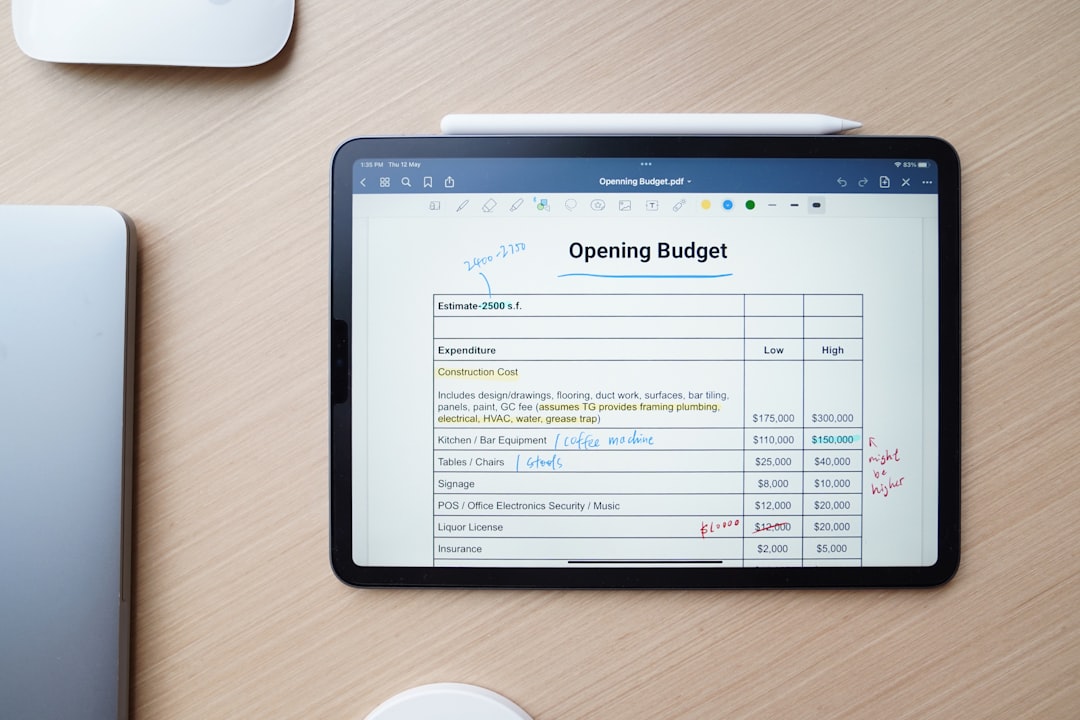
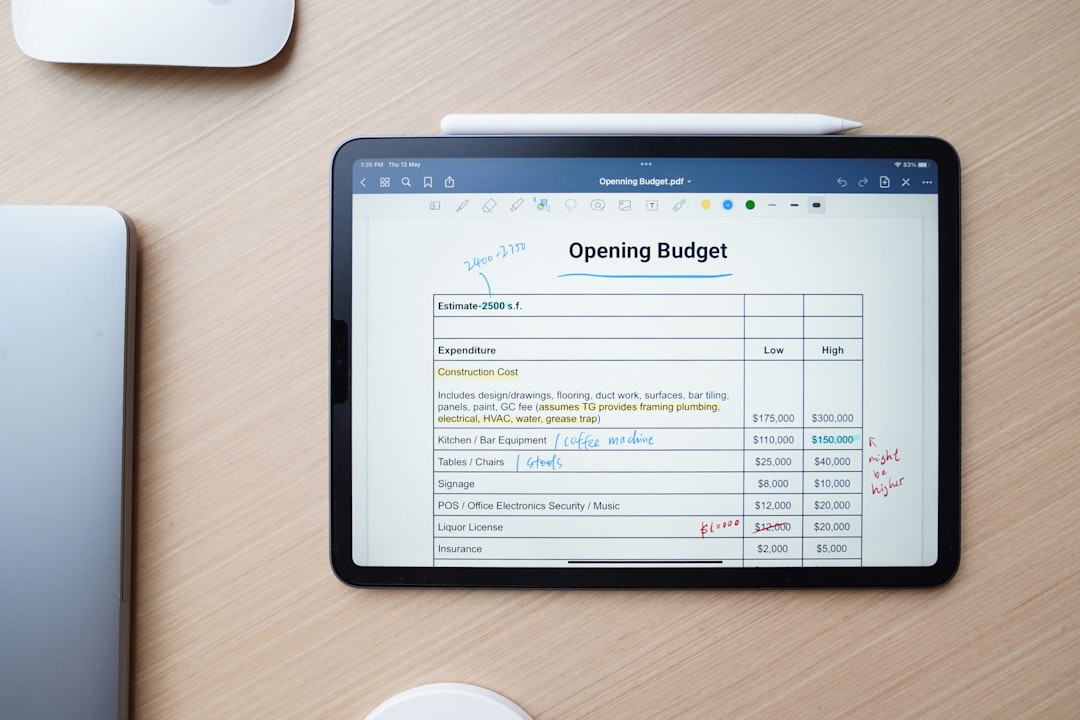
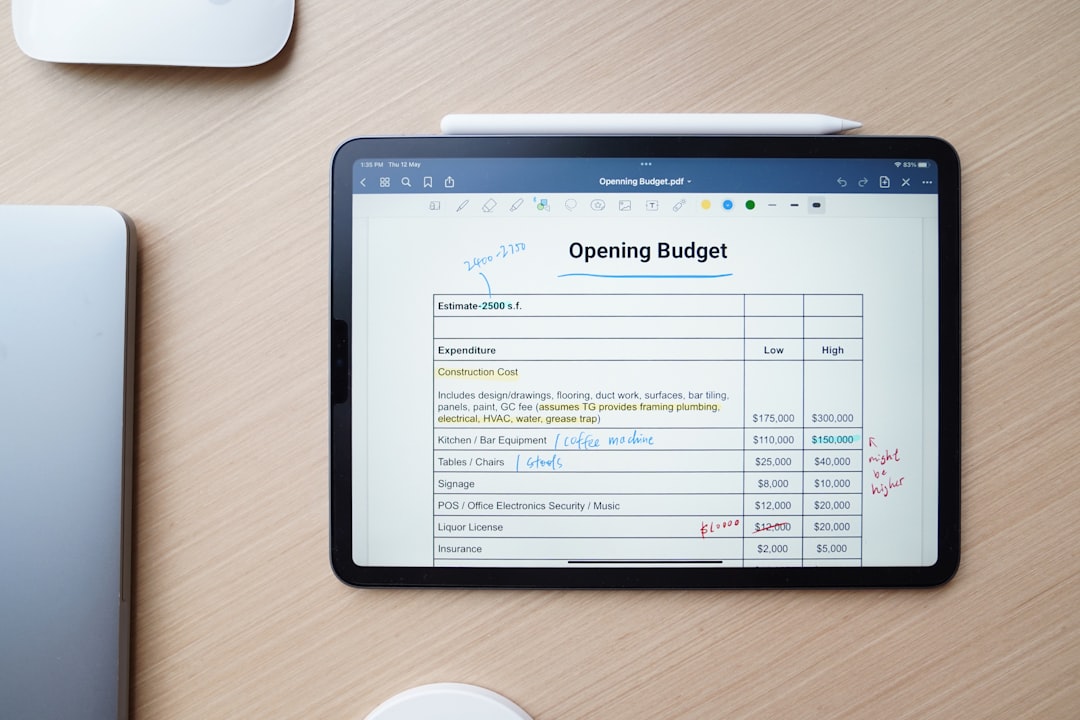
GoodNotes, by design, excels here. It treats PDFs as integral parts of its notebooks, offering a seamless experience for importing, annotating, and managing documents. Its advanced tools include a dedicated highlighter that snaps to text, the ability to erase only highlights, and more precise shape tools. The experience of working with academic papers, textbooks, or professional reports is often smoother and more feature-rich in GoodNotes. This makes it a preferred tool for students and researchers.
Multimedia Integration and Rich Notes
Modern note-taking extends beyond text and handwriting. Apple Notes has made significant strides in multimedia integration. You can embed photos, videos, scanned documents, web links, and even audio recordings directly into your notes. The ability to quickly scan documents using the iPad's camera directly into a note is particularly convenient. However, a common user frustration highlighted in reviews for similar apps, like Notion, pertains to basic text manipulation, with one user noting, "You say you want to select all the text in a note on an iPhone? How about just a paragraph instead? Yeah that’s a feature. We redefined “all”." This underscores the importance of intuitive UI/UX even for seemingly simple tasks, something both Apple Notes and GoodNotes generally handle well but must continuously refine.
GoodNotes also supports embedding images, scanned documents, and web links. Its audio recording feature, while present, is more basic than some dedicated voice note apps. However, its strength lies in the ability to integrate these elements seamlessly within a handwritten context. You can draw directly over images or place text boxes precisely where needed. While Google NotebookLM received praise for its quality, with one user exclaiming, "Wow realmente no esperaba ni imaginaba la calidad y lo bueno que es," indicating a high bar for quality in integrated features, both Apple Notes and GoodNotes offer compelling multimedia experiences, albeit with different focuses.
Collaboration and Sharing
In 2026, collaborative features are more important than ever. Apple Notes offers robust real-time collaboration. You can invite others to view or edit notes, and changes sync instantly. This makes it an excellent tool for family shopping lists, project brainstorming, or shared meeting minutes within an Apple-centric team. Sharing notes via various Apple services or standard document formats is also straightforward.
GoodNotes provides sharing capabilities, allowing you to export notebooks or individual pages as PDFs, images, or its proprietary GoodNotes format. It also supports collaborative features, though traditionally not as deeply integrated or real-time as Apple Notes' native offering. For professional environments that frequently require shared documents and discussions, the ease of collaboration in Apple Notes can be a significant advantage, especially if all participants are on Apple devices.
AI Integration and Smart Features
Artificial intelligence is rapidly transforming productivity tools. As of April 2026, both Apple Notes and GoodNotes are integrating AI in meaningful ways. Apple Notes leverages on-device intelligence for handwriting recognition, smart suggestions, and object recognition within images, enhancing its search capabilities. Apple's broader commitment to AI, evidenced by strategic delays in products like the 2026 Apple TV 4K to prioritize smarter Siri integration, suggests future AI enhancements will likely flow into Notes.
GoodNotes has also been investing in AI, particularly for handwriting analysis, improved text conversion, and smart organization features like automatically categorizing notes based on content. Its focus remains on enhancing the core note-taking experience with AI rather than broader, ecosystem-wide AI implementations. Both apps are poised to further integrate AI for summarization, content generation, and intelligent organization in the coming years, making them more powerful personal assistants.
Cross-Platform Availability and Ecosystem Lock-in
This is a major differentiating factor. Apple Notes is exclusively available on Apple devices (iOS, iPadOS, macOS, watchOS). Its strength is its deep integration within this ecosystem, offering features like Quick Note, system-wide sharing, and seamless Handoff between devices. However, this also means anyone outside the Apple ecosystem cannot access or contribute to your notes.
GoodNotes has expanded its reach significantly. While initially an Apple-exclusive app, it now offers versions for Windows and Android, making it a more versatile choice for users who operate across multiple platforms or collaborate with individuals using non-Apple devices. This cross-platform availability comes with its own cloud syncing mechanisms, often relying on third-party services like Google Drive or OneDrive, offering flexibility but sometimes adding layers of complexity compared to Apple Notes' native iCloud sync.
Pricing Model and Value Proposition
Apple Notes is free, included with every Apple device. This makes its value proposition incredibly high, especially for casual users or those who are already deeply invested in the Apple ecosystem. There are no hidden costs, subscriptions, or premium tiers to consider.
GoodNotes offers a freemium model as of 2026. A basic version is often free with limitations (e.g., number of notebooks), while a one-time purchase or a subscription (GoodNotes Pro) unlocks all features, unlimited notebooks, and cross-platform access. For dedicated users, students, or professionals who rely heavily on digital ink, the cost of GoodNotes Pro is often justified by its specialized features and superior handwriting experience. However, for those concerned about subscription fatigue, the free nature of Apple Notes remains a compelling factor.
Here is a quick comparison table of key features:
| Feature | Apple Notes (2026) | GoodNotes (2026) |
|---|---|---|
| Pricing Model | Free, included with Apple devices | Freemium (Basic free, Pro via one-time purchase or subscription) |
| Handwriting Experience | Excellent, fluid, Scribble integration, basic pen tools | Superior, vector ink, advanced customizable pens, precise Lasso Tool |
| PDF Annotation | Good for basic markup and review | Exceptional, dedicated tools, seamless integration into notebooks |
| Organization | Folders, Smart Folders, robust tagging, quick search | Notebooks, folders, visual organization, customizable templates |
| Multimedia Support | Images, video, audio, scanned docs, web links | Images, basic audio, scanned docs, web links, draw over media |
| Collaboration | Real-time, seamless iCloud sharing | Document sharing, some collaborative features, improving |
| Cross-Platform | Apple ecosystem only (iOS, iPadOS, macOS, watchOS) | iOS, iPadOS, macOS, Windows, Android (with Pro subscription) |
| AI Features | On-device handwriting OCR, smart suggestions, object recognition | Enhanced handwriting analysis, smart organization, text conversion |
Performance and User Experience in 2026
Beyond features, the daily experience of using a note-taking app hinges on its performance, interface, and reliability. These elements contribute significantly to user satisfaction and long-term utility.
Speed and Responsiveness
Both Apple Notes and GoodNotes are highly optimized for Apple hardware. With the advent of chips like the M4 in the latest iPad Air, performance is rarely an issue for either app. The M4 iPad Air Review highlighted how small upgrades and improved iPadOS truly change the user experience, making apps incredibly snappy. Whether you are scrolling through hundreds of pages, rapidly switching between tools, or performing complex searches, both apps generally deliver a fluid and responsive experience.
However, Apple Notes, being a native Apple application, often feels marginally more integrated and frictionless, particularly with system-level features like Quick Note or drag-and-drop from other Apple apps. GoodNotes, while excellent, sometimes has to work slightly harder to achieve the same level of system integration due to its third-party nature.
Interface Design and Ease of Use
Apple Notes adheres to Apple's minimalist design philosophy. Its interface is clean, intuitive, and easy to pick up, even for new users. The learning curve is almost non-existent, making it accessible for everyone. Features are generally where you expect them to be, and the focus is on getting out of your way so you can focus on your notes.
GoodNotes, while also user-friendly, presents a slightly more feature-dense interface. Its toolbar offers more options for pens, colors, and specific annotation tools, which can take a little longer to master but offers greater control. The visual metaphor of notebooks and covers adds a layer of personalization that many users appreciate. The overall user experience for both is polished, but Apple Notes prioritizes simplicity, while GoodNotes prioritizes customizability and depth.
“The true measure of a productivity application isn't just its feature list, but how effectively it removes friction from your daily tasks. A powerful tool that's difficult to use is often less valuable than a simpler one that's intuitive and reliable.”
Reliability and Data Security
Data integrity and security are paramount for any note-taking app. Apple Notes leverages iCloud for synchronization and backup, offering end-to-end encryption for notes. The reliability of iCloud sync has improved significantly over the years, making data loss a rare occurrence. This deep integration means your notes are always available and secure across your Apple devices.
GoodNotes uses its own cloud sync service or can integrate with third-party cloud storage solutions like Google Drive or OneDrive for backups. While generally reliable, some users have reported issues with syncing or data loss, similar to the experience of one user with "Bible Note Taker & Recorder" who reported, "All my church sermons notes and Bible studies are missing. Please restore my account and notes." This underscores the critical importance of robust cloud infrastructure and customer support for any note-taking application. GoodNotes has continuously improved its sync reliability, but users should always ensure their backup strategies are sound. Both apps offer password protection for individual notes or notebooks, adding an extra layer of security.
2026 Note-Taking ROI Calculator
Discover which app, Apple Notes or Goodnotes, best fits your workflow and budget based on your priorities.
Your Workflow Priorities
Your Personalized ROI
Use Cases and Target Audiences
The choice between Apple Notes and GoodNotes often comes down to individual use cases and who the applications are designed for. Just as businesses analyze Reinvestment Velocity: Powering Intangibles & R&D Growth in 2026 to optimize their growth, users must assess their personal workflow velocity to choose the right digital tool.
For the Casual Note-Taker and Apple Enthusiast
If you primarily need a reliable place for quick thoughts, to-do lists, shopping lists, basic meeting notes, or simple sketches, and you're deeply ingrained in the Apple ecosystem, Apple Notes is likely your ideal choice. Its immediate availability, free cost, and seamless integration with iOS, iPadOS, and macOS make it incredibly convenient. For users who value simplicity and efficiency without needing specialized handwriting tools or advanced PDF manipulation, Apple Notes delivers immense value. It's the digital equivalent of a high-quality, always-on scratchpad that syncs everywhere.
For Students and Academics
Students and academics often require robust tools for active learning, lecture note-taking, and extensive PDF annotation. This is where GoodNotes typically shines. Its superior handwriting engine, customizable paper templates (e.g., Cornell notes, graph paper), and advanced PDF markup capabilities make it an invaluable tool for studying textbooks, marking up research papers, and organizing lecture materials. The ability to create a vast library of organized, searchable notebooks is a significant advantage for academic pursuits.
For Professionals and Creatives
Professionals, depending on their field, might lean towards one or the other. For those in fields requiring extensive document review, sketching ideas, or detailed handwritten planning (e.g., architects, designers, engineers), GoodNotes offers the precision and flexibility of a specialized tool. Its ability to import and work with large PDFs is a significant benefit. For business professionals focused on quick communication, team collaboration, and text-based notes that need to be shared across an Apple-centric organization, Apple Notes can be more efficient. The ability to quickly jot down ideas, share them instantly, and search through vast amounts of information makes it a strong contender for daily business operations. Just as publishers in the finance niche monitor their Average RPM Mediavine Finance Niche: 2026 Performance Guide, professionals carefully consider the ROI of their software investments.
Creatives might find Apple Notes sufficient for quick sketches and ideas, especially with its integration into the broader Apple creative suite. However, for serious digital journaling, artistic note-taking, or intricate planning, GoodNotes' flexibility with pen types and page layouts might be more appealing.
What's New in 2026 and Looking Ahead
As of April 2026, both Apple Notes and GoodNotes continue to evolve, driven by user feedback, technological advancements, and the competitive landscape. Apple's continuous refinement of iPadOS, as noted in the M4 iPad Air Review, directly benefits Apple Notes, bringing new system-level integrations and performance boosts. We've seen improvements in handwriting recognition, richer media embedding, and more robust organizational features.
GoodNotes has focused on enhancing its core strengths: the digital ink experience, PDF manipulation, and cross-platform compatibility. Its subscription model allows for continuous development, funding new features and improving existing ones. We expect to see further advancements in AI-powered features from both, such as more sophisticated summarization tools, improved semantic search, and perhaps even generative AI capabilities to assist in content creation. For companies, this kind of continuous innovation reflects strong Intangible Reinvestment Velocity: Driving R&D Growth in 2026, ensuring their offerings remain competitive and valuable.
The future of note-taking in 2026 and beyond will likely involve deeper integration with AI, more seamless collaboration features, and greater personalization options. Both Apple Notes and GoodNotes are well-positioned to lead this charge, each from its distinct vantage point.
Conclusion: Choosing Your Digital Ally in 2026
The contest between Apple Notes and GoodNotes in 2026 is not about one app being objectively "better" than the other; it's about identifying which tool aligns best with your personal or professional workflow. Both applications offer exceptional value, but their strengths cater to different needs.
Choose Apple Notes if:
- You are an avid Apple user and appreciate deep ecosystem integration.
- You need a free, always-available solution for quick notes, lists, and general information capture.
- Your primary needs are text-based, with occasional handwriting, simple sketches, and rich media.
- Real-time collaboration with other Apple users is a priority.
- Simplicity and ease of use are more important than advanced customization.
Choose GoodNotes if:
- You prioritize a superior, customizable handwriting experience with the Apple Pencil.
- You frequently annotate PDFs, textbooks, or research papers extensively.
- You prefer a notebook-like organization system with customizable paper templates.
- You require cross-platform access (Windows, Android) in addition to your Apple devices.
- You are a student, academic, or professional whose workflow heavily relies on digital ink and document markup, and you are willing to invest in a premium tool.
As of April 2026, both Apple Notes and GoodNotes stand as formidable note-taking applications. Your ultimate decision should be based on a careful assessment of your daily habits, specific requirements, and how much you value deep integration versus specialized features. Whichever you choose, you'll be equipped with a powerful digital ally to help you capture, organize, and recall your thoughts effectively.
