
 SaaS Metrics
Apple Notes vs GoodNotes 2026: The Definitive Comparison
In 2026, digital note-taking is more than just typing; it's an ecosystem of handwriting, multimedia integration, and smart organization. For users entrenched in the Apple ecosystem, the primary debate often boils down to two heavyweights: Apple Notes and GoodNotes. While Apple Notes comes pre-installed and deeply integrated, GoodNotes has carved out a dedicated niche with its specialized features for stylus-based input. Deciding between Apple Notes vs GoodNotes 2026: The Ultimate iPad Showdown isn't straightforward; it depends heavily on individual workflow, device usage, and specific feature requirements.
As of April 2026, the note-taking landscape continues to evolve, with hardware advancements like the M4 iPad Air significantly enhancing the experience. Many users are looking for the best note-taking apps for iPad with Apple Pencil in 2026, and this comprehensive analysis aims to provide clarity. We'll examine both applications in detail, considering their core functionalities, user experience, performance on the latest hardware, and overall value proposition.
The Contenders in 2026: Apple Notes and GoodNotes
Both Apple Notes and GoodNotes have matured significantly, adapting to user feedback and technological advancements. Understanding their current standing in 2026 requires a look at their evolution and target audiences.
Apple Notes: The Integrated Powerhouse
Apple Notes has transformed from a basic utility into a surprisingly robust application. Its strength lies in its seamless integration across all Apple devices—iPhone, iPad, Mac, and even Apple Watch. This native advantage means instant sync, quick access via Control Center, and deep interaction with other Apple services like Safari (for quick links) and Files. For many, it's the default note-taker, offering simplicity without sacrificing essential features. Its audience typically includes casual note-takers, those who prioritize ecosystem integration, and users who appreciate a clean, uncluttered interface.
GoodNotes: The Digital Paper Specialist
GoodNotes, on the other hand, is a premium application specifically designed to replicate the experience of writing on physical paper. It's a favorite among students, artists, and professionals who rely heavily on handwriting, PDF annotation, and visual organization. GoodNotes has consistently pushed the boundaries of digital ink technology, offering a highly customizable and fluid writing experience. Its user base often consists of individuals who use their iPad and Apple Pencil as primary tools for learning, planning, and creative work.
Core Features Compared: Apple Notes vs GoodNotes 2026
The true distinction between these two apps becomes clear when we compare their feature sets in detail. Here, we'll break down the most important aspects for any serious note-taker.
Handwriting Experience & Apple Pencil Integration
This is often the deciding factor for iPad users. Apple Notes has made significant strides, offering excellent low-latency ink and useful features like Smart Selection, which allows you to select handwritten text and convert it. It also has shape recognition and a ruler tool. The experience is smooth, especially on the latest iPads with the Apple Pencil Pro.
GoodNotes, however, remains the gold standard for many. Its customizable pens (fountain, ball, brush), adjustable pressure sensitivity, and a vast array of paper templates (dotted, lined, graph, Cornell, etc.) give it an edge. The zoom window for detailed writing, combined with precise eraser tools (pixel eraser, stroke eraser), offers a level of control that mimics traditional pen and paper more closely. GoodNotes' ink engine feels incredibly natural, adapting to writing speed and pressure with remarkable accuracy.
Text Input & Formatting
Both apps support standard text input, but their approaches differ. Apple Notes, being a general-purpose app, offers robust text formatting options including various fonts, sizes, colors, bullet points, checklists, and tables. Its text selection, while generally good, can sometimes be quirky, as one user noted about another app, "So smart, yet so dumb. You say you want to select all the text in a note on an iPhone? How about just a paragraph instead?" While Apple Notes usually handles this well, GoodNotes prioritizes handwriting, and its text box functionality is more basic, often feeling like an overlay rather than an integrated part of the document flow.
Organization & Search Capabilities
Apple Notes uses a folder-based system, allowing for subfolders and smart folders based on tags. Its search is powerful, indexing both typed and handwritten text, as well as text within images and scanned documents. The ability to quickly find specific information across all notes is a significant convenience.
GoodNotes employs a notebook-based structure. You create individual notebooks, which can then be organized into folders. It also supports tags and categories for better sorting. GoodNotes' search function is equally impressive, capable of searching handwritten notes, typed text, and even text within PDFs. The visual nature of its library, with customizable notebook covers, appeals to users who prefer a more aesthetic and structured approach to their digital files.
Multimedia Support (Images, Audio, Video, PDFs)
Apple Notes allows embedding images, scanned documents, and even video directly into notes. It also supports basic PDF annotation. Its recent updates have made it more versatile for multimedia content, allowing for more dynamic notes.
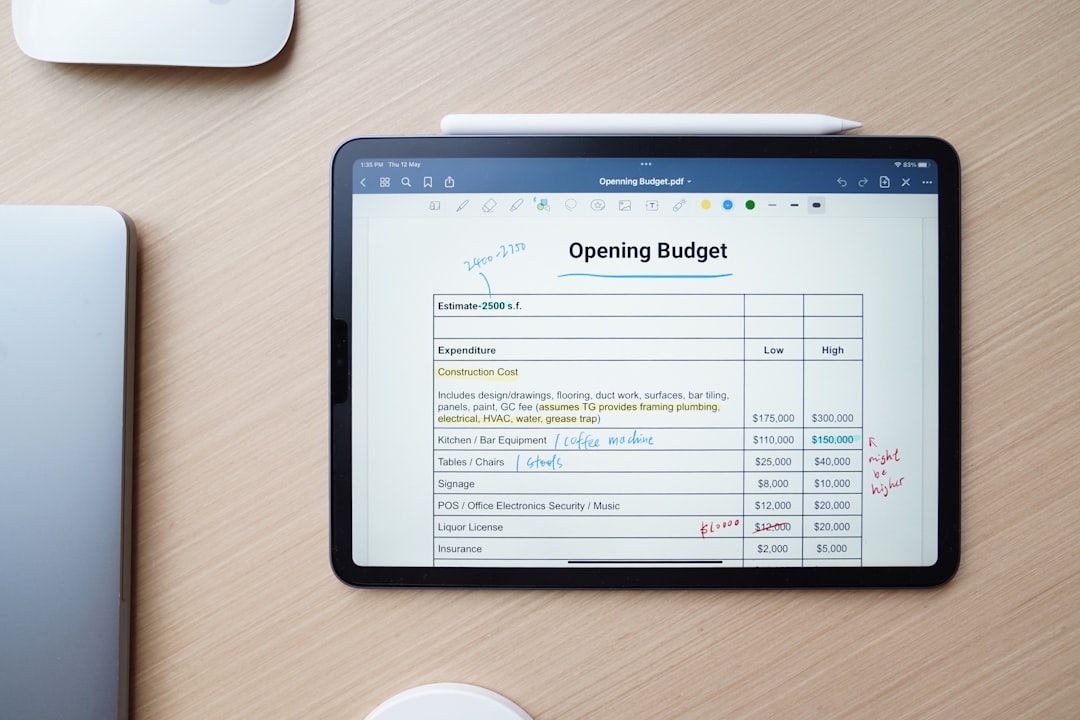
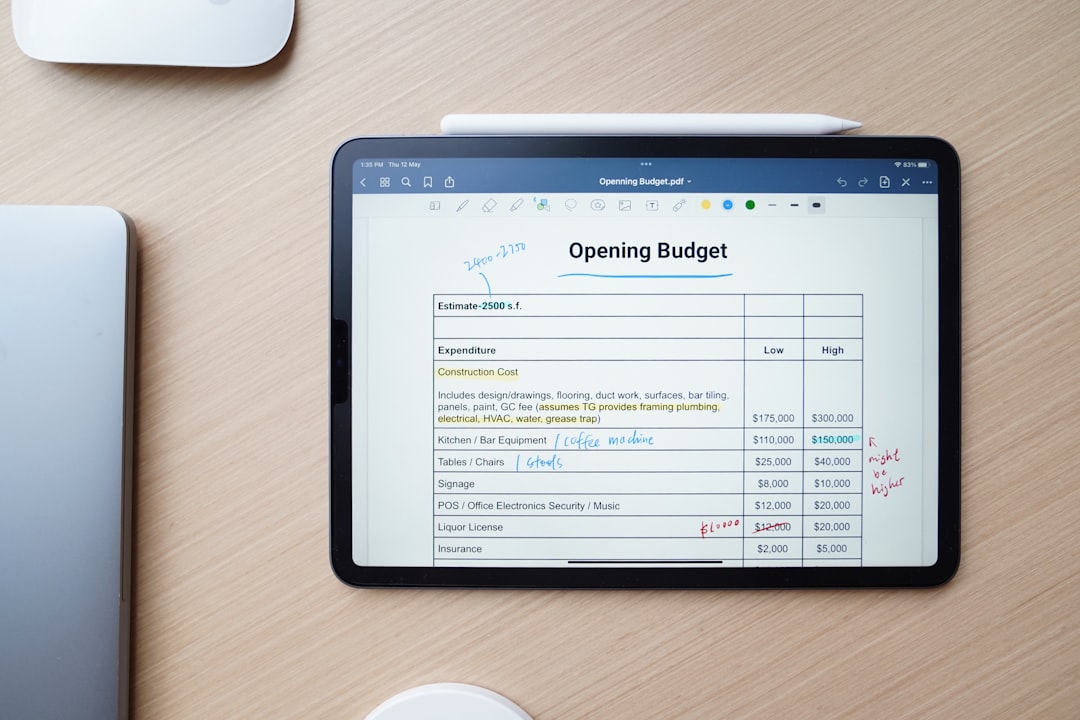
GoodNotes truly shines in PDF annotation. It's designed to be a digital binder for documents, allowing users to import PDFs, mark them up extensively with various tools, add shapes, highlight, and even rearrange pages. This makes it ideal for academic work, legal reviews, or any task requiring deep interaction with documents. While it supports images, its audio recording capabilities are more robust, allowing you to record audio that syncs with your writing—a game-changer for lectures or meetings.
Collaboration & Sharing
Collaboration is a strong suit for Apple Notes. You can easily share notes with others and work together in real-time, with changes appearing instantly. This is invaluable for group projects, family shopping lists, or shared meeting minutes. The integration with iCloud makes sharing seamless and secure.
GoodNotes offers sharing options, primarily exporting notes as PDFs or GoodNotes files. While it allows for collaborative work on shared documents, its real-time collaboration features are not as deeply integrated or as fluid as Apple Notes' native offering. For individual work or sharing final documents, GoodNotes is excellent, but for dynamic team collaboration, Apple Notes often takes the lead.
Cloud Sync & Data Reliability
Both applications rely on cloud services for synchronization. Apple Notes uses iCloud, providing instant sync across all your Apple devices. This integration is generally robust, but like any cloud service, occasional glitches can occur. Data reliability is paramount for note-taking. We've seen frustrating instances with other note-taking apps, where users lament, "I purchased a yearly subscription. All my church sermons notes and Bible studies are missing. Please restore my account and notes." Such scenarios highlight the need for robust backup and sync.
GoodNotes syncs via iCloud as well, ensuring your notebooks are accessible across your Apple devices. GoodNotes also offers its own backup options to services like Google Drive, Dropbox, and OneDrive, providing an extra layer of data security. This multi-platform backup strategy can be reassuring for users who want complete control over their data's redundancy.
AI Integration & Smart Features
AI is increasingly shaping the future of productivity apps. In 2026, both Apple Notes and GoodNotes have started to incorporate AI-powered features. Apple Notes leverages Apple Intelligence for enhanced search, content summary, and smart suggestions within notes. Its ability to recognize context and offer relevant information or actions is growing. Apple's broader commitment to AI, even delaying products like the 2026 Apple TV 4K for smarter Siri integration, suggests a future where Apple Notes will become even more intelligent.
GoodNotes has also embraced AI, particularly in areas like handwriting recognition, conversion, and even rudimentary smart organization. Features like 'Flashcards AI' and improved outline generation demonstrate its commitment to leveraging AI for enhanced learning and productivity. The positive sentiment around AI-powered tools, as seen in reviews for apps like Google NotebookLM ("Wow realmente no esperaba ni imaginaba la calidad y lo bueno que es"), indicates a strong demand for these capabilities.
The synergy between advanced hardware and sophisticated software is more evident than ever. The M4 iPad Air, as highlighted in recent reviews like the M4 iPad Air Review: The ‘Better’ iPad Is Now Really That Good, offers a processing backbone that allows these note-taking apps to perform at their peak, pushing the boundaries of what's possible with digital ink and AI-powered features.
User Experience and Interface
The look and feel of an application significantly impact daily usage. Both Apple Notes and GoodNotes offer distinct user experiences.
Ease of Use
Apple Notes prides itself on simplicity and accessibility. Its interface is clean, intuitive, and consistent with the broader Apple ecosystem design language. For new users, it has a minimal learning curve. You open it, tap to create a note, and start writing or typing. Its quick access from the Lock Screen or Control Center makes capturing thoughts almost instantaneous.
GoodNotes, while powerful, has a slightly steeper learning curve due to its extensive features and customization options. Users need to understand the concept of notebooks, paper templates, and various tool settings. However, once mastered, its interface becomes incredibly efficient for dedicated note-takers. It's designed for deep work, not just quick jotting.
Customization
Apple Notes offers basic customization for text styles and organizational folders. While functional, it doesn't allow for extensive personalization of the writing surface or tool aesthetics.
GoodNotes excels in customization. Users can choose from a vast library of paper templates, create custom templates, design unique notebook covers, and personalize pen colors and styles. This level of customization allows users to tailor their note-taking environment to their exact preferences, whether for academic subjects, project planning, or creative journaling.
Cross-Platform Availability
Apple Notes is a true cross-platform solution within the Apple ecosystem. It works seamlessly across iPhone, iPad, Mac, and even watchOS. This makes it incredibly convenient for users who frequently switch between devices.
GoodNotes is primarily focused on iPad and iPhone, with a Mac app that provides access to your notebooks. While its core experience is optimized for touch and Apple Pencil on iPad, the Mac app ensures continuity. It does not, however, extend to non-Apple platforms, solidifying its position as an Apple-centric productivity tool.
Performance and Device Optimization
The performance of these apps is heavily influenced by the hardware they run on. As of 2026, the M-series chips in iPads offer unparalleled power.
Running on M4 iPad Air and M5 iPad Pro
The new M4 iPad Air, representing a significant update, has narrowed the gap with the iPad Pro. As observed in the M4 iPad Air vs. M5 iPad Pro Buyer's Guide: 40+ Differences Compared, both devices offer incredible performance. Both Apple Notes and GoodNotes run exceptionally well on these machines. Handwriting latency is virtually imperceptible, large PDFs load quickly, and complex notebooks remain responsive.
GoodNotes, with its more intensive ink engine and extensive customization, benefits greatly from the M-series chips' graphical capabilities. Drawing intricate diagrams or annotating dense textbooks feels fluid and instantaneous. Apple Notes, being a native app, is inherently optimized for Apple silicon, ensuring smooth operation even with multimedia-rich notes.
Battery Life Considerations
Both apps are generally efficient. Apple Notes, being a native app, often has a slight edge in power consumption during typical use. GoodNotes, especially when heavily used for continuous handwriting, PDF annotation, or audio recording, might consume slightly more battery due to its advanced features. However, with the improved battery life of 2026 iPads, this difference is often negligible for most users.
iPad Note-Taking App Selector (2026)
Prioritize your workflow to find your ideal app based on our 2026 audit data.
Apple Notes Suitability
0
GoodNotes Suitability
0
Our Recommendation:
Pricing Models and Value Proposition
Cost is always a factor in software choice.
Apple Notes: Free and Bundled
Apple Notes comes free with every Apple device. There are no in-app purchases or subscriptions for its core functionality. This makes it an incredibly high-value proposition for anyone already in the Apple ecosystem. Its features are continually updated alongside iOS and iPadOS, offering ongoing improvements without additional cost.
GoodNotes: Premium Purchase or Subscription
GoodNotes typically operates on a premium model, historically a one-time purchase, though as of 2026, it also offers subscription tiers for advanced features or cloud storage. While this requires an upfront or recurring investment, many users find the specialized features and superior handwriting experience well worth the cost. The value proposition here is about investing in a dedicated tool that enhances productivity and learning significantly.
When considering software investments, especially for productivity tools, it's worth noting how valuable these digital assets become. For instance, understanding the Average RPM Mediavine Finance Niche: 2026 Performance Guide might seem unrelated, but it underscores the financial value generated by digital content and efficient workflows, even if in a different domain.
Here's a quick comparison table of key features:
| Feature | Apple Notes (2026) | GoodNotes (2026) |
|---|---|---|
| Handwriting Experience | Excellent, Smart Selection, Shape Recognition | Superior, Customizable Pens, Zoom Window, Paper Templates |
| PDF Annotation | Basic Markup, Signatures | Advanced, Extensive Tools, Page Rearrangement |
| Organization | Folders, Subfolders, Tags, Smart Folders | Notebooks, Folders, Tags, Customizable Covers |
| Cloud Sync | iCloud (Seamless, Apple Ecosystem) | iCloud, External Backups (Google Drive, Dropbox) |
| AI Features | Apple Intelligence (Search, Summaries, Suggestions) | Handwriting Recognition, Flashcards AI, Outline Generation |
| Pricing | Free (Bundled with Apple devices) | Premium One-time Purchase or Subscription |
Addressing Common Pain Points and User Feedback
No app is perfect, and understanding common user frustrations can help in making an informed decision.
Apple Notes' Limitations
While Apple Notes has improved, its main drawback for power users is its relative lack of specialization. It doesn't offer the granular control over handwriting tools, the extensive paper templates, or the deep PDF interaction that GoodNotes provides. For someone who lives and breathes digital ink, Apple Notes can feel restrictive. Its organization, while functional, might not suit complex academic or project-based workflows as well as dedicated notebook apps.
GoodNotes' Challenges
GoodNotes' main challenge can be its cost for some users, especially if they only need basic note-taking. Its integration with the broader Apple ecosystem, while solid, isn't as deeply ingrained as Apple Notes. For instance, Quick Notes functionality, which allows you to swipe from the corner of the screen to start a new note, is an Apple Notes exclusive. The learning curve, though manageable, can also be a barrier for casual users looking for immediate simplicity.
Who Should Choose Which in 2026?
The choice between Apple Notes and GoodNotes in 2026 largely depends on your specific needs and how you use your iPad and Apple Pencil.
Choose Apple Notes if:
- You want a free, integrated solution that works seamlessly across all your Apple devices.
- Your note-taking is primarily text-based, with occasional handwriting or simple sketches.
- You value real-time collaboration with other Apple users.
- You need quick access to notes from the Lock Screen or Control Center.
- You appreciate a clean, minimalist interface and don't require extensive customization.
- You are a casual note-taker, student, or professional who needs a reliable, always-available digital notebook.
Choose GoodNotes if:
- Your primary use case involves extensive handwriting, drawing, and sketching with the Apple Pencil.
- You frequently annotate PDFs, textbooks, or research papers.
- You require a highly customizable writing experience with various pen types, colors, and paper templates.
- You prefer a notebook-based organization system with visual covers.
- You need features like audio recording synced with handwriting for lectures or meetings.
- You are a student, academic, artist, or professional who relies on the iPad as a digital paper replacement and are willing to invest in a premium app.
For some users, a hybrid approach works best, using Apple Notes for quick captures and shared lists, and GoodNotes for in-depth study, planning, or creative work. For a broader perspective on the note-taking app market, consider exploring other options in Apple Notes vs GoodNotes vs Notability vs CollaNote 2026, which provides an even wider comparison.
The Future of Note-Taking and AI's Role
Looking beyond 2026, the trajectory for both apps points towards deeper AI integration. Expect more sophisticated handwriting analysis, predictive text for handwritten notes, and AI-powered organization that can automatically categorize and summarize content. The emphasis will be on making note-taking more intelligent, proactive, and less about manual input. As AI continues to become an integral part of workflow optimization, similar to how AI Project Management for Large Development Teams in 2027 is transforming business, note-taking apps will follow suit, offering smart assistants that help you recall information, generate insights, and even create content from your notes.
Cloud services will also continue to evolve, offering even more robust sync and backup solutions, potentially integrating with a wider array of third-party services. The competition will push both Apple and GoodNotes to innovate rapidly, ensuring users benefit from cutting-edge features.
Conclusion
In the perennial debate of Apple Notes vs GoodNotes 2026, there's no single victor; rather, there's a clear winner for specific user profiles. Apple Notes excels as the versatile, free, and deeply integrated option for general note-taking and collaborative work within the Apple ecosystem. It's the dependable daily driver for millions. GoodNotes, conversely, stands out as the specialized, premium tool for those who demand the best digital handwriting experience, extensive PDF annotation, and a highly customizable digital paper environment. Its strengths are undeniable for students and professionals who treat their iPad as a primary workstation.
Ultimately, the best app for you in 2026 is the one that aligns most closely with your personal or professional workflow. Consider your priorities: is it seamless integration and zero cost, or is it unparalleled handwriting fidelity and advanced PDF capabilities? Both apps offer exceptional value in their respective domains, making digital note-taking on the iPad a truly powerful and personalized experience.
