
 SaaS Metrics
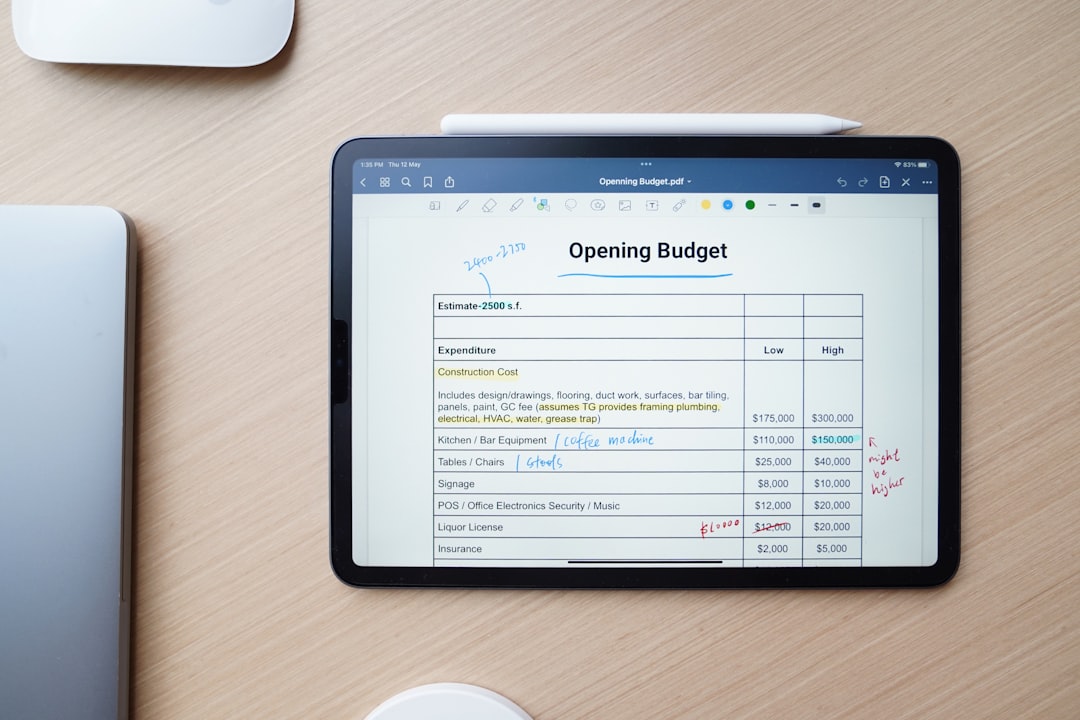
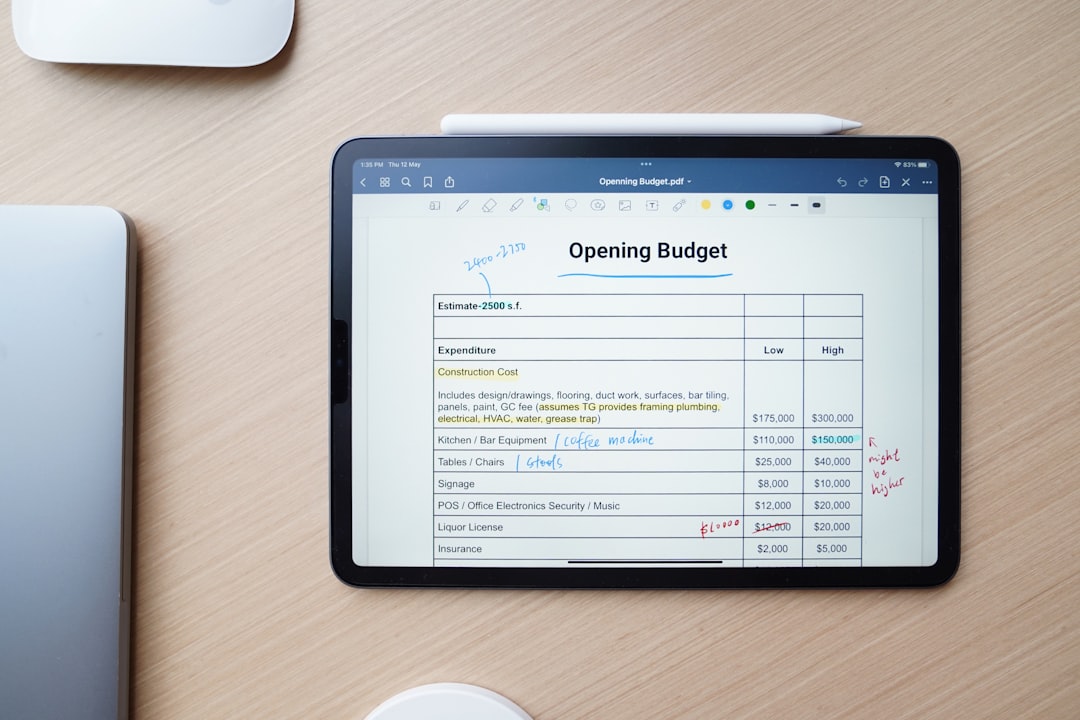
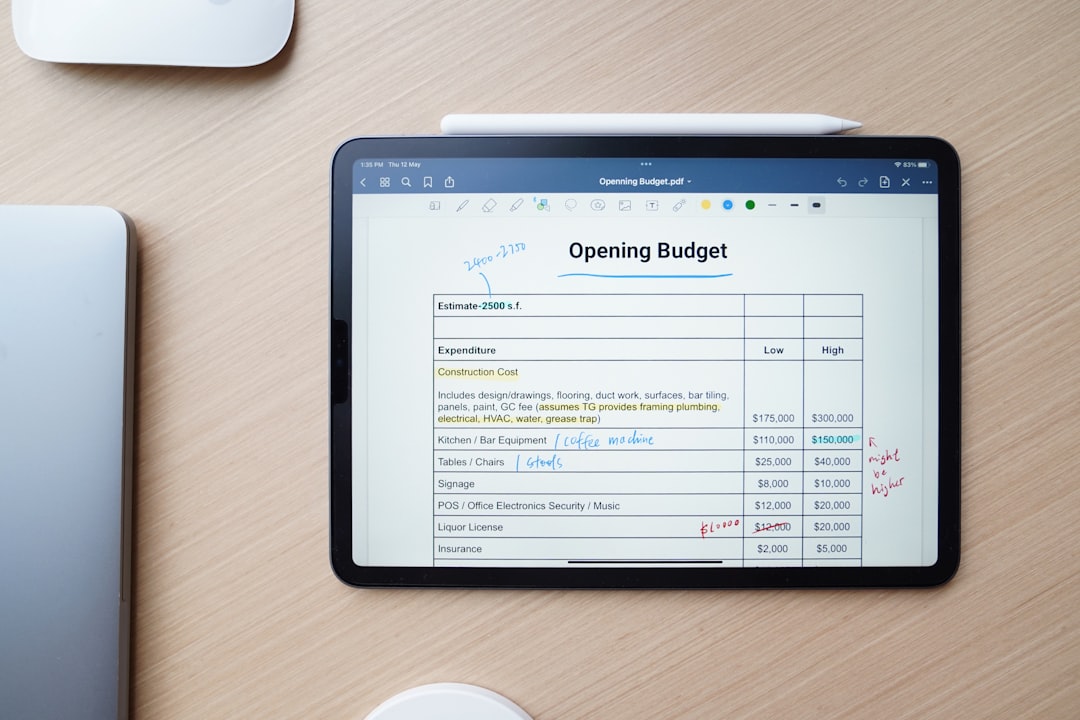
The digital note-taking arena is more competitive than ever, especially for Apple users. As of April 17, 2026, two dominant forces continue to vie for the top spot on iPads and iPhones: Apple Notes and GoodNotes. For anyone looking to optimize their workflow, the question of "apple notes vs goodnotes 2026" is not just about features, but about finding the right tool that integrates seamlessly with their personal or professional life. This comprehensive analysis will dissect both applications, examining their strengths, weaknesses, and ideal use cases, helping you make an informed decision in the current year. The choice between these two powerful apps often comes down to individual needs, whether you prioritize deep integration and simplicity or advanced features and extensive customization. We’ll explore how each app has evolved, particularly in light of recent hardware advancements like the M4 iPad Air, and what they offer to users looking for the best digital ink experience.
The Evolving Note-Taking Ecosystem in 2026
The landscape of digital productivity tools is constantly shifting, driven by both software innovation and hardware capabilities. In 2026, the iPad remains the quintessential device for digital note-taking, with its powerful processors and the precision of the Apple Pencil. The recent updates to Apple's tablet lineup have further refined this experience. For instance, the M4 iPad Air, as highlighted in a recent MacRumors guide, has significantly narrowed the performance gap with the M5 iPad Pro, offering compelling power for even demanding note-taking tasks. This means that whether you opt for the premium Pro or the more accessible Air, you're getting a device capable of handling the most sophisticated note-taking applications. Gizmodo's review of the M4 iPad Air even declared it "The ‘Better’ iPad Is Now Really That Good", pointing to small upgrades and improved iPadOS features that collectively enhance the user experience. These hardware advancements directly impact how fluidly apps like Apple Notes and GoodNotes perform, affecting everything from handwriting recognition to multimedia handling. The discussion around the best note-taking apps for iPad with Apple Pencil in 2026 often extends beyond just these two contenders, with other strong options available. For a broader perspective on the market, you might want to consider the detailed app reviews and analysis found in this comprehensive guide: best note-taking apps for iPad with Apple Pencil in 2026. This helps contextualize where Apple Notes and GoodNotes stand against their competitors.
Apple Notes vs GoodNotes 2026: Core Philosophy and User Experience
The fundamental difference between Apple Notes and GoodNotes often boils down to their core philosophies. Apple Notes is designed as an integrated, accessible utility, while GoodNotes is built as a specialized, feature-rich platform for digital ink. Understanding these distinctions is key when comparing apple notes vs goodnotes 2026. For a broader perspective on how these two titans stack up against each other and other alternatives, you might find more in-depth comparisons, such as the Digital Ink Duel: Apple Notes vs GoodNotes 2026 Review, particularly helpful.
Apple Notes: Simplicity Meets Integration
Apple Notes, pre-installed on every iPhone, iPad, and Mac, embodies Apple's commitment to seamless ecosystem integration. Its strength lies in its immediate availability and ease of use. For many, it's the first and only note-taking app they'll ever need. The app excels at quick captures, checklists, basic formatting, and simple sketches. Its integration with iOS and iPadOS means features like Quick Note, which lets you jot down ideas from anywhere with a swipe of the Apple Pencil, are incredibly fluid. Sharing notes via iCloud with family or colleagues is straightforward, and the app's OCR capabilities have improved significantly, making handwritten text searchable within the app. However, this simplicity can also be a limitation for power users. While Apple Notes has grown considerably over the years, adding features like tags, smart folders, and enhanced PDF annotation, it still maintains a minimalist interface. This might mean fewer customization options for paper types, pen styles, or advanced organizational structures compared to dedicated third-party apps. For users who primarily type notes, or need a quick digital scratchpad with robust cloud sync, Apple Notes remains an excellent, free option that consistently improves with each OS update.
GoodNotes: The Powerhouse for Digital Ink Enthusiasts
GoodNotes, on the other hand, is a premium application meticulously crafted for those who prioritize digital handwriting and extensive document management. It transforms the iPad into a sophisticated digital notebook, offering an experience that closely mimics pen and paper, but with all the advantages of digital. As of April 2026, GoodNotes boasts an impressive array of features geared towards students, professionals, and creatives. Its highly customizable pen types, including fountain pen, ballpoint, and brush pen, along with adjustable pressure sensitivity, provide an unparalleled handwriting experience with the Apple Pencil. Organization within GoodNotes is also a major differentiator. Users can create notebooks, folders, and subfolders, apply custom covers, and choose from a vast library of paper templates, or even import their own. The app's robust PDF annotation tools allow for precise markups, highlighting, and commenting on documents, making it a favorite for academic and business users. While GoodNotes comes with a learning curve due to its depth of features, its dedicated community and continuous development ensure it remains at the forefront of digital note-taking innovation. The investment in GoodNotes is often justified by its ability to consolidate multiple analog workflows into one efficient digital hub.
Feature-by-Feature Showdown: Apple Notes vs GoodNotes 2026
When making a choice between Apple Notes and GoodNotes in 2026, a detailed comparison of their feature sets is essential. Each app has distinct advantages that cater to different user preferences.
Handwriting and Apple Pencil Experience
This is where GoodNotes traditionally shines. Its advanced vector-based ink engine provides incredibly smooth and natural handwriting. Users can customize pen thickness, color palettes, and even the feel of the writing experience. GoodNotes offers a dedicated "zoom window" for precise writing, which is invaluable for dense notes or detailed diagrams. The ability to easily move, resize, and change the color of handwritten text after it's been written is a significant productivity booster. Apple Notes has made substantial strides in its handwriting capabilities, especially with the introduction of features like Scribble, which converts handwritten text to typed text in real time, and Smart Selection, allowing users to select handwritten text as if it were typed. The overall fluidity with the Apple Pencil is excellent, benefiting from deep hardware and software integration. However, it still offers fewer pen customization options than GoodNotes, and its tools for manipulating handwritten ink post-creation are less comprehensive.
Organization and Search Capabilities
Both apps offer solid organizational tools, but with different approaches. Apple Notes uses a folder-based system with subfolders and recently introduced tags, which allow for more flexible categorization. Smart Folders can automatically group notes based on tags, dates, or other criteria. Its search function is powerful, indexing both typed and handwritten content (via OCR), as well as text within images and scanned documents. GoodNotes provides a more traditional notebook and folder structure, which many find intuitive for managing large volumes of notes. Its custom covers and templates help visually distinguish different subjects. GoodNotes' search is also highly effective, with excellent OCR that makes all handwritten notes searchable, a feature particularly appreciated by students with extensive lecture notes. The ability to bookmark pages and create outlines within notebooks further enhances organization. For a deeper analysis of these apps, including how they compare to other leading options, consider reading Apple Notes vs GoodNotes 2026: The Definitive Comparison.
PDF Annotation and Document Management
GoodNotes is widely regarded as a superior PDF annotator. It allows users to import PDFs, mark them up extensively with various pens, highlighters, and shapes, add text boxes, and even rearrange or extract pages. This makes it an indispensable tool for reviewing academic papers, contracts, or digital textbooks. Its lasso tool is incredibly versatile for selecting and manipulating annotations. Apple Notes has significantly improved its PDF annotation features over time. Users can now mark up PDFs, sign documents, and add text. It's perfectly adequate for basic to intermediate PDF interaction. However, it lacks the advanced editing and organizational features that GoodNotes offers, such as the ability to easily combine multiple PDFs into a single notebook or to create custom outlines within a PDF.
Multimedia Integration and AI Features
Both applications support embedding photos, videos, and scanned documents. Apple Notes, with its tight integration into the Apple ecosystem, makes it easy to add content directly from other Apple apps or the camera. It also supports audio recordings within notes. The potential for AI integration in note-taking apps is immense. While Apple Notes benefits from system-wide features, dedicated AI note-taking applications are showing impressive capabilities. For example, the positive feedback for apps like Google NotebookLM, with one user exclaiming "Wow realmente no esperaba ni imaginaba la calidad y lo bueno que es," suggests a growing demand for intelligent features that can summarize, organize, or even generate content based on notes. As of April 2026, GoodNotes has been actively exploring AI features, such as enhanced search, smart suggestions, and tools that can help refine handwriting or even generate study materials. The future of note-taking will undoubtedly see further integration of these intelligent assistants.
Cloud Sync and Cross-Device Compatibility
Apple Notes leverages iCloud for seamless synchronization across all Apple devices – iPhone, iPad, Mac, and even iCloud.com on the web. This omnipresent access is a major advantage for users deeply embedded in the Apple ecosystem. Concerns about data loss, like those reported for other note-taking apps where users lost "church sermons notes and Bible studies," underscore the importance of reliable cloud sync. Apple Notes' integration with iCloud is generally robust and reliable, minimizing such risks. GoodNotes offers its own iCloud sync for backup and cross-device functionality within the Apple ecosystem. It also provides options for automatic backup to other cloud services like Google Drive, Dropbox, and OneDrive, offering more flexibility for users who operate across different platforms or prefer alternative backup solutions. While its core experience is optimized for iPad, GoodNotes also offers companion apps for iPhone and Mac, ensuring continuity across your devices.
Templates and Customization
GoodNotes excels in customization. It offers a vast library of built-in paper templates (ruled, squared, dotted, Cornell, planners, etc.) and notebook covers. Users can also import their own custom templates and covers, allowing for endless personalization. This flexibility is a major draw for students creating elaborate study planners or professionals designing specific meeting templates. Apple Notes provides a more limited selection of paper styles (lines, grids) and no custom covers. While it's perfectly functional, it doesn't offer the same level of aesthetic or functional customization that GoodNotes does. For users who value a highly personalized digital workspace, GoodNotes is the clear winner here.
Performance and Reliability on iPad Hardware
The performance of note-taking apps is intrinsically linked to the underlying hardware. In 2026, iPads are more powerful than ever. The M4 chip in the latest iPad Air, for example, delivers exceptional speed and efficiency, making both Apple Notes and GoodNotes run smoothly. This means virtually no lag when writing, even with complex documents or multiple layers of annotations. The M5 iPad Pro, with its even more advanced chip, pushes these boundaries further, offering headroom for future features and extremely demanding tasks. The "M4 iPad Air vs. M5 iPad Pro Buyer's Guide: 40+ Differences Compared" from MacRumors illustrates the significant capabilities of these devices, ensuring that performance is less of a bottleneck than ever for note-taking. Reliability is another critical factor. While both apps are generally stable, user experiences can vary. For instance, the frustration expressed in a review for Notion, titled "So smart, yet so dumb," regarding basic text selection issues, highlights how even seemingly minor bugs can severely impact user workflow. Similarly, the dire situation of a user losing "church sermons notes and Bible studies" due to an error message in a different note-taking app underscores the absolute necessity of robust data integrity and synchronization. Apple Notes, being a first-party application, benefits from deep integration with iPadOS and typically exhibits high stability and reliable iCloud sync. GoodNotes, as a highly refined third-party app, also boasts a strong track record for stability and offers flexible backup options to mitigate data loss. Both apps are generally well-optimized to take full advantage of the iPad's hardware, providing a consistent and responsive experience.
Personalized Note-Taking Workflow Audit (2026)
Tailor your ideal note-taking app based on your priorities and usage patterns.
1. Your Priorities (0=Low, 10=High)
2. Your Usage & Costs
3. Feature Fit Comparison
4. Your Personalized Audit
Our Recommendation:
Adjust the sliders to see your personalized recommendation.
Pricing and Accessibility
The cost model is a straightforward yet significant differentiator between these two apps. Apple Notes is entirely free. It comes pre-installed on all Apple devices and is fully integrated into the operating system. There are no in-app purchases, subscriptions, or hidden costs. This makes it an incredibly accessible option for anyone with an iPhone, iPad, or Mac, providing a solid note-taking solution without any financial barrier. GoodNotes operates on a freemium or paid model. As of April 2026, it offers a free tier with limited functionality (e.g., a restricted number of notebooks) and a premium version that unlocks all features. This premium version is typically available either as a one-time purchase or a subscription. While the exact pricing model can vary with updates, the expectation is that a full-featured GoodNotes experience will involve a financial investment. For many users, the advanced capabilities and customization options justify this cost, seeing it as an investment in their productivity tools.
Use Cases and Target Audiences
The ideal user for each app often aligns with their core design philosophy. Apple Notes is best suited for: * **Casual Note-Takers:** Individuals who need a quick, reliable place to jot down thoughts, create shopping lists, or capture information without needing advanced features. * **Apple Ecosystem Users:** Those who appreciate deep integration with other Apple services and devices, valuing the seamless sync and Quick Note functionality. * **Budget-Conscious Users:** Since it's free, it's the perfect choice for anyone not wanting to spend money on a note-taking app but still requiring robust functionality. * **Basic Document Annotation:** Users who need to sign documents or make simple markups on PDFs without advanced editing tools. GoodNotes is the preferred choice for: * **Students:** Ideal for taking lecture notes, annotating textbooks, creating study guides, and organizing academic materials across multiple subjects. * **Professionals:** Business users who need to mark up reports, brainstorm ideas, take meeting minutes, or design presentations with precision. * **Digital Journalers and Planners:** Individuals who enjoy creating custom digital planners, journals, or bullet journals with extensive customization options. * **Artists and Designers:** Those who appreciate fine control over digital ink for sketching, drawing, or detailed visual note-taking. * **Power Users:** Anyone who demands advanced features for organization, customization, and precise handwriting manipulation. For businesses looking to optimize their digital tools and growth strategies, understanding the value of such applications can even be linked to broader economic principles. The efficient use of digital tools, much like investing in research and development, contributes to a form of Reinvestment Velocity: Powering Intangibles & R&D Growth in 2026. Similarly, recognizing how these tools enhance productivity and innovation is a key aspect of Intangible Reinvestment Velocity: Driving R&D Growth in 2026. These links, while not directly about the apps, highlight the broader business context of choosing the right digital infrastructure for productivity.
The Future of Note-Taking Apps in 2026 and Beyond
The trajectory for note-taking applications in 2026 points towards greater intelligence, deeper integration, and continued refinement of the digital ink experience. Artificial intelligence is poised to play an even more significant role, moving beyond simple OCR to offering features like automatic summarization, smart organization, and even content generation. We're seeing early glimpses of this with apps like Google NotebookLM receiving enthusiastic reviews for their AI capabilities. Hardware advancements will continue to drive software innovation. As iPads become even more powerful and Apple Pencil technology evolves, the possibilities for realistic handwriting, complex diagrams, and interactive multimedia notes will expand. Apple's own approach to product development, sometimes prioritizing software integration and user experience over rapid hardware releases, as seen with the strategic delay of the 2026 Apple TV 4K for a smarter Siri, suggests a future where software intelligence is paramount. This focus on intelligent features will likely influence Apple Notes' development, while GoodNotes will continue to push the boundaries of dedicated digital handwriting and document management.
"The true value of a note-taking app isn't just in its feature list, but in how seamlessly it integrates into a user's thinking process and daily workflow, enhancing productivity without adding friction."
This sentiment underscores that the best app is not necessarily the one with the most features, but the one that best serves the individual's specific needs and habits. The competition between Apple Notes and GoodNotes in 2026 is a healthy one, pushing both developers to innovate and deliver increasingly capable tools.
Comparative Table: Apple Notes vs GoodNotes 2026
| Feature | Apple Notes (as of April 2026) | GoodNotes (as of April 2026) |
|---|---|---|
| **Cost** | Free, pre-installed | Freemium model, premium features require one-time purchase or subscription |
| **Handwriting Experience** | Excellent, deep OS integration, Scribble, Smart Selection. Fewer pen customizations. | Exceptional, highly customizable pens (fountain, ballpoint, brush), zoom window, vector ink. |
| **PDF Annotation** | Basic to intermediate markup, signing, text addition. | Advanced tools: precise markups, highlighting, shapes, text boxes, page manipulation. |
| **Organization** | Folders, subfolders, tags, Smart Folders. | Notebooks, folders, subfolders, custom covers, outlines, bookmarks. |
| **Customization** | Limited paper templates, no custom covers. | Extensive paper templates, custom covers, importable templates. |
| **Cloud Sync** | iCloud (seamless across Apple devices). | iCloud, plus optional backup to Google Drive, Dropbox, OneDrive. |
| **AI Integration** | Leverages system-wide AI (e.g., Live Text), growing capabilities. | Actively exploring dedicated AI features for search, summaries, study aids. |
| **Target Audience** | Casual users, Apple ecosystem loyalists, budget-conscious individuals. | Students, professionals, artists, power users, digital ink enthusiasts. |
Conclusion: Choosing Your Note-Taking Ally in 2026
The debate of "apple notes vs goodnotes 2026" doesn't have a single, universally correct answer. Both applications are leaders in their respective domains, constantly evolving to meet user demands and leverage new hardware capabilities. If you are someone who values simplicity, deep ecosystem integration, and a zero-cost solution, Apple Notes is likely your ideal companion. It offers robust functionality for most everyday note-taking needs, with excellent performance on any modern iPad, including the M4 iPad Air. Its continuous improvements mean it’s more capable than ever for quick captures, basic organization, and reliable cloud synchronization. If you're generally satisfied with the stock Apple apps and don't require highly specialized features, Apple Notes will serve you exceptionally well. It’s an efficient, unobtrusive tool that gets the job done without fuss. However, if your note-taking needs are more advanced – perhaps you're a student drowning in lecture notes, a professional who annotates countless PDFs, or a creative who requires precise digital ink control – then GoodNotes is undoubtedly worth the investment. Its superior handwriting experience, extensive customization options, and powerful document management features provide a level of depth that Apple Notes currently doesn't match. GoodNotes empowers users to create highly organized, visually rich, and deeply interactive digital notebooks. For those who consider their note-taking app a primary productivity tool and are willing to invest in its capabilities, GoodNotes offers an unparalleled experience in 2026. Ultimately, the best way to decide between Apple Notes and GoodNotes in 2026 is to consider your personal workflow, your budget, and the specific features you rely on most. Both apps stand as excellent choices, but by understanding their core strengths and limitations, you can confidently select the one that will truly enhance your digital productivity.
